EasyManua.ls Logo

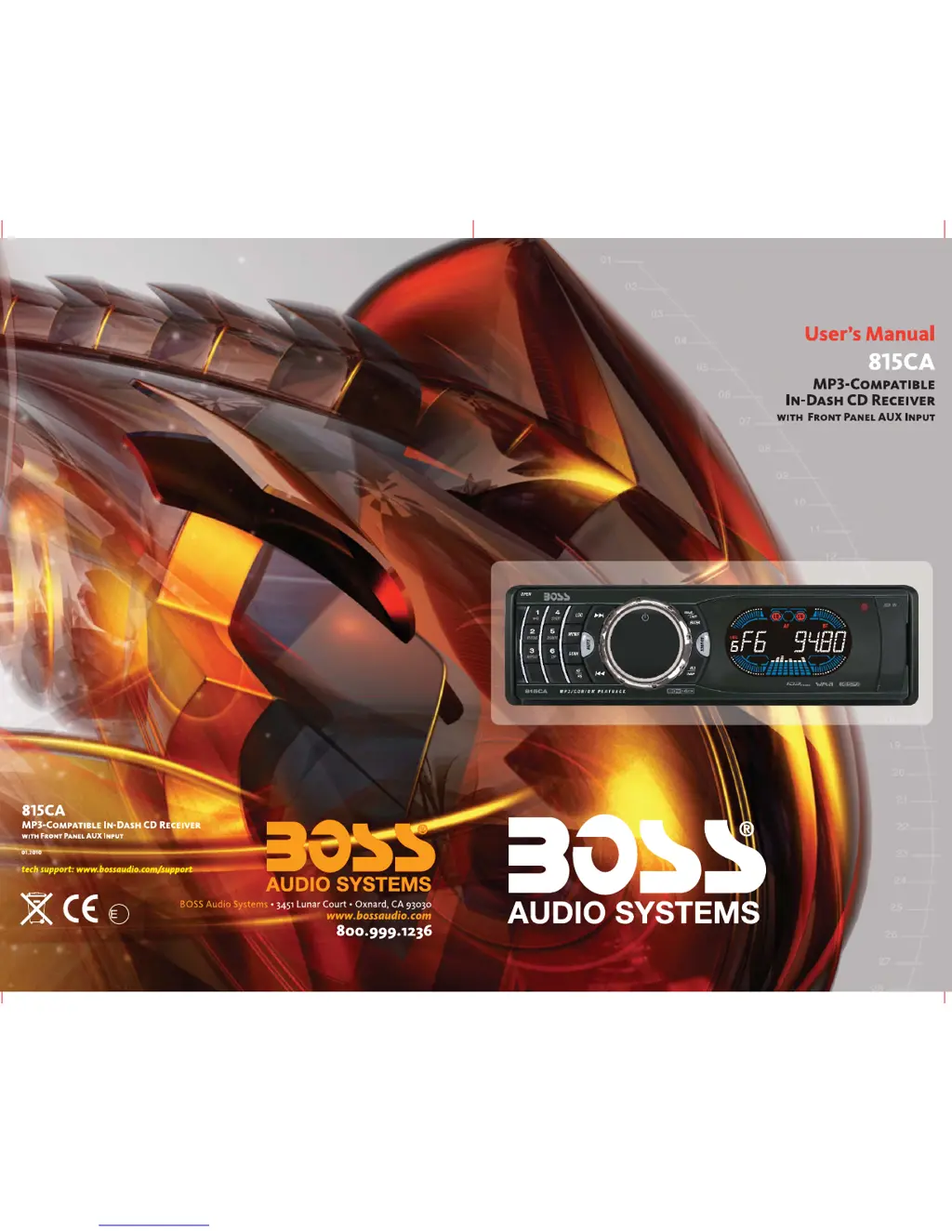
Boss 815CA - User Manual

Boss 815CA
16 pages
Print Icon
To Next Page IconTo Next Page
Loading...
24
10 R - 03 0500

Questions and Answers

  • K
    Karina KelleyAug 13, 2025
    Why does my Boss 815CA Car Receiver have no power?
    • S
      slesterAug 13, 2025
      Your Boss Car Receiver might not be getting power because the car ignition isn't on. If your receiver is properly connected to the car accessory terminal, switch the ignition key to “ACC”. Another potential cause is a blown fuse. If this is the case, replace the fuse.
  • S
    Sara ReedAug 17, 2025
    What to do if my Boss Car Receiver has no sound?
    • H
      Hailey ThomasAug 17, 2025
      If your Boss Car Receiver isn't producing any sound, the volume might be set to the minimum. Adjust the volume to a desired level. Also, check the wiring connections to ensure they are properly connected.
  • L
    Linda Stafford MDAug 20, 2025
    How to fix sound skipping on my Boss 815CA Car Receiver?
    • J
      Jeremy HoltAug 20, 2025
      Sound skipping on your Boss Car Receiver can occur if the installation angle is more than 30 degrees. Adjust the installation angle to less than 30 degrees. Another reason could be a dirty or defective disc. Clean the compact disc or try playing a new one.
  • C
    Caitlin LaraAug 25, 2025
    Why won't my Boss 815CA Car Receiver load or eject discs?
    • Z
      zsmithAug 25, 2025
      Your Boss Car Receiver might fail to load or eject discs for several reasons. There may already be a CD inside the player, in which case you should remove it before inserting another. Ensure you are inserting the disc with the label facing upward. The compact disc may be extremely dirty or defective, so try cleaning it or using a new one. High temperatures inside the car or condensation can also cause this issue. Cool off the car, or leave the player off for an hour before trying again.
  • S
    Sharon TaylorAug 28, 2025
    Why does the radio on my Boss 815CA Car Receiver not work?
    • K
      Kimberly BergAug 28, 2025
      If the radio on your Boss Car Receiver isn't working, make sure the antenna cable is firmly inserted. If the signals are too weak, try selecting a station manually.
  • J
    Joyce ScottAug 31, 2025
    What to do if the operation keys on my Boss 815CA Car Receiver don't work?
    • L
      Laura RichardAug 31, 2025
      If the operation keys on your Boss Car Receiver aren't working, it could be due to the built-in microcomputer malfunctioning because of noise. Press the RESET button.
  • A
    Angela HouseSep 4, 2025
    What does ERROR 1 mean on my Boss Car Receiver?
    • A
      Anthony BaxterSep 4, 2025
      If your Boss Car Receiver displays ERROR 1, it indicates a mechanism error. Press the reset button; if the error code persists, consult your nearest service dealer.
  • A
    Alicia ChristensenSep 8, 2025
    What does ERROR 2 mean on my Boss 815CA?
    • M
      Mrs. Jasmine HernandezSep 8, 2025
      If your Boss Car Receiver displays ERROR 2, it indicates a servo error. Press the reset button; if the error code persists, consult your nearest service dealer.

Summary

Button Functions and Locations

Button Identification Guide

Identifies and describes the function of each button on the control panel.

Handling Compact Discs

CD Care and Handling Tips

Essential advice for handling CDs to ensure optimal playback and prevent damage.

Disc Compatibility and Warnings

Information on incompatible discs, sticky residue, and special shape CDs.

Installation Procedures

Front-Mount Installation (Method A)

Step-by-step guide for installing the unit using the front-mount method.

Rear-Mount Installation (Method B)

Step-by-step guide for installing the unit using the rear-mount method.

Panel Open;Close Operation

How to open and close the front panel to access the CD slot.

Detachable Control Panel (DCP)

Removing the Front Panel

Instructions for safely detaching the control panel from the main unit.

Attaching the Front Panel

Instructions for securely reattaching the control panel to the main unit.

Wiring Diagram and Connections

Connector Wiring Chart (English)

Details of wire colors and their functions for the main unit connectors.

Basic Operations

Key Button Functions Overview

Explains the basic functions of Power, Display, Source, and Aux-In buttons.

Reset Button Usage

Guidance on when and how to use the unit's reset button.

Audio Operations

Audio Adjustment Controls

How to adjust volume, bass, treble, balance, fader, and loudness.

Radio Operations

Radio Tuning and Station Presets

Methods for scanning, tuning, seeking, and storing radio stations.

CD Playback Operations

CD Player Controls

Instructions for playing, pausing, skipping, repeating, and ejecting CDs.

MP3 Operations

MP3 Track Search by Number

How to search for MP3 tracks by directly entering the track number.

MP3 Character Search (Tune Buttons)

Using tune buttons to search MP3 files and directories by character.

MP3 Character Search (Encoder)

Using the volume encoder to search MP3 files and directories by character.

MP3 Directory Navigation

Navigating MP3 directories and tracks using specific buttons.

MP3 ID3 Tag Information

Viewing ID3 tag information (title, artist, album) for MP3 files.

Remote Control Operations

Remote Control Button Functions

Explanation of each remote control button's function across modes.

Technical Specifications

System and Radio Specifications

Details on CD player system, FM/AM radio frequencies, and general specs.

Troubleshooting Guide

Common Problems and Solutions

Guide to diagnose and resolve common operating issues and error codes.

Product Disposal Guidelines

Information on environmentally responsible disposal of the electronic product.

Boss 815CA Specifications

General IconGeneral
BrandBoss
Model815CA
CategoryCar Receiver
LanguageEnglish

Related product manuals