EasyManua.ls Logo

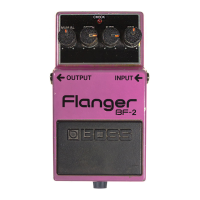
Boss BF-2 Flanger - Radio and Television Interference; Names and Functions; Manual Control; Depth Control

Boss BF-2 Flanger
6 pages
Print Icon
To Next Page IconTo Next Page
To Previous Page IconTo Previous Page
Loading...
RADIO
AND
TELEVISION
INTERFERENCE
“Warning
This
equipment
has
been
verified
to
comply
with
the
limits
for
a
Class
B
computing
device,
pursuant
to
Subpart
J,
of
Part
15,
of
FCC
rules.
Operation
with
non-certified
or
non-verified
equip-
ment
is
likely
to
result
in
interference
to
radio
and
TV
reception.”
The
equipment
described
in
this
manual
generates
and
uses
radio-frequency
energy.
If
it
is
not
installed
and
used
properly,
that
is,
in
strict
accordance
with
our
instructions,
it
may
cause
interfer-
ence
with
radio
and
television
reception.
This
equipment
has
been
tested
and
found
to
comply
with
the
limits
for
a
Class
B
computing
device
in
accordance
with
the
specifications
in
Subpart
J,
of
Part
15,
of
FCC
Rules.
These
rules
are
designed
to
provide
reasonable
protection
against
such
a
interference
in
a
residential
installation.
However,
there
is
no
guarantee
that
the
interference
will
not
occur
in
a
particular
instaliation.
If
this
equipment
does
cause
interference
to
radio
or
television
reception,
which
can
be
determined
by
turning
the
equipment
on
and
off,
the
user
is
encouraged
to
try
to
correct
the
interference
by
the
following
measure:
e
Disconnect
other
devices
and
their
input/output
cables
one
at
a
time.
If
the
interference
stops,
it
is
caused
by
either
the
other
device
or
its
İ/O
cable.
Tnese
devices
usually
require
Roland
designated
shielded
1/O
cables.
For
Roland
devices,
you
can
obtain
the
proper
shielded
cable
from
your
dealer.
For
non
Roland
devices,
contact
the
manufacturer
or
dealer
for
assistance.
if
your
equipment
does
cause
interference
to
radio
or
television
reception,
you
can
try
to
correct
the
interference
by
using
one
or
more
of
the
following
measures:
e
Turnthe
TV
or
radio
antenna
until
the
interference
stops.
Move
the
equipment
to
one
side
or
the
other
of
the
TV
or
radio.
Move
the
equipment
farther
away
from
the
TV
or
radio.
Plug
the
equipment
into
an
outlet
that
is
ona
different
circuit
than
the
TV
or
radio.
(That
is,
make
certain
the
equipment
and
the
radio
or
television
set
are
on
circuits
controlied
by
different
circuit
breakers
or
fuses.)
e
Consider
installing
a
rooftop
television
antenna
with
coaxial
cable
lead-in
between
the
antenna
and
TV.
if
necessary,
you
should
consult
your
dealer
or
an
experienced
radio/television
technician
for
additional
suggestions.
You
may
find
helpful
the
following
booklet
prepared
by
the
Federal
Com-
munications
Commission:
“How
to
Identify
and
Resolve
Radio-TV
Interference
Problems”
This
booklet
is
available
from
the
U.S.
Government
Printing
Office,
Washington,
D.C.,
20402,
Stock
No.
004-000-00345-4.
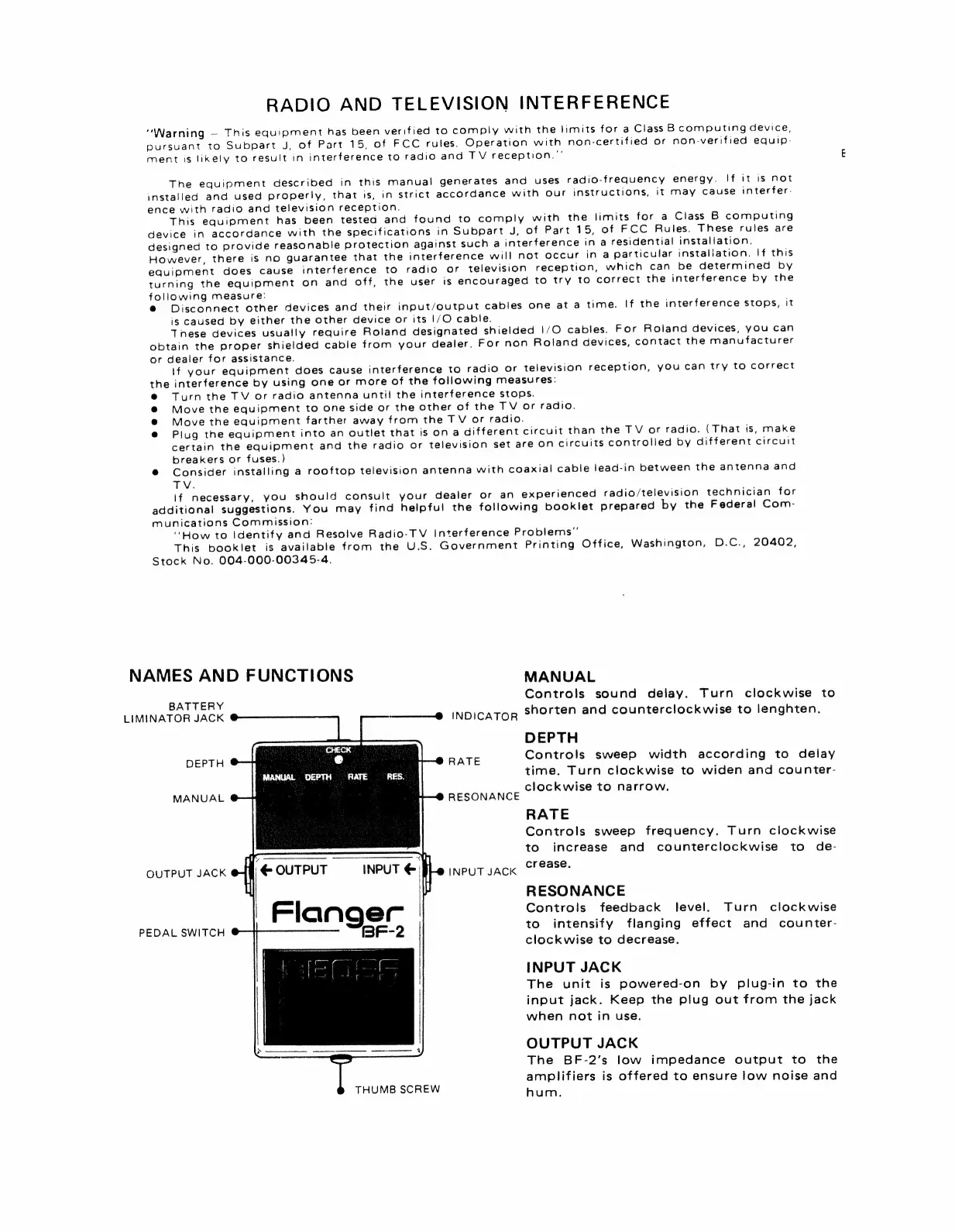
NAMES
AND
FUNCTIONS
MANUAL
Controls
sound
delay.
Turn
clockwise
to
BATTERY
h
;
LIMINATOR
JACK
INDICATOR
$
orten
and
counterclockwise
to
lenghten.
DEPTH
DEPTH
RATE
Controls
sweep
width
according
to
delay
time.
Turn
clockwise
to
widen
and
counter-
clockwise
to
narrow.
RESONANCE
RATE
Controls
sweep
frequency.
Turn
clockwise
to
increase
and
counterclockwise
to
de-
OUTPUT
JACK
OUTPUT
INPUT
INPUT
JACK
oF
ease:
RESONANCE
Controls
feedback
level.
Turn
clockwise
to
intensify
flanging
effect
and
counter-
clockwise
to
decrease.
INPUT
JACK
The
unit
is
powered-on
by
plug-in
to
the
input
jack.
Keep
the
plug
out
from
the
jack
when
not
in
use.
OUTPUT
JACK
The
BF-2’s
low
impedance
output
to
the
amplifiers
is
offered
to
ensure
low
noise
and
hum.
MANUAL
PEDAL
SWITCH
THUMB
SCREW

Related product manuals