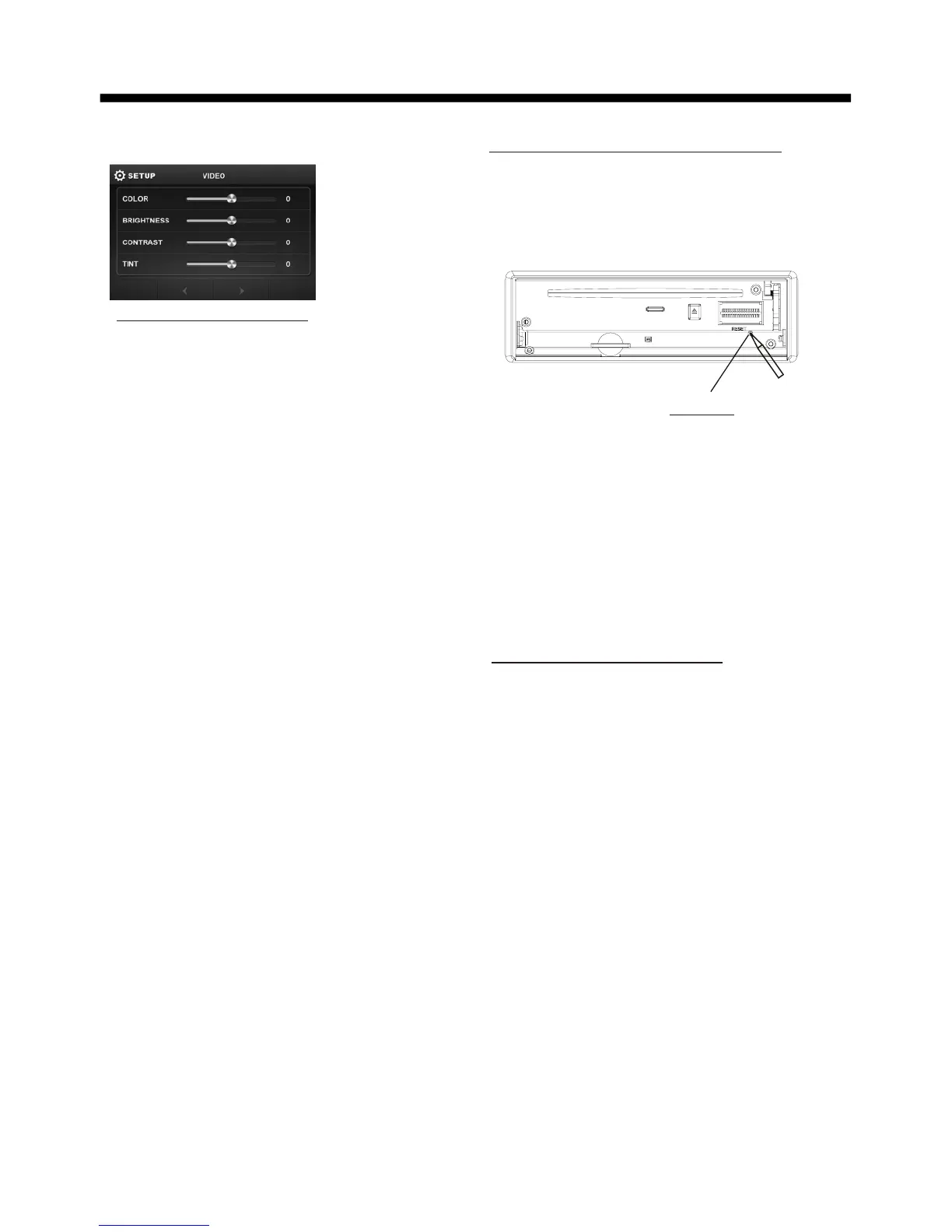
VIDEO SETUP
COLOR: -16 to 16
Adjust the color for the picture-lighter
or darker.
BRIGHTNESS: -16 to 16
Adjust if the picture is too bright or
too dark.
CONTRAST: -16 to 16
Adjust the contrast of the bright and
dark portion.
TINT: -16 to 16
Adjust the tint if the human skin color
is unnatural.
-Adjustable when “NTSC “ is selected
for “NTSC/PAL “ .
LANGUAGE
To select OSD language.
ILLUMINATION COLOR
Rotate the VOL knob to select the
backlight for all buttons.
Rotate the VOL knob till the end to
select auto icon then tap ENTER to
confirm, and the back light change
automatically.
BASIC OPERATION
-15-
Video setup interface
The RESET button is to be activated for
the following reasons:
A. Initial installation of the unit when
all wiring is completed.
B. All the function buttons do not operate.
C. Error symbol on the display.
Rear View Camera
When connecting the rear view camera
the mirror image of the rear view is auto-
matically displayed on the monitor
when you change the gear to the back
position.
(Note: additional monitor can not display
the image.)
Reset Factory Settings
RESET button is placed on the housing
and must be activated with either a
ballpoint pen or thin metal object.
RESET



 To Next Page