INSTRUCTIONS
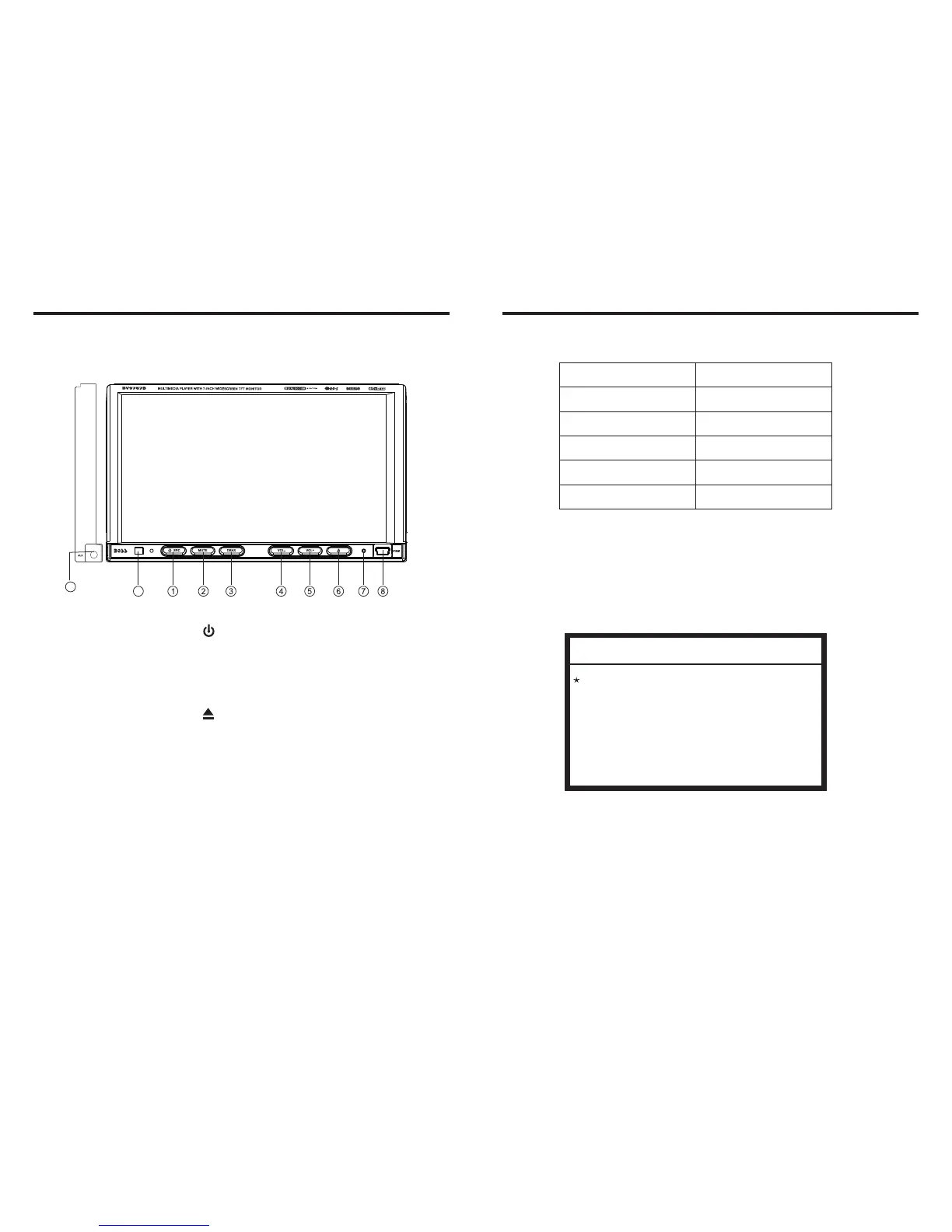
Panel Introduction
02
INSTRUCTIONS
19
ACCESSORY
Accessory
Quantity
Wire
USB Cable
1PC
1PC
Keys
2PCS
Remote controller
Warranty card
1PC
2PCS
DVD Parental control function
DVD Parental control function: The default set
for DVD is #8 adult, which means all grades of
DVD can be read without entering password. To
change the default grade, you need to follow the
below procedure: Press SETUP button on the
remote, display will show the system set up menu
and the submenu, select password and enter
0000, you will be able to choose the DVD
grade as default.
DVD Parental control function
9
10
1. / SRC Button
2. MUTE Button
3. DBAS Button
4. VOL- Button
5. VOL+ Button
6.
7. RESET Button
8. USB Slot
9. Remote Control Receiver
10. AUX External Input



 To Next Page