EasyManua.ls Logo

Boss BV9974B - Page 10

Boss BV9974B
35 pages
Print Icon
To Next Page IconTo Next Page
To Previous Page IconTo Previous Page
Loading...
9
1.
To
turn
onloff
the
unit
In
power
off
mode,
short
press
the
POWER
button
to turn on
the
unit.
In
power
on mode,
long
press
the
POWER
button
on
the
front
panel
or
short
press
the
POWER
button
on
the
remote
control
to turn
off
the
unit.
2.
To
slide
the
monitor
of
the
Car
Audio
System
out
of
the
chassis
Shortly
press
the
OPEN
button
on
the
front
panel
or
long
press
the
OPEN
button
on
the
remote
control
can
slide
the
monitor
of
the
Car
Audio
System
out
of
the
chassis
or
slide
it
into
the
chassis.
3.
To
select
function
mode
Press
the
MODE
button
to
select
RADIO,
DISC
(After
inserting
a
disc),
USB(After
inserting
a
USB
storage),
SDIMMC
CARD(After
inserting
a
SOl
MMC
card),
AUX
or
BLUETOOTH
mode.
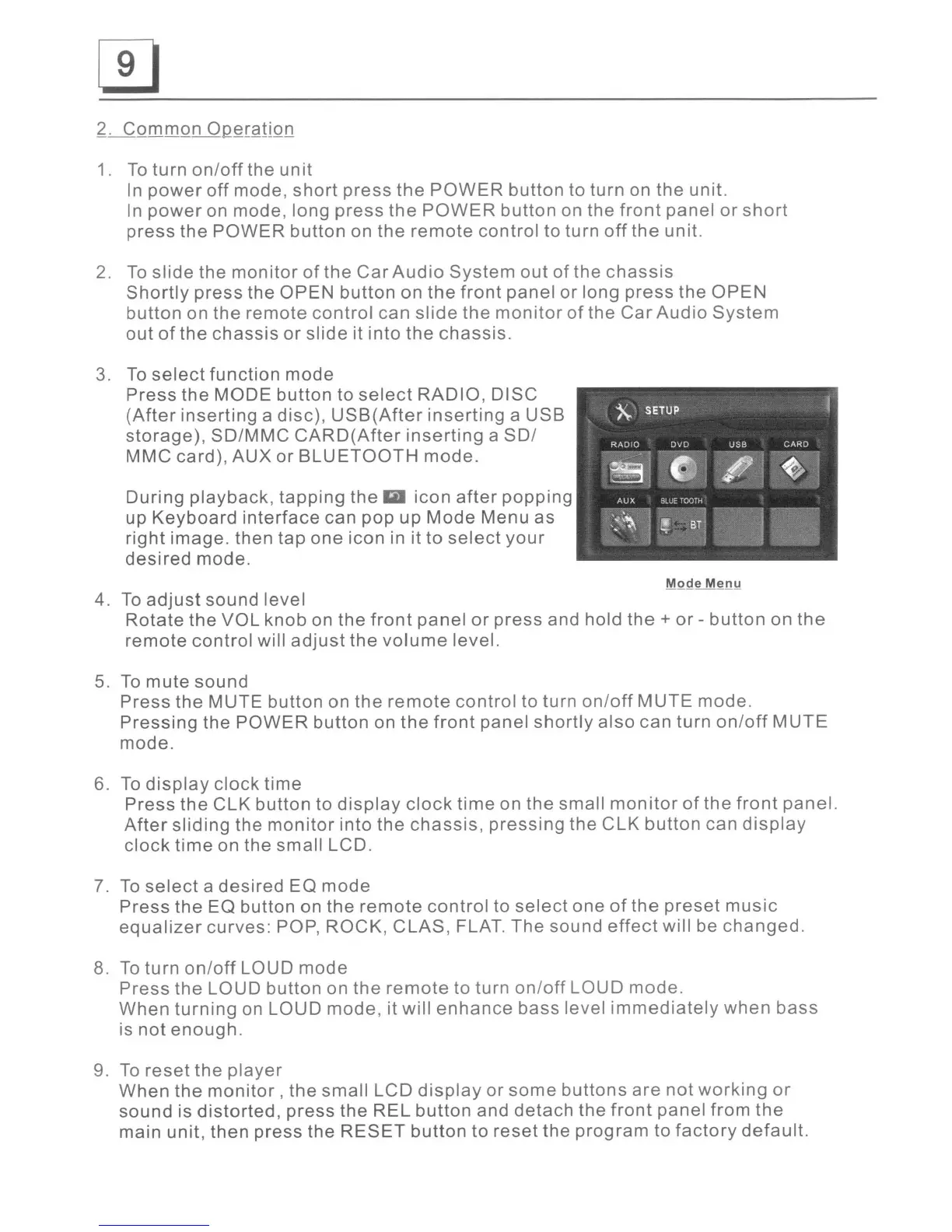
During
playback,
tapping
the
icon
after
popping
up
Keyboard
interface
can
pop
up
Mode
Menu
as
right
image.
then
tap
one
icon
in it
to
select
your
desired
mode.
4.
To
adjust
sound
level
Rotate
the
VOL
knob
on
the
front
panel
or
press
and hold
the
+
or
-
button
on
the
remote
control
will
adjust
the
volume
level.
5. To
mute
sound
Press
the
MUTE
button
on
the
remote
control
to turn
onloff
MUTE
mode.
Pressing
the
POWER
button
on
the
front
panel
shortly
also
can
turn
onloff
MUTE
mode.
6. To
display
clock
time
Press
the
CLK
button
to
display
clock
time
on
the
small
monitor
of
the
front
panel.
After
sliding
the
monitor
into
the
chassis,
pressing
the
CLK
button
can
display
clock
time
on
the
small
LCD.
7. To
select
a
desired
EO
mode
Press
the
EO
button
on
the
remote
control
to
select
one
of
the
preset
music
equalizer
curves:
POP,
ROCK,
CLAS,
FLAT.
The
sound
effect
will be
changed.
8.
To
turn
on/off
LOUD
mode
Press
the
LOUD
button
on
the
remote
to turn
onloff
LOUD
mode.
When
turning
on
LOUD
mode,
it
will
enhance
bass
level
immediately
when
bass
is
not
enough.
9. To
reset
the
player
When
the
monitor,
the
small
LCD
display
or
some
buttons
are
not
working
or
sound
is
distorted,
press
the
REL
button
and
detach
the
front
panel
from
the
main
unit,
then
press
the
RESET
button
to
reset
the
program
to
factory
default.

Related product manuals