2
Panel Descriptions
Top Panel
1
2
3 4 5
6
7
8 9 10 11 12
13 14
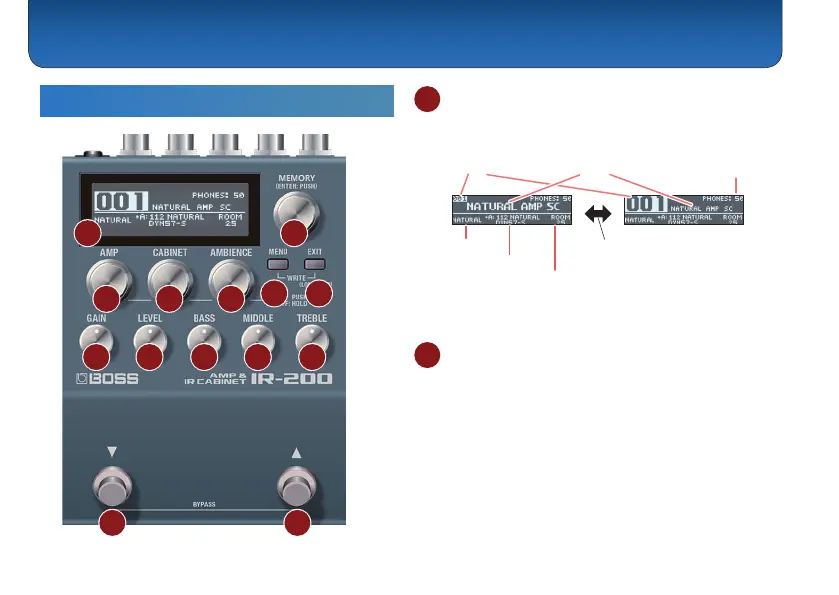
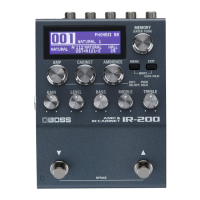
1 Display
The memory number and name are shown on the play
screen.
Memory number Memory name
Headphone
volume
AMP type
Cabinet type
Ambience level
The screen changes each time you
hold down the [MEMORY] knob.
This shows the parameters and values when you are
editing.
2 [MEMORY] knob
Edit the memory and headphone volume by turning the
knob. You can switch between memory and volume by
pushing this knob.
Turn the knob while pushing it to make the value jump in
increments of 10.
Hold down the knob to switch the screen display mode.
When you are editing, turn the knob to switch between
pages.


 To Next Page