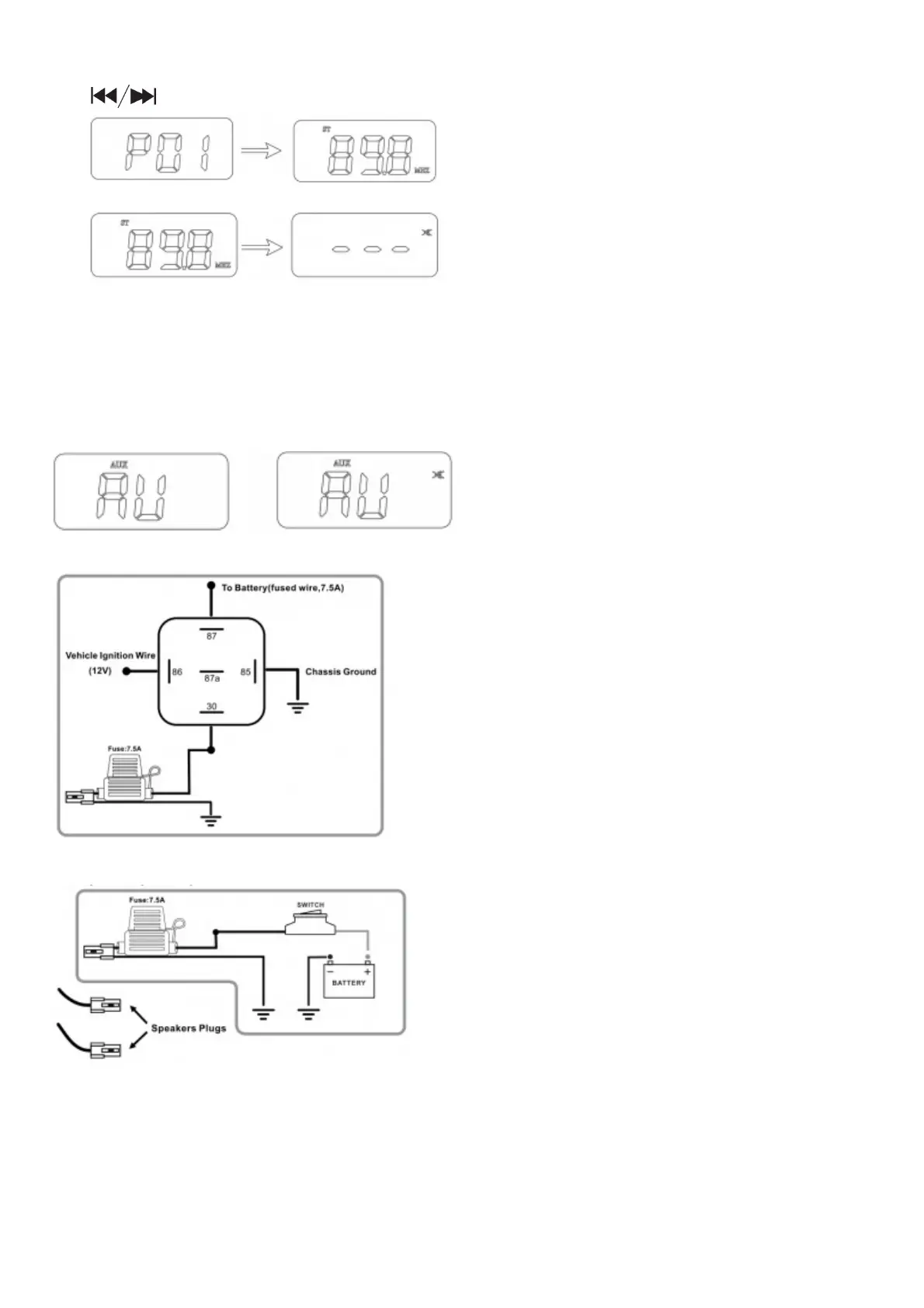
2. In FM mode, press MODE/AS button for more than 2 seconds, will enter FM auto-scan and auto- storage mode.
The system will auto scan FM radio station and then store i one by one till 20 ones finished. After storage, press
to select P01, P02…until the station you like
3. In FM mode, press POWER button will mute output of system and release it by pressing POWER button again.
AUX Mode Operation
1. Press the button MODE to select AUX mode operation.
2. Play music at audio device connected to the 3.5mm input plug of the system.
3. Adjust button +/- for volume control.
4. In AUX mode, press POWER button to mute the output of system and release it by pressing the button again.
OPTION A(RELAY)
OPTION B(SWITCH)
Operation Instruction
First Time to Use the System:
Plug the loudspeaker connectors and FM-ANT connector to amplifier connectors per the connection diagram on page
3. Connect the power cable to12VDC power supply,•
‘Note: The system will recall and enter to the last operating mode directly.
Turn on/Turn off the system:



 To Next Page