6
Setting the Clock
• Press and hold Set and Select in Normal mode for 3 seconds to enter Clock setting mode.
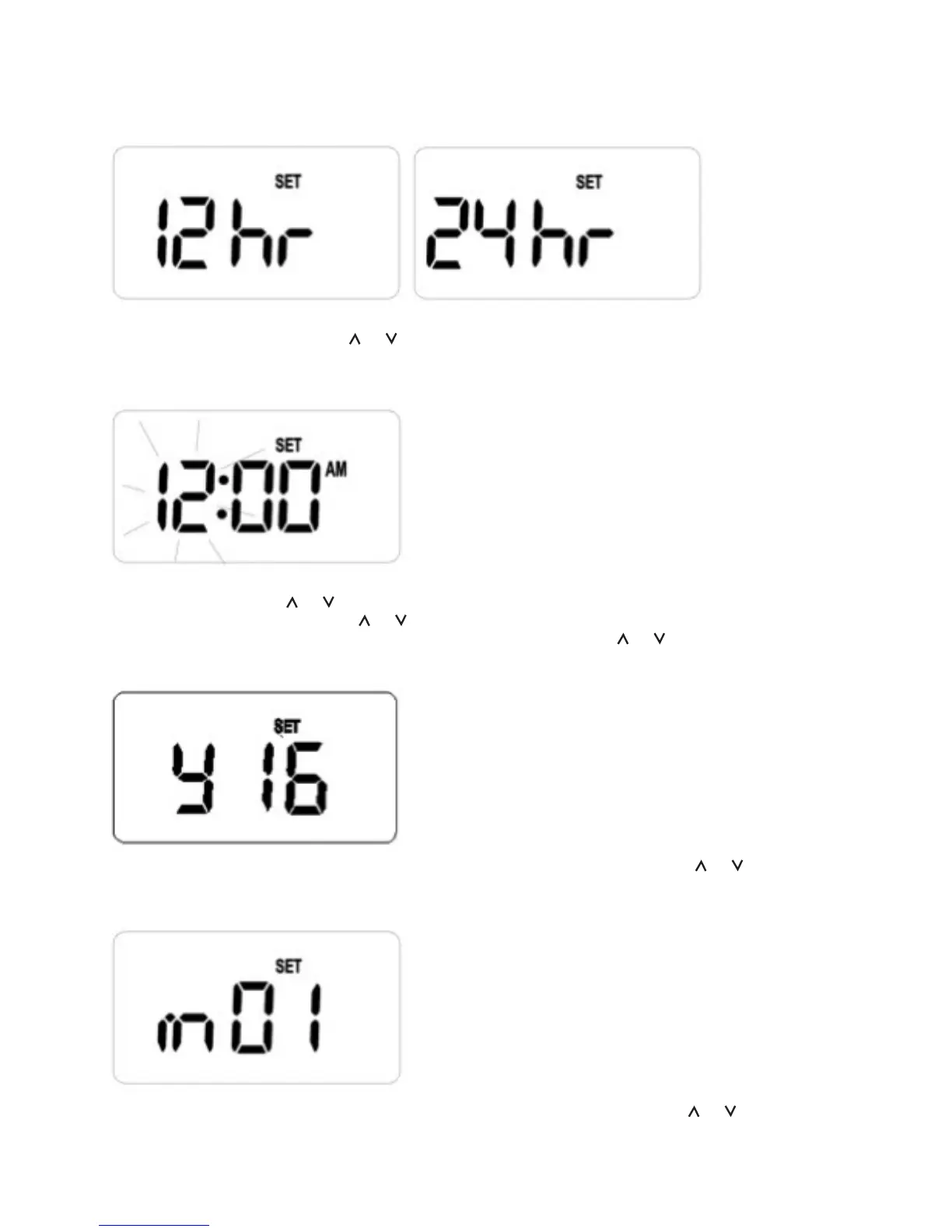
“12 hr” or “24 hr”, and “SET” are displayed. All other indicators are cleared.
• Release Set and Select, press or to toggle between “12 hr” or “24 hr” format.
• Press Select, clock and “SET” are displayed. “Hour” is flashing to indicate that it is the selected
item to be adjusted.
• Release Select, press or to increase or decrease the “hour” respectively.
• Press and release Select, press or to increase or decrease the “minute” respectively.
• Press and release Select to set the Year, “y xx” is displayed, press or to increase or decrease
the “year” respectively. The “year” can set between 20”16” and 20”99” inclusive.
• Press and release Select to set the Month of Year, “m xx” is displayed, press or to increase
or decrease the “month” respectively. The “month” can set between “01” to “12”.
• Press and release Select to set the Day of Month, “d xx” is displayed, press or to increase or
decrease the “day” respectively. The “day” can set between “01” to the end of the month which
is determined by the year and month set above.



 To Next Page