8
• Press or to select the program set for Weekday/Weekend/CH/HW to be reviewed or
adjusted in the sequences below.
TPSE101: Weekday CH -> Weekend CH -> Weekday CH -> …
TPSE201: Weekday CH -> Weekend CH -> Weekday HW -> Weekend HW -> Weekday CH -> …
• Press Set at any time to confirm the setting and return to normal mode.
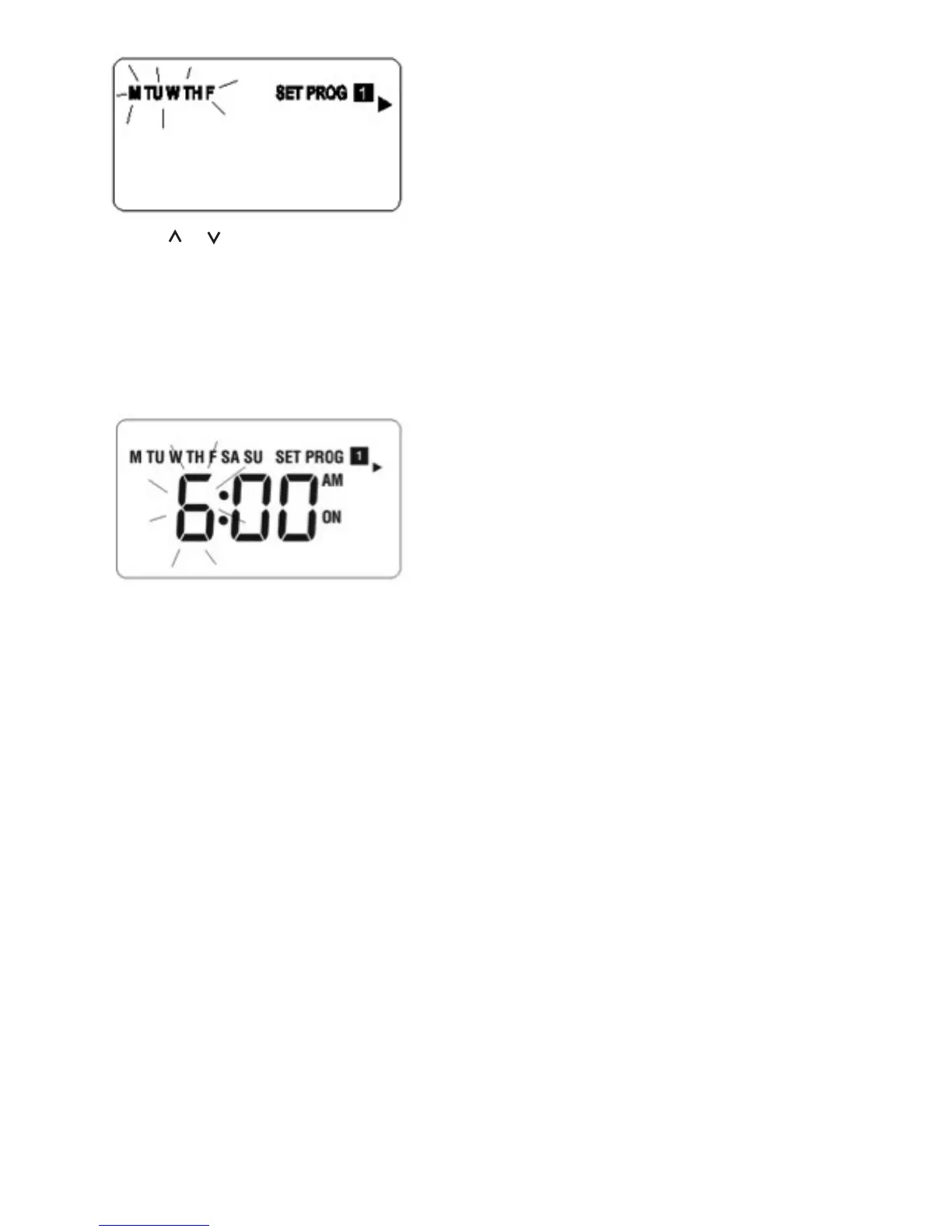
• Press Select at any time to confirm the selection. The hour is flashing to indicate that it is the
selected item to be adjusted.
• Press Select to step through the items to be reviewed or adjusted in the sequences below.
(Program 1 ON) “hour” ➝ “minute” ➝
(Program 1 OFF) “hour” ➝ “minute” ➝
(Program 2 ON) “hour” ➝ “minute” ➝
(Program 2 OFF) “hour” ➝ “minute” ➝
(Program 3 ON) “hour” ➝ “minute” ➝
(Program 3 OFF) “hour” ➝ “minute” ➝
and then cycle back to (Program 1 ON)
• Press Set at any time to confirm the setting and return for program set selection.
7 days program selected
• Central Heating and Hot Water have independent programmes set. 3 different time settings
can be programmed for each day of week. Total 21 settings for TPSE101 and 42 settings
for TPSE201.
• To review or change a program, press Set in Normal mode to enter programming mode.
The Monday and “SET PROG” are displayed. All other indicators are cleared. The day of the
week is flashing to indicate that it is the selected item to be adjusted.


 To Next Page
 Loading...