Need help?
Do you have a question about the Boss Vocal Performer VE-22 and is the answer not in the manual?
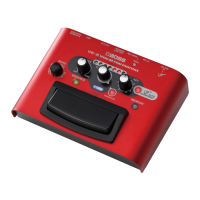
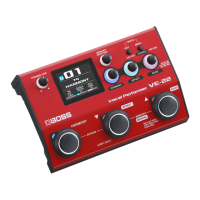
Identifies and explains the main controls, display, and pedal switches on the VE-22's top surface.
Details the various input and output jacks and their functions on the rear of the VE-22.
Guides on adjusting microphone input sensitivity and related parameters.
Explains memory types, pedal modes, and switching between memories.
Guides on configuring dynamics, harmony, effect, and echo parameters.
Instructions for recording, overdubbing, and playing back loop phrases.
The BOSS VE-22 Vocal Performer is a versatile and powerful device designed to enhance vocal performances with a wide array of effects, harmonies, and looping capabilities. This reference manual provides a comprehensive guide to its functions, usage, and maintenance, ensuring users can fully leverage its potential for live performances, recording, and practice.
The VE-22 serves as a central hub for vocal processing, offering a rich palette of effects and tools. At its core, it generates harmonies, allowing vocalists to create rich, multi-part vocal arrangements in real-time. The device features dedicated sections for HARMONY, EFFECT, and ECHO, each controlled by intuitive knobs and pedal switches. The HARMONY section enables users to select harmony types and keys, while the EFFECT section offers a variety of vocal enhancements such as pitch correction, distortion, chorus, flanger, phaser, vibrato, and slicer. The ECHO section provides spatial effects like hall reverb and delay, adding depth and atmosphere to the vocals.
Beyond effects, the VE-22 incorporates a robust looping function, enabling users to record and layer vocal phrases up to 37 seconds long. This is ideal for creating intricate a cappella arrangements, rhythm phrases with voice percussion, or simply practicing with backing tracks. The device also includes a DYNAMICS section for fine-tuning the basic mic sound, with parameters like gain, low cut, and noise suppression (NS) to ensure a clean and powerful vocal input.
The VE-22 is equipped with user and preset memories, allowing vocalists to save and recall their customized effect combinations and settings. User memories are overwriteable, providing flexibility for personalization, while preset memories offer a collection of factory-tuned sounds. System parameters, such as output settings, display colors, and USB configurations, apply globally to all memories, streamlining the setup process.
For external control, the device features CTL 1, 2/EXP jacks, which can connect to footswitches or expression pedals (sold separately). This expands the real-time control possibilities, allowing users to manipulate various parameters hands-free during a performance. The USB port facilitates connection to computers or iOS devices for recording and playing backing tracks, integrating the VE-22 seamlessly into a digital audio workstation (DAW) environment.
The VE-22 is designed for ease of use, with a clear display and tactile controls. The top panel features a [PHONES/LINE] knob for output volume, a display screen for visual feedback, and dedicated knobs for [MEMORY], [HARMONY], [EFFECT], and [ECHO]. The pedal switches on the unit offer two modes: memory mode and manual mode. In memory mode, the pedals are used for memory selection and HARMONY on/off, with assignable functions for the HARMONY switch. In manual mode, the pedals control HARMONY, EFFECT, and ECHO on/off, with assignable functions for each. Switching between these modes is as simple as pressing the [▼] and [▲] switches simultaneously.
Setting up the microphone is straightforward, with a [MIC SENS] knob on the rear panel to adjust input sensitivity and a [PHANTOM] switch for condenser mics requiring phantom power. The manual provides clear instructions for optimizing mic settings to improve signal-to-noise ratio and prevent feedback.
Editing memories is a core feature, allowing users to craft their unique vocal sounds. The [MENU] button provides access to various settings, including MIC, DYNAMICS, HARMONY, EFFECT, ECHO, and MEMORY SETTING. Users can adjust parameters using the dedicated knobs, with the option to change parameter types and values on the fly. The MEMORY SETTING menu allows for adjustments to memory volume and BPM, ensuring effects are synchronized with the tempo of a song. The BPM TAP function, assignable to a pedal, offers a convenient way to set the tempo during live performances.
Saving memories is crucial for retaining custom settings. The MEMORY WRITE function, accessed by pressing the [EXIT] and [MENU] buttons simultaneously, allows users to name and save their configurations to user memories. The device also supports changing the order of memories, which is useful for organizing sounds for a performance setlist. For restoring memories to their default values, the MEMORY INITIALIZE function is available.
The looping function is intuitive, with clear steps for recording, overdubbing, and clearing phrases. The pedal indicator lights provide visual cues for the loop's status (standby, recording, overdubbing, playback), making it easy to manage loops during a performance.
The VE-22's output can be configured for various scenarios, including mono, stereo, or FX/DRY, to suit different audio setups. The EXP HOLD function allows users to retain expression pedal values when switching memories, ensuring smooth transitions between sounds. The DISPLAY settings enable customization of the display and LED indicator colors, enhancing visual clarity and personal preference.
The VE-22 is designed for durability and reliable performance. Proper installation of batteries (4 x AA alkaline) is detailed, with warnings about correct orientation and handling to prevent malfunction. The device can also be powered by an optional AC adaptor (BOSS PSA-S series), which is recommended for extended use or when phantom power is required.
The manual emphasizes the importance of saving settings using the MEMORY WRITE function, as unsaved changes will be lost when switching memories or turning off the power. This highlights a key maintenance practice for preserving customized sounds.
For troubleshooting or restoring the device to its original state, the FACTORY RESET function is available. This allows users to restore all or a specified range of user memories to their default factory settings. However, it's noted that this operation cannot be undone, so users should proceed with caution.
The USB connection facilitates firmware updates, although this is not explicitly detailed as a maintenance feature in the provided text, it is a common practice for such devices to ensure optimal performance and access to new features. The INFO section provides access to the Reference Manual via a 2D code, ensuring users always have detailed information at their fingertips for any operational or maintenance queries.
Overall, the BOSS VE-22 Vocal Performer is a comprehensive and user-friendly device that empowers vocalists with professional-grade effects, harmonies, and looping capabilities, all within a robust and manageable framework.
 General
| Nominal Output Level | -10 dBu |
|---|---|
| Effects | Reverb, Delay, Chorus, Flanger, Distortion, EQ |
| Connectors | USB |
| Power Supply | AC adaptor (sold separately), Alkaline battery (AA, LR6) x 4 |
| Accessories | Alkaline battery (9 V, 6LR61), Owner’s Manual |
| Options (sold separately) | AC adapter (PSA series) |
| Type | Vocal Effects Processor |
| Inputs | 1 x XLR |
| USB | USB Type B (for firmware updates) |
| Memory | 99 memory locations |
| Headphone Output | Yes |

 To Next Page