EasyManua.ls Logo

Boston Scientific Latitude 3300 - User Manual

Boston Scientific Latitude 3300
80 pages
Print Icon
To Next Page IconTo Next Page
Loading...
OPERATOR’S MANUAL
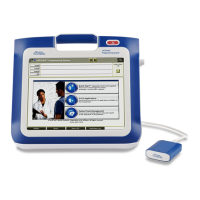
LATITUDE
PROGRAMMING
SYSTEM
Model 3300
CAUTION: Federal law (USA) restricts
this device to sale by or on the order of a
physician trained or experienced in
device implant and follow-up
procedures.

Questions and Answers

  • Z
    zacharymendozaAug 2, 2025
    What to do if Boston Scientific Medical Equipment has telemetry interference?
    • S
      shawnfernandezAug 3, 2025
      If you experience interference with your Boston Scientific Medical Equipment, try reorienting or relocating the devices. If the issue persists, increase the separation distance between the devices and connect the equipment to an outlet on a different circuit or use battery power.
  • K
    Kristi PriceAug 8, 2025
    How to fix poor connection between telemetry wand and programmer for Boston Scientific Latitude 3300?
    • N
      nmorrisonAug 9, 2025
      To resolve telemetry issues with your Boston Scientific Medical Equipment, disconnect and reconnect the Model 6395 Telemetry Wand to the Programmer. A loose connection can cause communication problems.
  • R
    Ryan ArcherAug 14, 2025
    How to reduce radio emissions affecting telemetry in Boston Scientific Latitude 3300 Medical Equipment?
    • S
      Steven RodriguezAug 15, 2025
      If your Boston Scientific Medical Equipment experiences telemetry issues due to excessive radio emissions, reposition the LATITUDE Programming System. Check the surrounding area for electrical equipment that is powered on and not needed. Move unneeded equipment away or turn it off.
  • T
    Terri ThompsonAug 21, 2025
    Why does Boston Scientific Latitude 3300 Medical Equipment telemetry fail because of patient connections?
    • D
      Dr. Mary AndersonAug 21, 2025
      If you're having trouble with telemetry on your Boston Scientific Medical Equipment, recheck patient leads for adequate skin contact and correct limb lead placement. Also, confirm the Right Leg Drive is connected. Improper patient connections can interfere with telemetry.
  • L
    Lauren PettyAug 27, 2025
    How to stop telemetry interference in Boston Scientific Medical Equipment by unplugging USB devices?
    • M
      Monica BarnesAug 27, 2025
      To address telemetry interference in your Boston Scientific Medical Equipment, unplug USB devices. This can help reduce signal interference. Repeat interrogation after unplugging.

Summary

System Overview and Safety

Information for Use

Defines intended use, audience, expertise, and supervision for the LATITUDE Programming System.

Warnings and Precautions

Covers essential safety warnings, contraindications, and handling precautions for the system.

System Capabilities and Operation

Hardware and Connectivity

Describes physical components, ports, and external connection interfaces of the system.

System Functions

Explains core capabilities like interrogation, data management, and networking.

Preparation and Startup

Guides on initial setup, charging, and powering on the LATITUDE Programming System.

Maintenance and Troubleshooting

Cleaning and Sterilization

Provides instructions for cleaning, disinfecting, and sterilizing system components.

Battery Management

Covers battery status, charging, replacement, recycling, and safety.

Troubleshooting Common Issues

Offers solutions for common system problems and diagnostic guidance.

Compliance, Security, and Specifications

Safety, Compliance, and Standards

Lists applicable safety, EMC, radio, and network standards for the system.

System Security

Outlines security practices for patient data and network protection.

Technical Specifications

Details the system's technical characteristics and performance parameters.

Boston Scientific Latitude 3300 Specifications

General IconGeneral
BrandBoston Scientific
ModelLatitude 3300
CategoryMedical Equipment
LanguageEnglish

Related product manuals