8
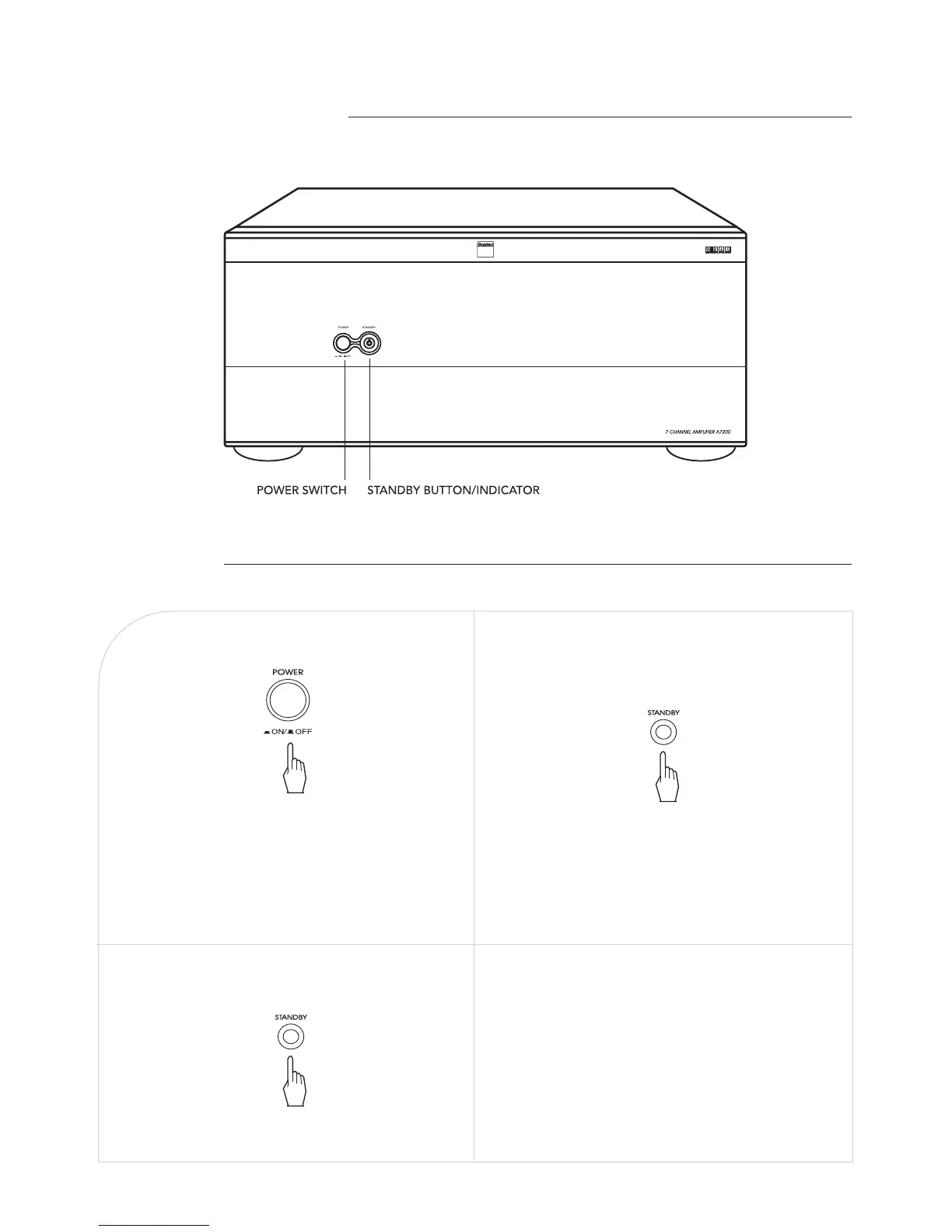
FRONT PANEL CONTROLS
OPERATIONS
In the standby mode, turn the power on.To enter the standby mode.
In the operating mode, to enter the
standby mode.
• The STANDBY button lights up in amber. This means
that the unit is connected to an AC outlet and a small
amount of current is retained to support operation
readiness.
• To switch the power off, push the POWER switch
again. Then the power is cut off and the STANDBY
button goes off.
The STANDBY button lights up in amber.
The STANDBY button lights up in blue, the unit
turns on and enters the operating mode. Sound can
be heard from the speakers in a few seconds.
■Note on system power control
If the DC TRIGGER connection is made between this
unit and the Boston Acoustics AVP7, this unit will be
switched between the standby mode and the operating
mode automatically each time the AVP7 is switched
between these modes.
(For details, refer to the operating instructions of
AVP7.)
j k
l


 To Next Page