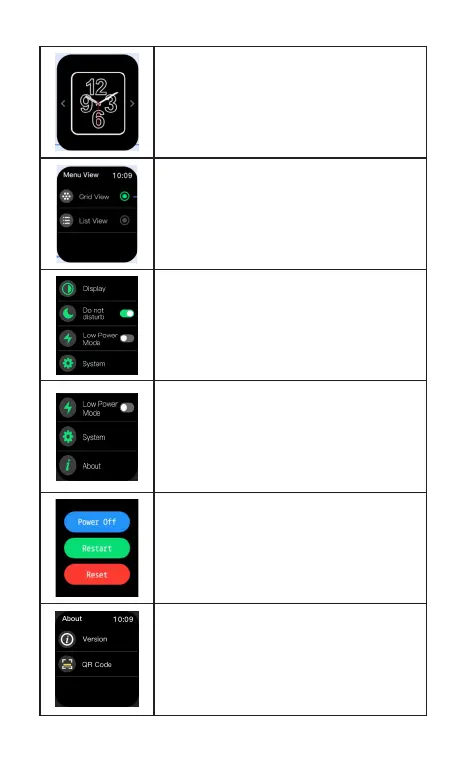
Power saving mode: When turned on it, the
brightness drops to the lowest level, and the
incoming message does not vibrate to remind,
and turm o wrist lift to brighten the screen.
Do not disturb: After turn on , the watch will no
longer receive message.
Menu view: The style of the main menu can be
switched , and it can be switched to grid view
or list view.
Dial switch: Long pressing the main page, you
can slide left and right to select and set the
dials.
Version: Displays the bluetooth name and
version number.
Power off, Restart, Reset: Press and hold the
side button for 3 seconds on the dial page



 To Next Page