www.boxlight.com ©Boxlight 2022
Connection and Settings
For the safety of you and the machine, please do not plug in any
power cord prior to connecting cables.
(1)
External
Computer
and
Touch
Connection
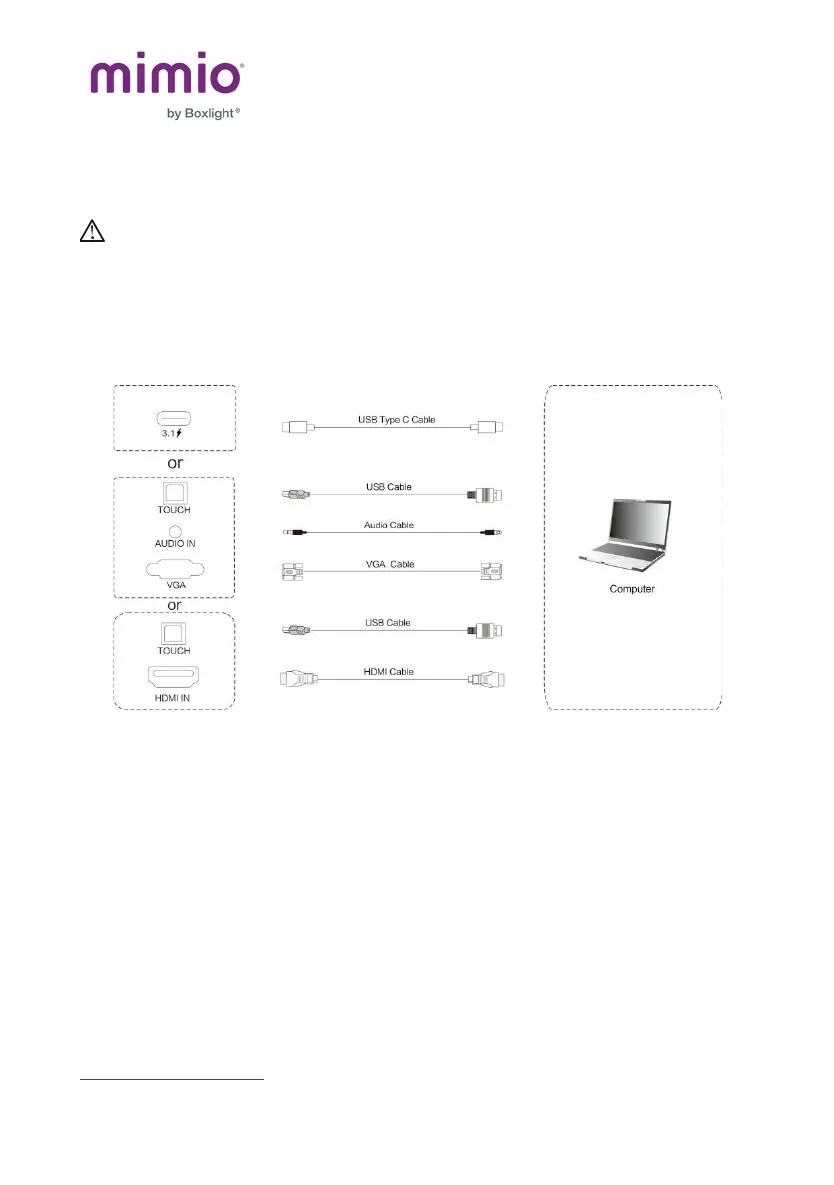
1) Use one of the following to connect a laptop or external
computer:
a. USB Type-C cable to connect the computer
b. VGA cable to connect to VGA output port of external
computer, headphone audio cable to connect to external
computer audio output interface, and a USB cable to
connect to external computer


 To Next Page