www.boxlight.com ©Boxlight 2022
(3)
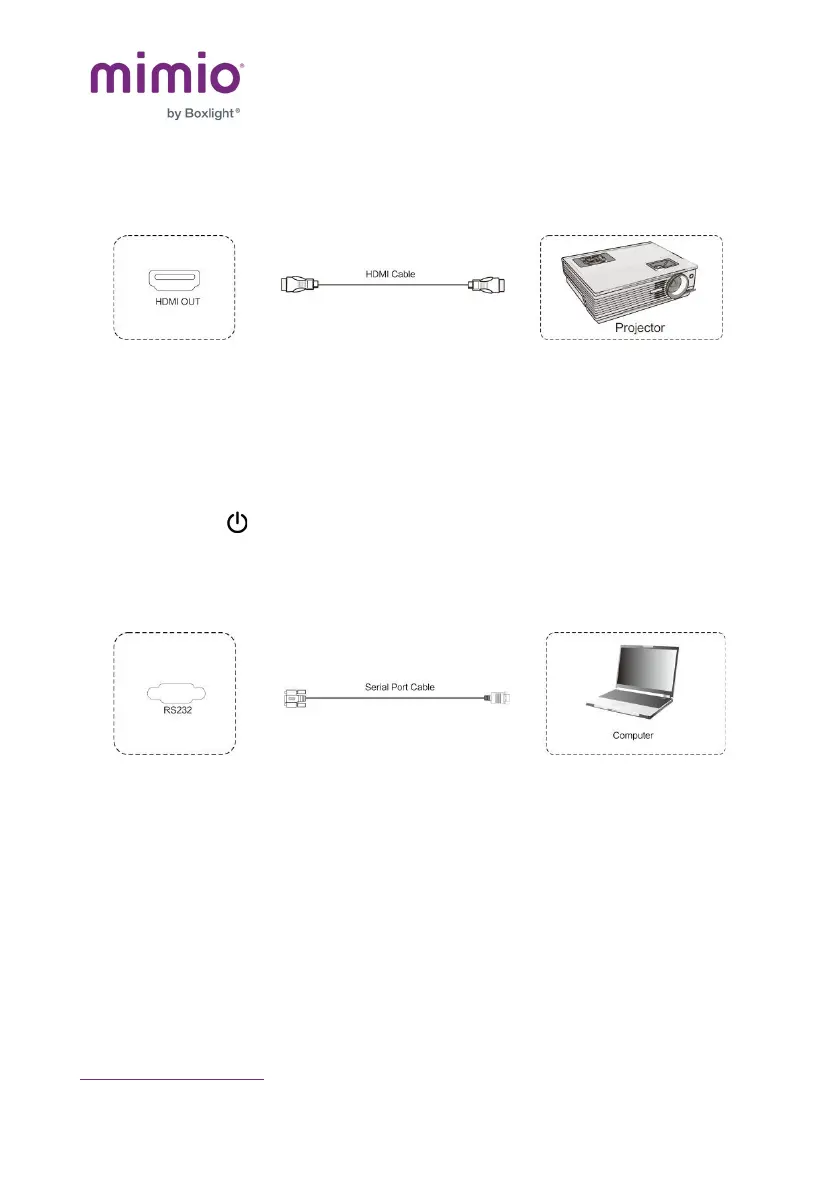
Audio and Video Equipment
1)
Use HDMI cable to connect audio and video equipment
with HDMI input.
2) After the cable is connected, plug in the power cord,
and switch the power on.
3) Press
Power
to turn on the equipment.
(4)
RS232 Connection
After using the serial port cable to connect the central
control equipment and machine, certain functions of the
machine can be controlled via central control equipment,
such as ON/OFF, and adjustment of sound volume, etc.



 To Next Page