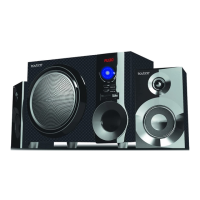
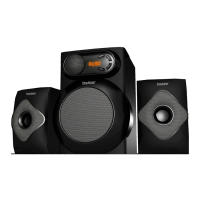
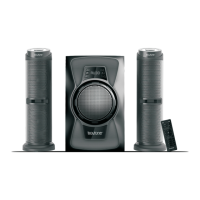
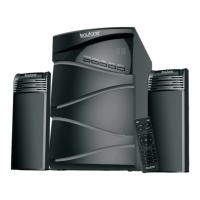
PC, TV, DVD
AUX
USB, SD/MMC MP3
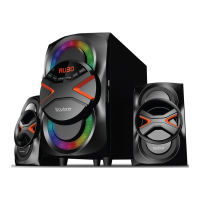
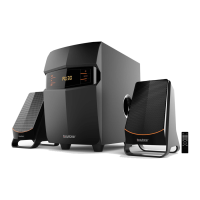
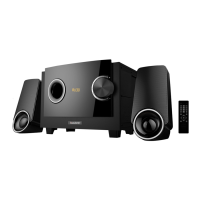
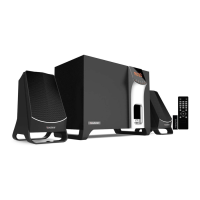
BT-210F
//FEATURES
//SPECS
• 2500W PMPO
• Analog audio input.
• MP3 playback on USB or
SD/MMC.
• Stereo FM radio.
• Buillt-in multi channel
power amplifier.
• Connect via Analog to
your PC, DVD, TV etc.
• Specially designed
woofer cabinet for bass
and resolution
• Remote Control
Output Power: 35W+15Wx2(RMS)
Frequency response:
Satellites: 120Hz-20KHz
Subwoofer: 20Hz-170Hz
Distortion: < 0.5% (1K, 1W)
S/N: >70dB
Power Supply: ~120V 60Hz
QUICK START GUIDE
A
SETUP
SELECT BLUETOOTH MODE USING THE
“INPUT” BUTTON ON THE UNIT (5) OR ON
THE REMOTE (11).
YOU WILL SEE “BT” FLASHING ON THE
DISPLAY.
SEARCH FOR DEVICES FROM YOUR
PHONE/TABLET/PC/LAPTOP
LOOK FOR “BLUETOOTH SPEAKER” IN
YOUR SEARCHED DEVICES.
CONNECT AND PAIR. VOILA!
B
SETUP
GO TO FM MODE WITH “INPUT/SOURCE”
BUTTON AND TUNE TO DESIRED STATION.
PRESS “MEMORY” BUTTON AND “CHx”
WILL BLINK. CLICK NEXT OR PREVIOUS
TO SELECT DESIRED CHANNEL.
CLICK “PLAY/PAUSE” TO SAVE CHANNEL.
NOTE: TO SCAN, HOLD DOWN “MEMORY”
BUTTON
1.Volume adjustment +/-
2.Play/Pause/Stand-by
3.Input/Source
4.Volume adjustment +/-
5.Tone: adjust bass/treble
6.Tuning+/Next>>
7.Tuning-/Previous<<
1. STANDBY: turn unit on or off
2. 0~9
3. Source/Input
4.INPUT: cycle selection between input
USB/SD/FM/AUX/BT.
5. VOLUME+
6. PREV: skip to the previous track
7. TUNING+
8. MUTE
9. PRESET
10. MEMORY
11. PLAY/PAUSE: begin play or pause the USB or
SD/MMC. Hold down to scan radio stations.
12. NEXT
12. VOLUME-
14. TUNING+
PC, TV, DVD
AUX
USB, SD/MMC MP3
BT-210F
//FEATURES
//SPECS
• 2500W PMPO
• Analog audio input.
• MP3 playback on USB or
SD/MMC.
• Stereo FM radio.
• Buillt-in multi channel
power amplifier.
• Connect via Analog to
your PC, DVD, TV etc.
• Specially designed
woofer cabinet for bass
and resolution
• Remote Control
Output Power: 35W+15Wx2(RMS)
Frequency response:
Satellites: 120Hz-20KHz
Subwoofer: 20Hz-170Hz
Distortion: < 0.5% (1K, 1W)
S/N: >70dB
Power Supply: ~120V 60Hz
QUICK START GUIDE
A
SETUP
SELECT BLUETOOTH MODE USING THE
“INPUT” BUTTON ON THE UNIT (5) OR ON
THE REMOTE (11).
YOU WILL SEE “BT” FLASHING ON THE
DISPLAY.
SEARCH FOR DEVICES FROM YOUR
PHONE/TABLET/PC/LAPTOP
LOOK FOR “BLUETOOTH SPEAKER” IN
YOUR SEARCHED DEVICES.
CONNECT AND PAIR. VOILA!
B
SETUP
GO TO FM MODE WITH “INPUT/SOURCE”
BUTTON AND TUNE TO DESIRED STATION.
PRESS “MEMORY” BUTTON AND “CHx”
WILL BLINK. CLICK NEXT OR PREVIOUS
TO SELECT DESIRED CHANNEL.
CLICK “PLAY/PAUSE” TO SAVE CHANNEL.
NOTE: TO SCAN, HOLD DOWN “MEMORY”
BUTTON
1.Volume adjustment +/-
2.Play/Pause/Stand-by
3.Input/Source
4.Volume adjustment +/-
5.Tone: adjust bass/treble
6.Tuning+/Next>>
7.Tuning-/Previous<<
1. STANDBY: turn unit on or off
2. 0~9
3. Source/Input
4.INPUT: cycle selection between input
USB/SD/FM/AUX/BT.
5. VOLUME+
6. PREV: skip to the previous track
7. TUNING+
8. MUTE
9. PRESET
10. MEMORY
11. PLAY/PAUSE: begin play or pause the USB or
SD/MMC. Hold down to scan radio stations.
12. NEXT
12. VOLUME-
14. TUNING+
PC, TV, DVD
AUX
USB, SD/MMC MP3
BT-210F
//FEATURES
//SPECS
• 2500W PMPO
• Analog audio input.
• MP3 playback on USB or
SD/MMC.
• Stereo FM radio.
• Buillt-in multi channel
power amplifier.
• Connect via Analog to
your PC, DVD, TV etc.
• Specially designed
woofer cabinet for bass
and resolution
• Remote Control
Output Power: 35W+15Wx2(RMS)
Frequency response:
Satellites: 120Hz-20KHz
Subwoofer: 20Hz-170Hz
Distortion: < 0.5% (1K, 1W)
S/N: >70dB
Power Supply: ~120V 60Hz
QUICK START GUIDE
A
SETUP
SELECT BLUETOOTH MODE USING THE
“INPUT” BUTTON ON THE UNIT (5) OR ON
THE REMOTE (11).
YOU WILL SEE “BT” FLASHING ON THE
DISPLAY.
SEARCH FOR DEVICES FROM YOUR
PHONE/TABLET/PC/LAPTOP
LOOK FOR “BLUETOOTH SPEAKER” IN
YOUR SEARCHED DEVICES.
CONNECT AND PAIR. VOILA!
B
SETUP
GO TO FM MODE WITH “INPUT/SOURCE”
BUTTON AND TUNE TO DESIRED STATION.
PRESS “MEMORY” BUTTON AND “CHx”
WILL BLINK. CLICK NEXT OR PREVIOUS
TO SELECT DESIRED CHANNEL.
CLICK “PLAY/PAUSE” TO SAVE CHANNEL.
NOTE: TO SCAN, HOLD DOWN “MEMORY”
BUTTON
1.Volume adjustment +/-
2.Play/Pause/Stand-by
3.Input/Source
4.Volume adjustment +/-
5.Tone: adjust bass/treble
6.Tuning+/Next>>
7.Tuning-/Previous<<
1. STANDBY: turn unit on or off
2. 0~9
3. Source/Input
4.INPUT: cycle selection between input
USB/SD/FM/AUX/BT.
5. VOLUME+
6. PREV: skip to the previous track
7. TUNING+
8. MUTE
9. PRESET
10. MEMORY
11. PLAY/PAUSE: begin play or pause the USB or
SD/MMC. Hold down to scan radio stations.
12. NEXT
12. VOLUME-
14. TUNING+

 Need help?
 General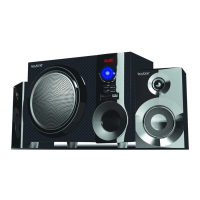

 To Next Page