Need help?
Do you have a question about the boytone BT-3107F and is the answer not in the manual?
Details connectivity options for PC, TV, DVD, AUX, USB, SD/MMC, and MP3 playback.
Explains the functions of each button on the remote control for various operations.
Step-by-step guide for connecting and pairing Bluetooth-enabled devices.
Instructions for scanning and selecting FM radio stations.
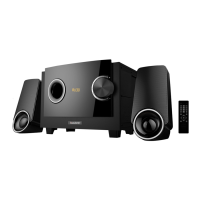
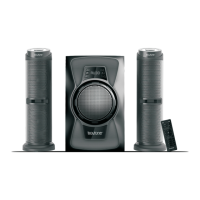
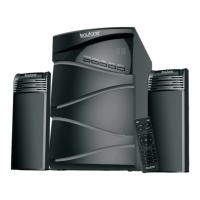
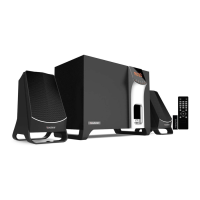
The Boytone BT-3107F is a versatile 2.1 channel speaker system designed for a range of audio applications, offering both wired and wireless connectivity options. This quick start guide outlines its key features and setup procedures, making it easy for users to get started. The system boasts a powerful 2200W PMPO (Peak Music Power Output), ensuring a robust and immersive audio experience whether you're listening to music, watching movies, or playing games.
One of the primary functions of the BT-3107F is its ability to connect to various audio sources via an analog audio input. This allows seamless integration with devices such as PCs, TVs, and DVD players, making it a central audio hub for your entertainment setup. The analog input ensures compatibility with a wide array of older and newer devices that offer a standard audio output.
Beyond traditional wired connections, the BT-3107F offers extensive modern playback options. It supports MP3 playback directly from USB drives and SD/MMC cards. This feature is particularly convenient for users who prefer to store their music collections on portable media, allowing them to enjoy their favorite tracks without needing an external player. The unit includes both a USB card reader (7) and an SD card reader (8) on the front panel for easy access.
For radio enthusiasts, the BT-3107F includes a built-in stereo FM radio. This allows users to tune into their favorite local stations, providing another source of entertainment. The radio function is easy to set up and use, as detailed in the FM setup section of the guide.
The core of the BT-3107F's audio performance is its built-in 3-channel power amplifier. This amplifier is specifically designed to drive the subwoofer and two satellite speakers, ensuring clear highs, rich mids, and deep bass. The 2.1 channel configuration is ideal for creating a balanced soundstage, enhancing the overall listening experience.
User interaction with the BT-3107F is facilitated through both on-unit controls and a comprehensive remote control. The front panel of the main unit features several buttons:
The remote control offers an even broader range of functions, providing convenience from a distance:
One of the standout modern features of the BT-3107F is its Bluetooth connectivity, which is detailed in the "Bluetooth Setup" section. To use Bluetooth:
Setting up the FM radio is also straightforward:
The Boytone BT-3107F is designed for ease of use and versatility, making it a suitable audio solution for various home entertainment needs. Its combination of traditional analog inputs, modern digital media playback, FM radio, and wireless Bluetooth streaming ensures that users have multiple options for enjoying their audio content. The inclusion of both on-unit controls and a remote control further enhances user convenience, allowing for flexible operation. While the guide does not explicitly mention maintenance features, the robust design and clear instructions for operation suggest a user-friendly experience that minimizes the need for complex upkeep. Regular dusting and careful handling of the speakers and main unit would be standard maintenance practices for any electronic device of this nature. The quick start guide focuses on getting the user up and running efficiently, highlighting the device's functional breadth rather than specific maintenance routines.
 General
| Brand | Boytone |
|---|---|
| Model | BT-3107F |
| Type | Speaker System |
| Water Resistance | No |
| Channels | 2.0 |
| Connectivity | Bluetooth, AUX, USB |
| Features | LED Display, Remote Control |

 To Next Page