NO.5
* Do not leave objects generating magnetism near the speakers.
NO.7
NO.6
NO.4
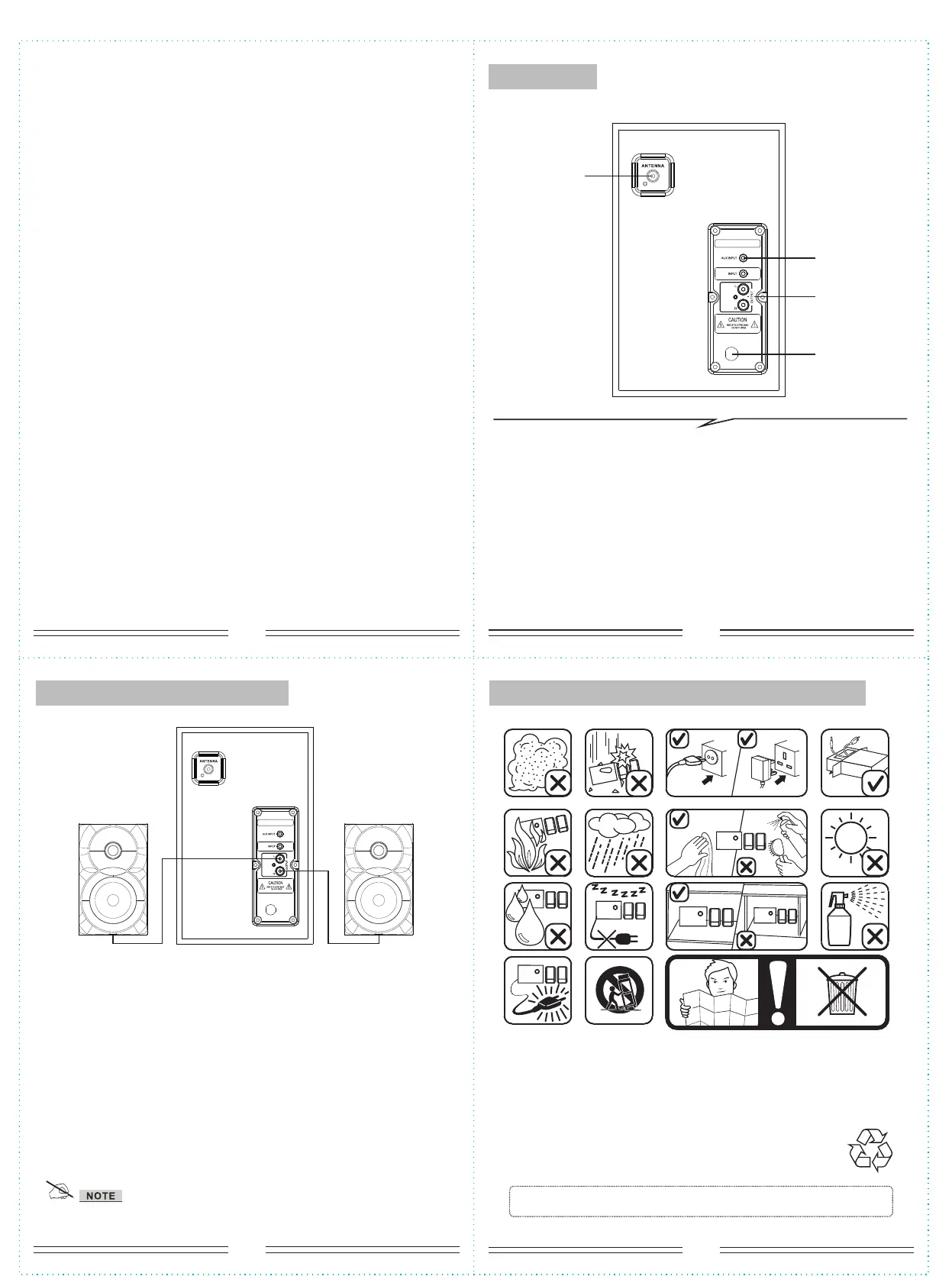
System connection diagram
Please pay attention to the following items:
Rear panel
SPEAKER TERMINALS
Connect the left & right channel satellite to 2.1 speaker output
terminals.
1. ANTENNA
2. AUX/DVD INPUT:
Connet to sound sources such as computer,CD Player,MP3,etc.
3. Output: Connet the satellite speakers.
4. AC IN: AC Power cord
(2)
(4)
(3)
(1)
DVD
DVD
L
R
6.
When in USB/SD mode. “NEXT/>>” for next song; “PREV/<<” for
previous song; “PLAY/>/PAUSE/||” for play/pause; pressing “0-9” on the
remote
will play the corresponding song.
7.
VOL+/- to increase or decrease volume.
8.“TUNING-/TUNING+ to adjust FM Radio frequency. Long press to fast
scroll through frequencies without pause.
9.“LED” effect - press to change effect. Long press to deactivate.
10.“PREV” for previous song in USB/SD mode.
11.“NEXT” for next song in USB/SD mode.
12. "Play/Pause" to play and pause...but you definitely knew that
CONNECTING YOUR BLUETOOTH DEVICE:
1. Press "SOURCE" until you are in "bL" mode. You will hear beeping.
2. Activate Bluetoothe and search for "BT Speaker" on your transmitting
device (phone, tablet, pc, etc.)
*
if the remote control doesn't function, it is probably the battery of
remote control being dead. Change 'em. Thank you.


 To Previous Page
 Loading...