Chapter 06: AMPTS III Web-based Software
6.1 Computer Network Configuration
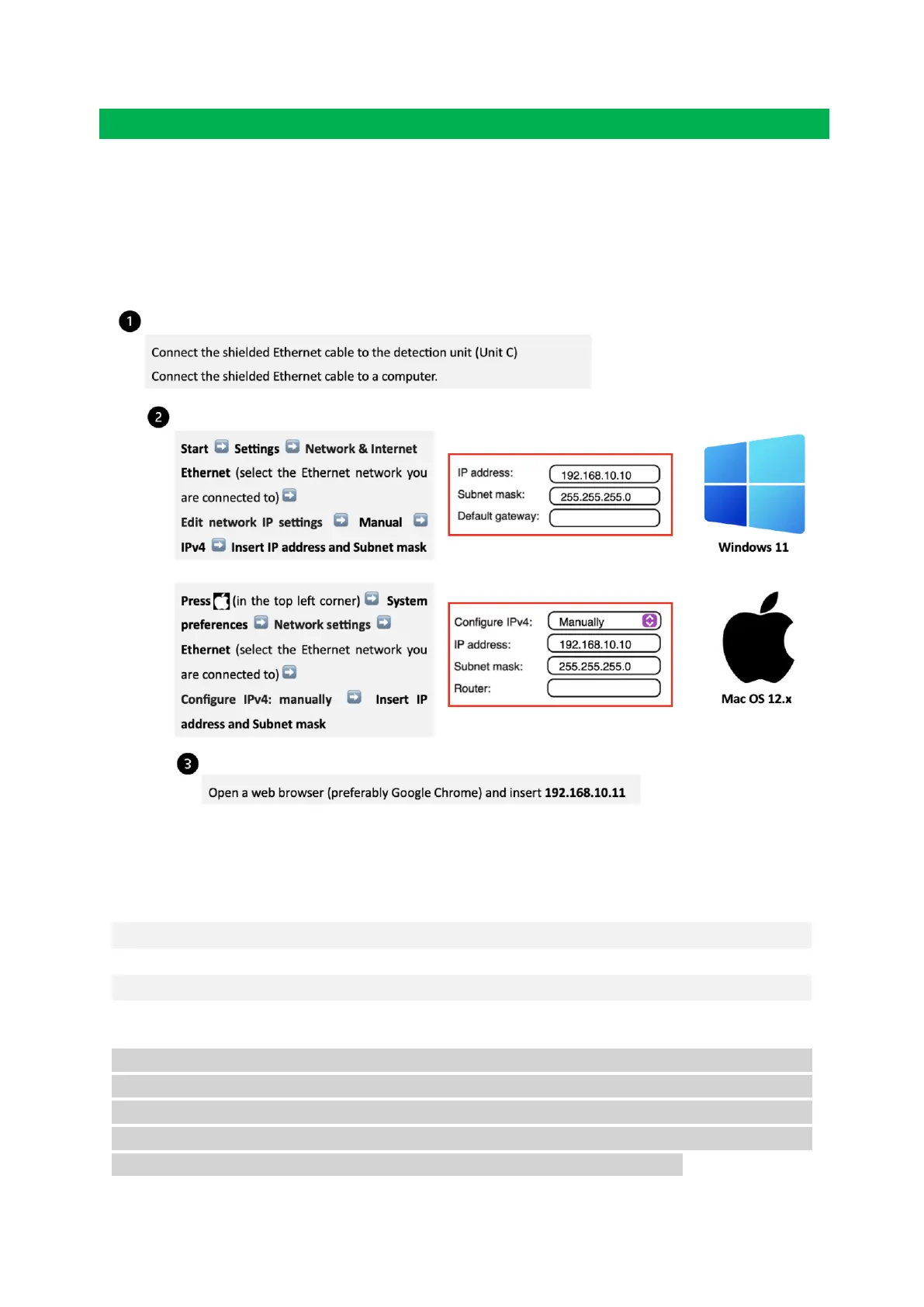
In order to have access to the web-based software Aurora
TM
, the following steps need to be
followed (this procedure is described considering the most common operating system setups
– Windows 11 and Mac Os 12.x):
6.2 Network Quick Guide
NOTE: IP address for the computer and the IP address for the AMPTS III are different. This is
a design requirement of the IP protocol. Care needs to be taken so that the same address is
not used in both locations, as it will render the system inaccessible from the designated
computer. When using multiple BPC Core AMPTS units, make sure that each unit has its own
IP address. This can be achieved by changing the last digit of the IP address.


 To Next Page