3 WORK
14
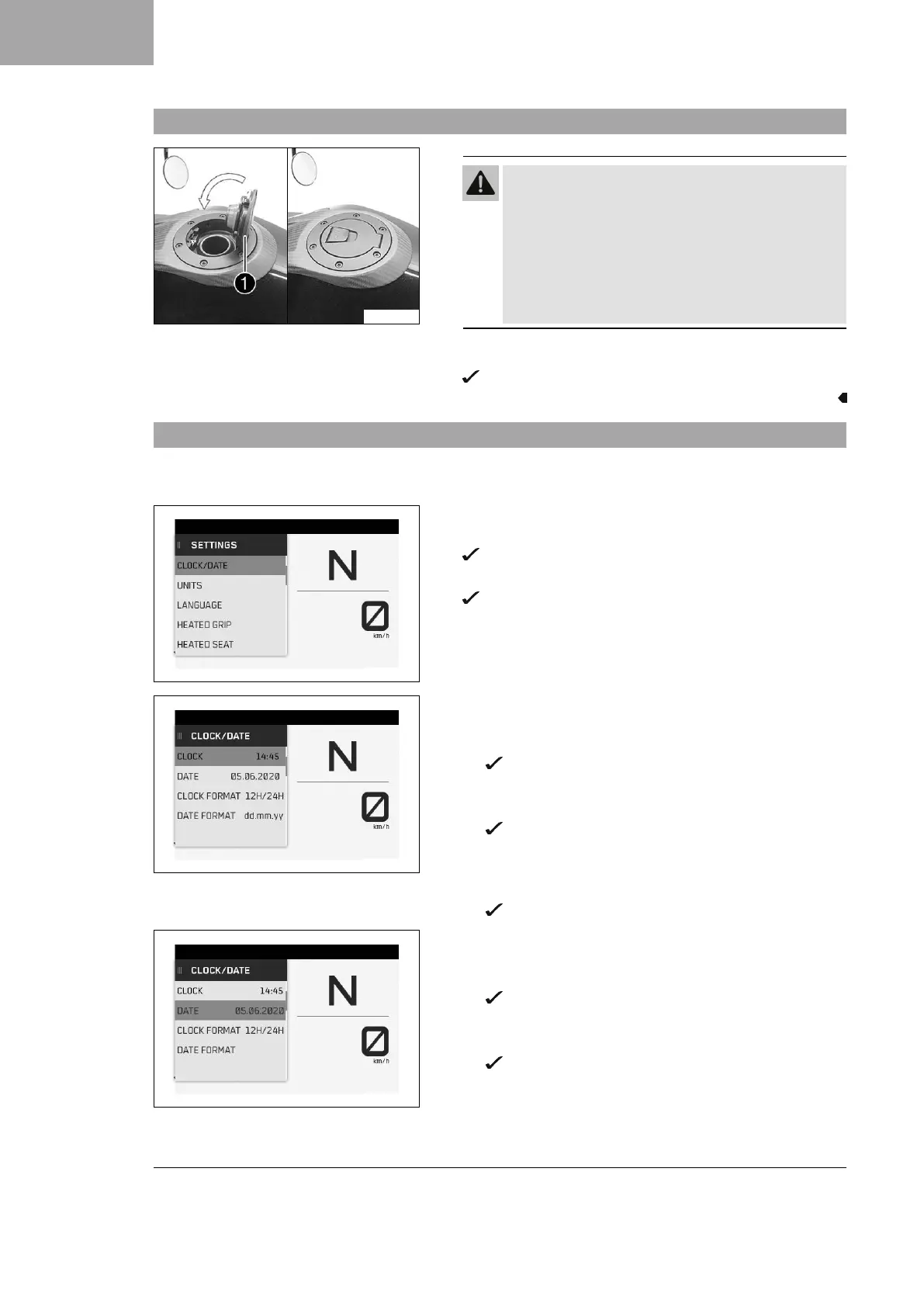
3.10 Closing the fuel tank filler cap
S05165-11
Warning
Fire hazard Fuel is highly flammable, toxic and a
health hazard.
–
Check that the fuel tank filler cap is locked cor-
rectly after closing.
– Change your clothing if fuel spills on them.
– Rinse the affected area immediately with plenty of
water in the event of contact with the skin.
–
Fold down fuel tank filler cap
1
and push it down.
The fuel tank filler cap locks audibly in place.
3.11 Setting the time and date
Condition
The motorcycle is stationary.
S03821-01
– Press RIGHT button when the menu is closed.
– Press the UP or DOWN button until Settings is marked.
Press the RIGHT button to open the menu.
– Press the UP or DOWN button until Clock/Date is marked.
Press the RIGHT button to open the menu.
S03820-01
Setting the clock
– Press the UP or DOWN button until the time is marked.
– Press the SET button.
The hour next to Clock flashes.
– Press the UP or DOWN button until the current hour is set.
– Press the RIGHT button.
The minute next to Clock flashes.
– Press the UP or DOWN button until the current minute is
set.
– Press the SET button.
The time is stored.
S03822-01
Setting the date
– Press the UP or DOWN button until the date is marked.
– Press the SET button.
The day next to Date flashes.
– Press the UP or DOWN button until the current day is set.
– Press the RIGHT button.
The month next to Date flashes.
– Press the UP or DOWN button until the current month is
set.
– Press the RIGHT button.


 To Next Page