Setback Control Installation
-28-
Remove the Setback Control Battery Holder
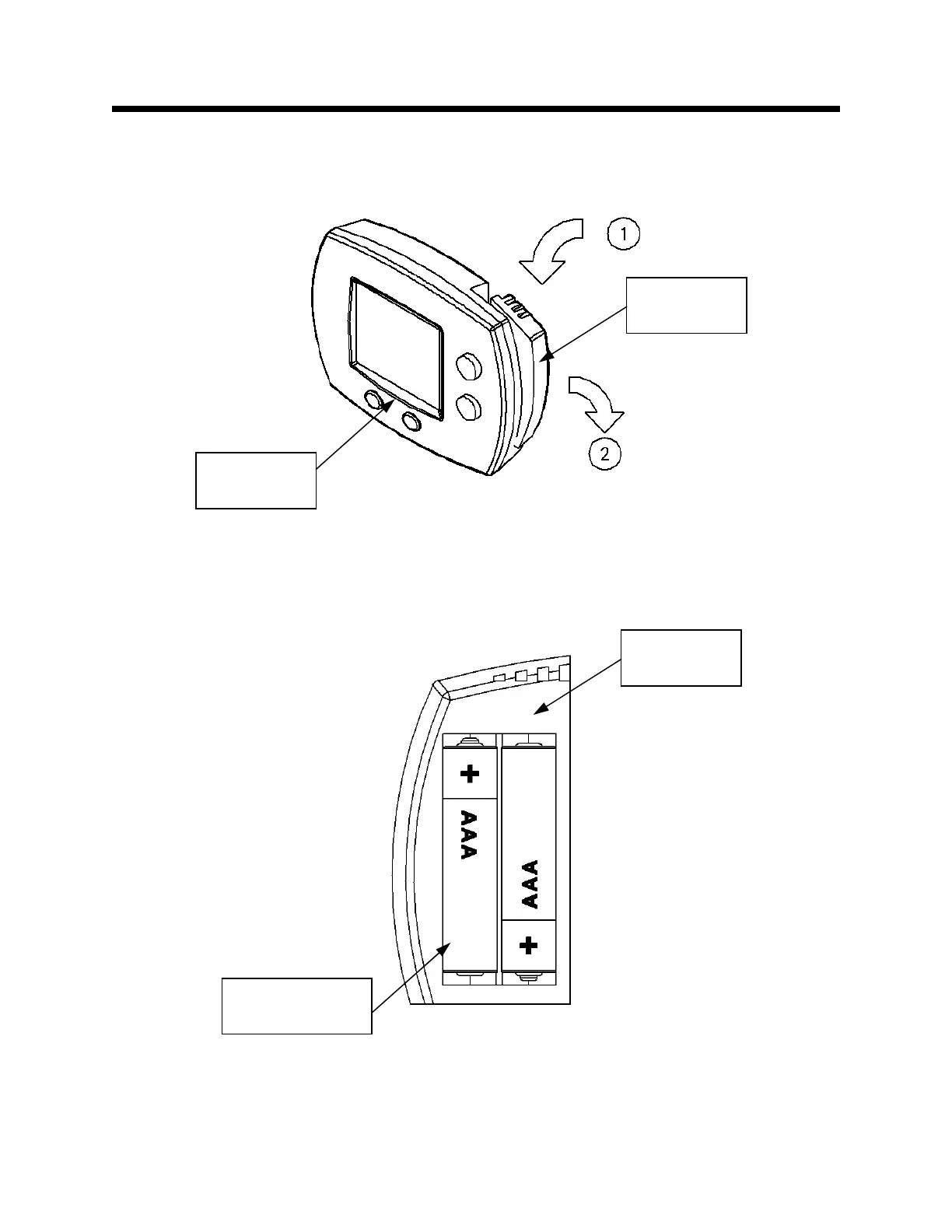
Step 3: Depress the top side of the battery holder and remove it. This is shown in Figure 30.
Install the Setback Control Batteries
Step 4: Install the (2) supplied AAA batteries into the battery holder of the Setback Control, as shown in
Figure 31.
Figure 30
Figure 31
Battery
Holder
Setback
Control
Battery
Holder
(2) Supplied AAA
Batteries


 To Next Page