Setback Control Installation
-29-
Install the Setback Control Battery Holder
Step 5: Install the Setback Control Battery Holder, just as it was installed prior to Step 3. This is shown in
Figure 32.
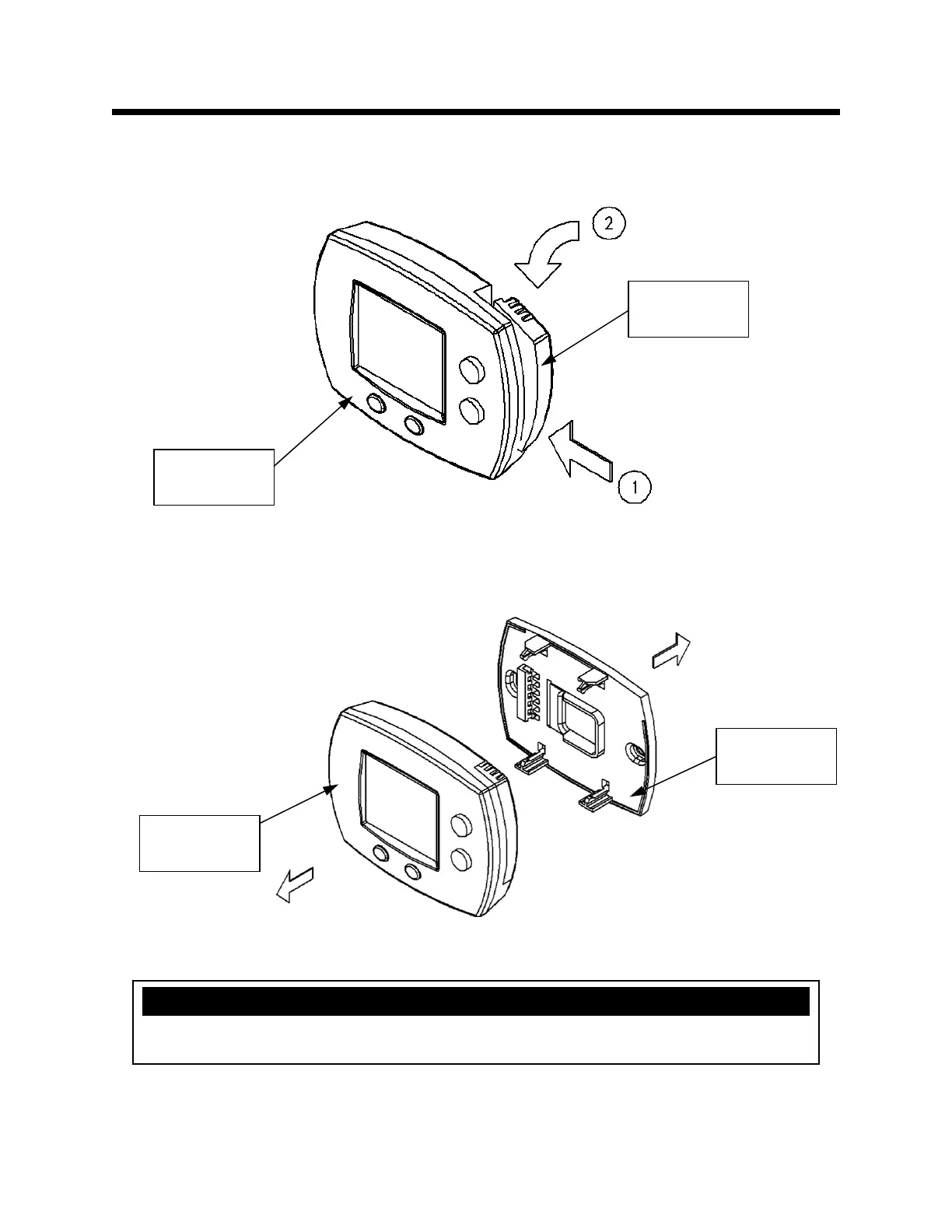
Remove the Protective Plate
Step 6: Remove the Setback Control protective plate from the Setback Control by pulling these items
apart. This is shown in Figure 33. Some force may be required to separate these. Discard the protective
plate.
Figure 32
Figure 33
Battery
Holder
Setback
Control
Protective
Plate
Setback
Control
NOTICE
Do not discard the Protective Plate if the Setback Control is going to be remote mounted.


 To Next Page