19 | Page
FIRMWARE UPDATE
Go to https://www.bradleysmoker.com/product/2019-digital-5-rack-smoker/
(scroll to firmware tab) and download the latest firmware update and save it on USB flash drive.
P
lease follow these steps:
1. Press and hold recipe indicator for 3 seconds, buzzer will sound.
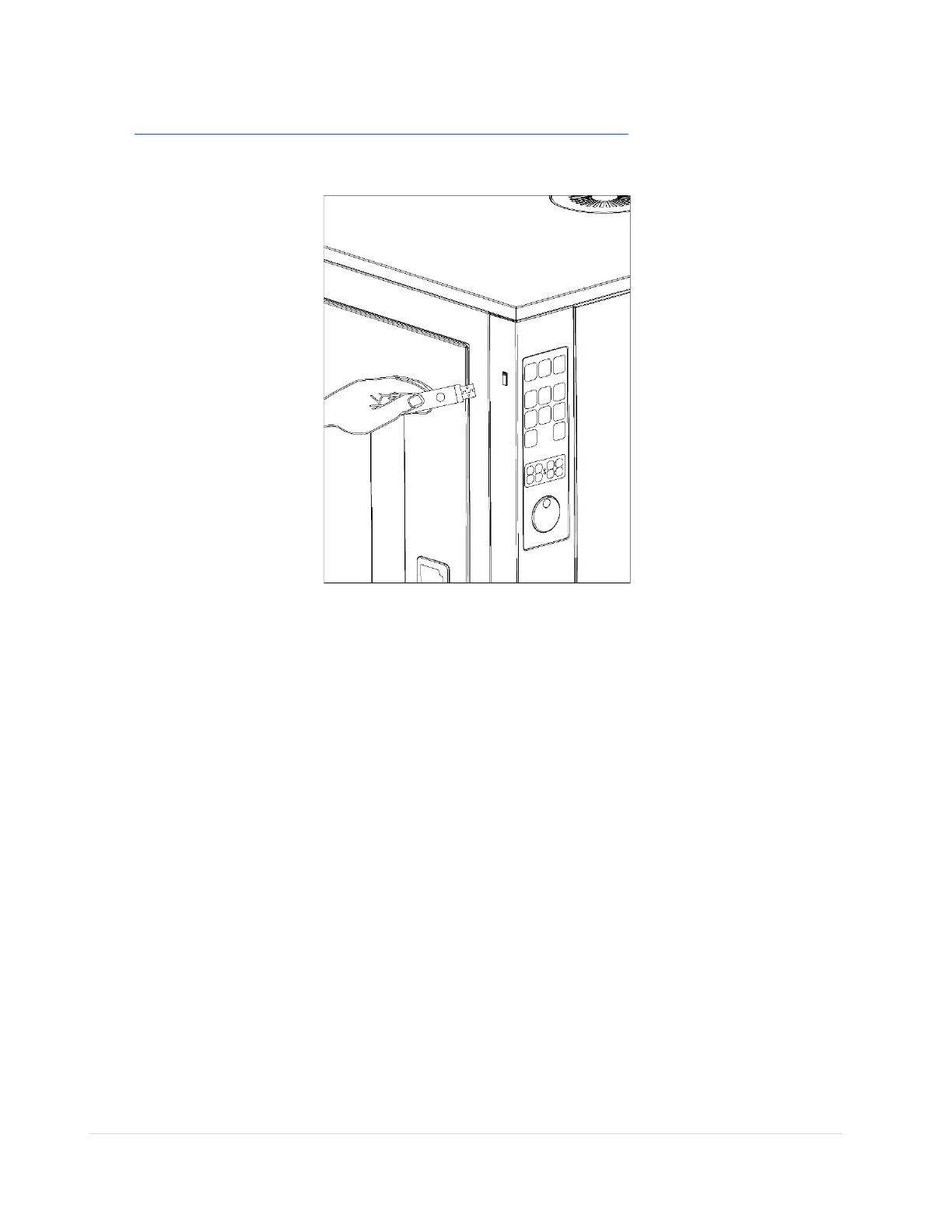
2. Insert the USB flash drive containing downloaded .bin file.
3. Power OFF the smoker for 3 seconds
4. Power ON the smoker. Smoker will read the flash drive.
5. During the updating process the display will show EEEE.
6. When the update is complete, the smoker will restart automatically and will display the new
software version.
7. After the smoker restarts, you can remove the flash drive.
8. Insert the protective cover to the USB slot.
*Note: Do not power off the smoker during the update. Software version is displayed every time the smoker has
been turned ON.



 To Next Page