3 of 4 Bradley • 215-1369-41 Rev. A: ECN 17-03-010
Operation and Service Guide: Showers
P.O. Box 309 • Menomonee Falls, WI 53052-0309
1.800.BRADLEY • 1.262.251.6000 • bradleycorp.com
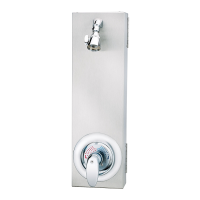
Column Shower with TouchTime Valve
Solenoid
TouchTime Module
All wiring must be routed on the outside
of manifold next to the column
Escutcheon
Mechanical Pushbutton
or Piezo Switch
Manifold
Assembly
"B" and "O" unit supply position shown
Wiring Diagram
Power Adapter to
Customer 120V Supply
Mechanical or Piezo
Pushbutton
TouchTime Module
Solenoid Valve Assembly
Make Electrical Connections
Install a 120VAC/12V DC plug in adapter in
a remote location a safe distance from the
shower room.
A
Connect cable from solenoid to TouchTime
module. Connect cable from pushbutton to
TouchTime module. Connect cable from DC
adapter to TouchTime module
B



 To Next Page