Bradyprinter 200M-PLUS User’s Guide 11
$GMXVWLQJWKH5HIOHFWLYH6HQVRU
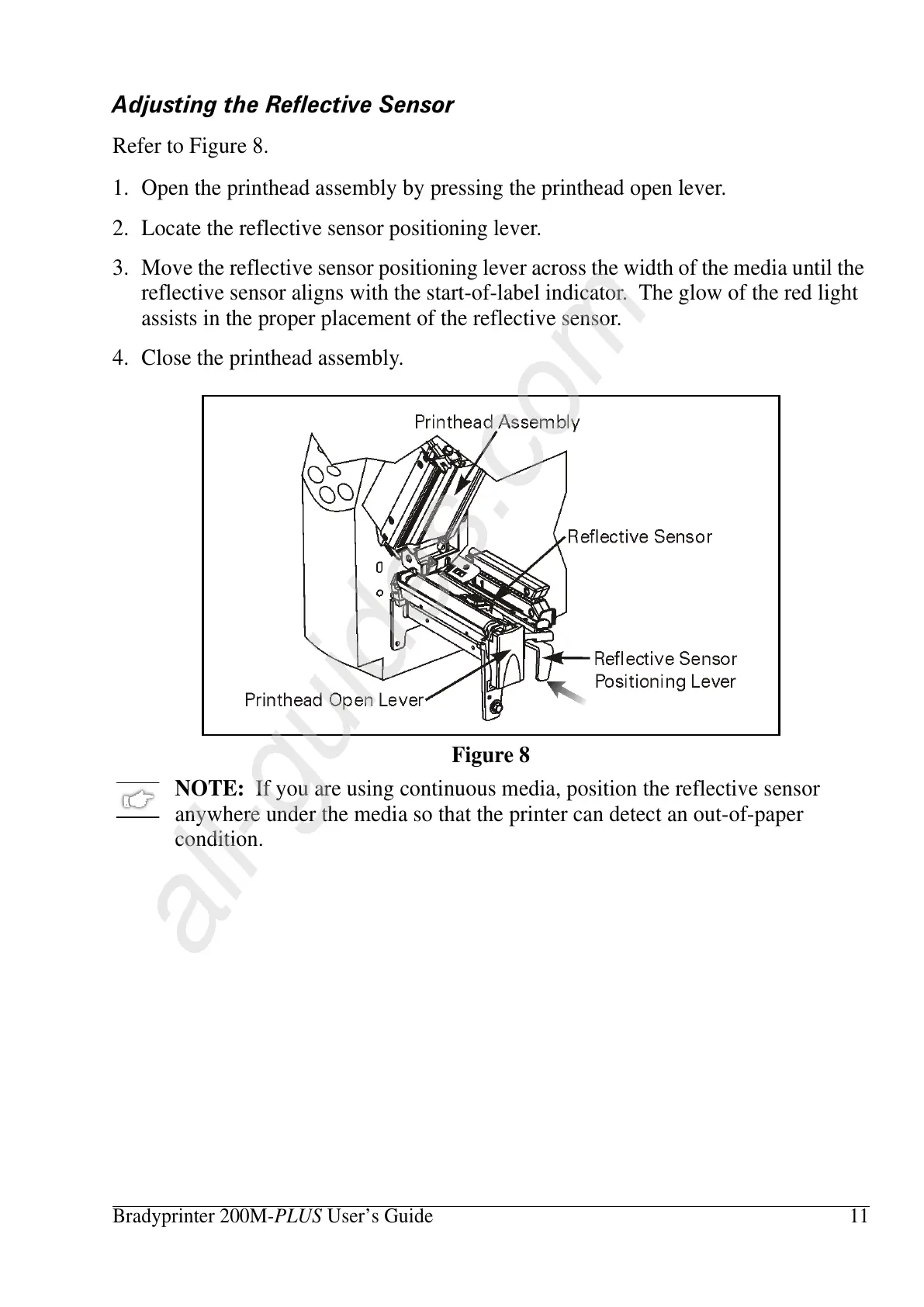
Refer to Figure 8.
1. Open the printhead assembly by pressing the printhead open lever.
2. Locate the reflective sensor positioning lever.
3. Move the reflective sensor positioning lever across the width of the media until the
reflective sensor aligns with the start-of-label indicator. The glow of the red light
assists in the proper placement of the reflective sensor.
4. Close the printhead assembly.
NOTE: If you are using continuous media, position the reflective sensor
anywhere under the media so that the printer can detect an out-of-paper
condition.
Figure 8















 To Next Page