64 Bradyprinter 200MVP and 300MVP User’s Guide
3RZHU5HZLQG0HGLD$OLJQPHQW
(Power rewind option required)
NOTE: Under normal operating conditions, media alignment should not be
necessary if the media/backing was initially installed tightly against the
backplate of the take-up spindle.
Perform the following adjustment if the media does not track properly onto the
take-up spindle.
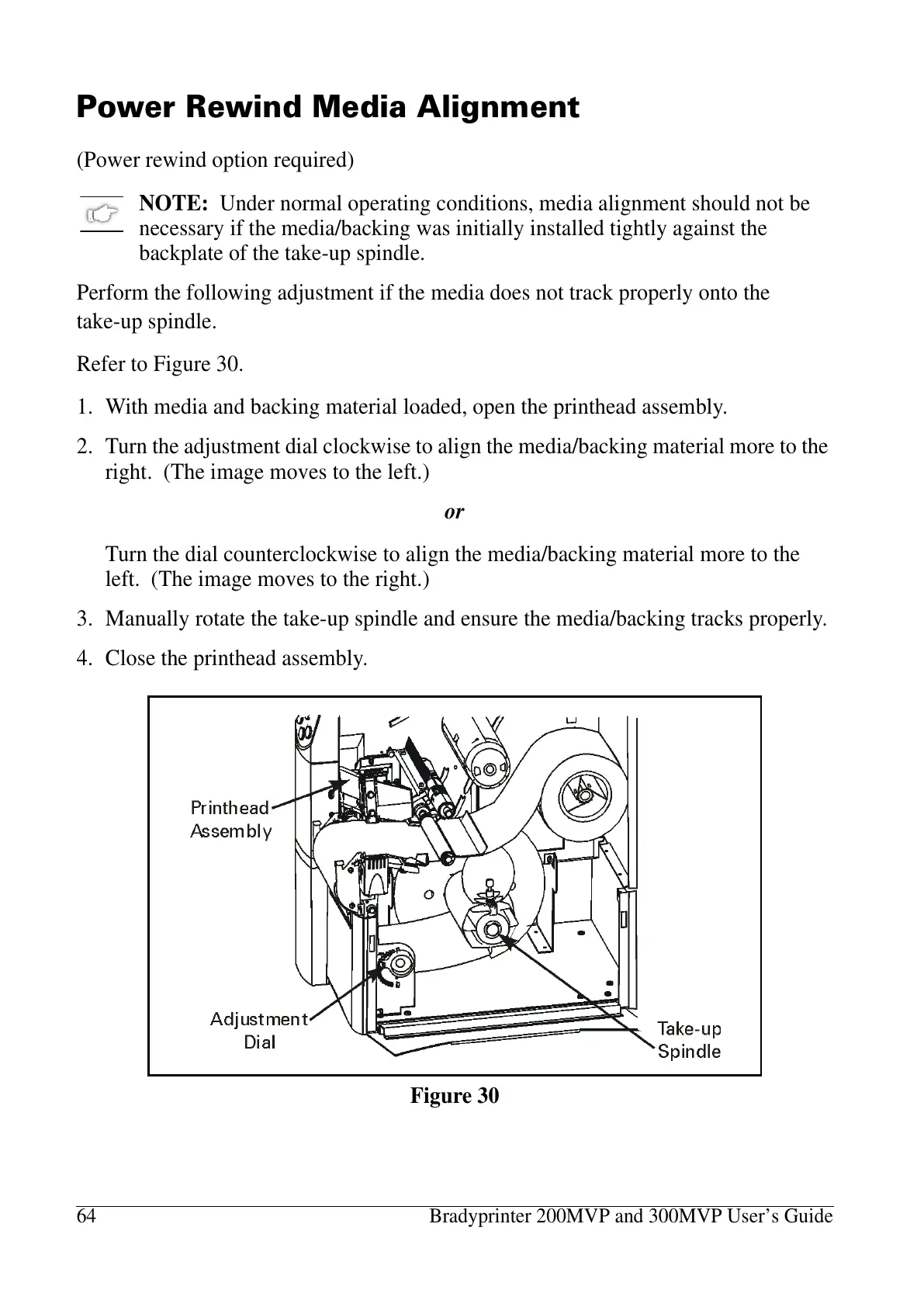
Refer to Figure 30.
1. With media and backing material loaded, open the printhead assembly.
2. Turn the adjustment dial clockwise to align the media/backing material more to the
right. (The image moves to the left.)
or
Turn the dial counterclockwise to align the media/backing material more to the
left. (The image moves to the right.)
3. Manually rotate the take-up spindle and ensure the media/backing tracks properly.
4. Close the printhead assembly.
Figure 30















 To Next Page