EasyManua.ls Logo

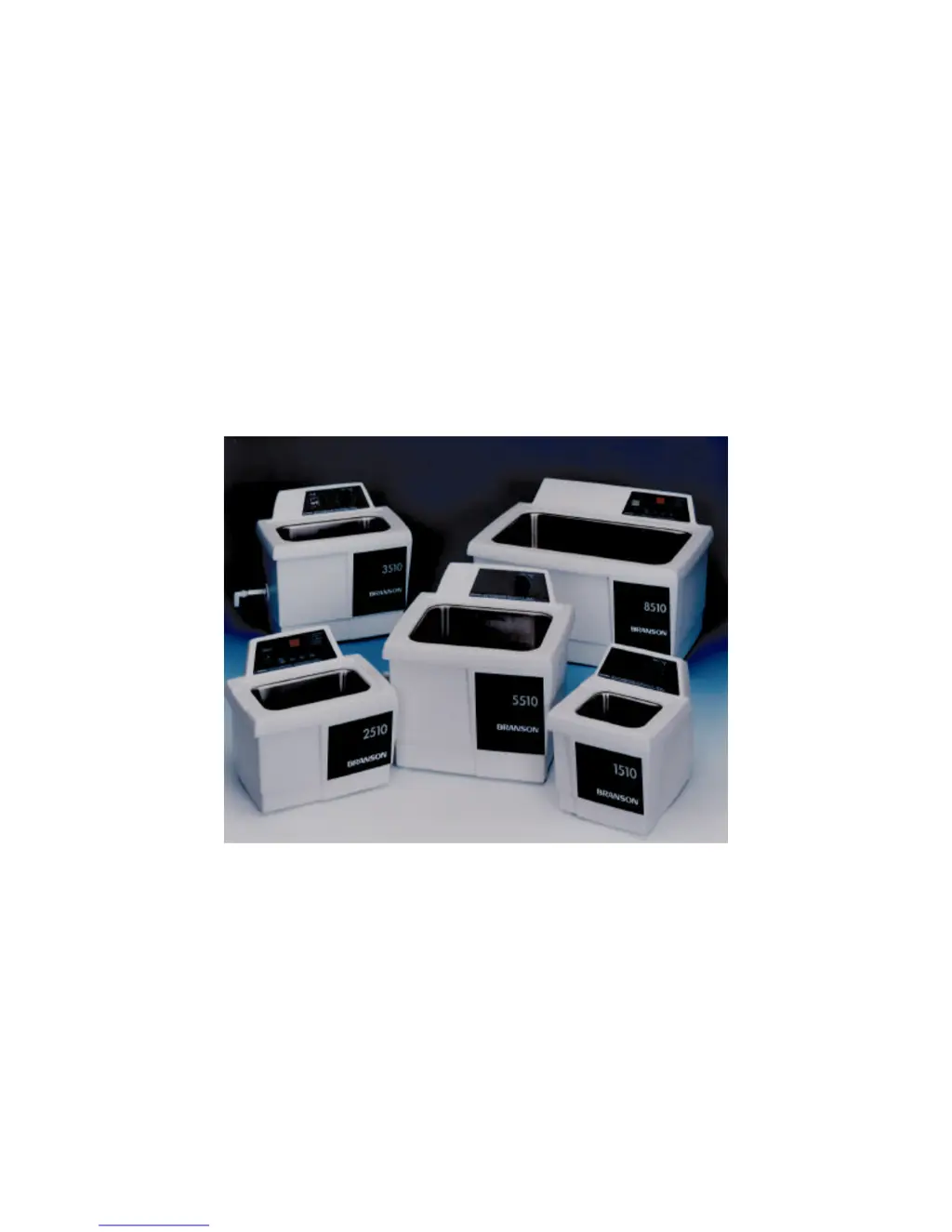
Branson 1510; 2510; 3510; 5510; 8510 - User Manual

Branson 1510; 2510; 3510; 5510; 8510
34 pages
Print Icon
To Next Page IconTo Next Page
Loading...
CPN-214-142
Rev. A
Ultrasonic Cleaners
Models 1510, 2510, 3510, 5510, 8510
Operator’s Manual

Questions and Answers

  • D
    David HunterJul 31, 2025
    What to do if my Branson 1510; 2510; 3510; 5510; 8510 stops and display blinks 75?
    • S
      Stephen CortezJul 31, 2025
      If your Branson Ultrasonic Jewelry Cleaner stops and the display blinks “75”, it indicates an overheat condition. Turn the cleaner off, allow it to cool down, check the solution level, and then restart it.
  • E
    ericksonlindaAug 6, 2025
    Why does the display not function on my Branson 1510; 2510; 3510; 5510; 8510 Ultrasonic Jewelry Cleaner?
    • W
      William MartinAug 6, 2025
      If your Branson Ultrasonic Jewelry Cleaner operates, but the display doesn't function, try pressing the SET DISPLAY button. If the issue persists, the timer board may be malfunctioning, and it is recommended to contact an authorized service center.
  • Z
    Zachary Bradford DDSAug 12, 2025
    How to fix a Branson 1510; 2510; 3510; 5510; 8510 that won't start?
    • D
      Derek ChangAug 12, 2025
      If your Branson Ultrasonic Jewelry Cleaner isn’t starting, make sure it’s properly plugged into a functioning electrical outlet. For models with a mechanical timer (MT), ensure the timer is turned clockwise. For DTH models, check that the POWER switch is ON. If these steps don't resolve the issue, the start button may be malfunctioning or the fuse may have blown, in which case you should contact an authorized service center.
  • J
    John RogersAug 17, 2025
    Why is my Branson 1510; 2510; 3510; 5510; 8510 not heating?
    • M
      Michael JohnsonAug 18, 2025
      If your Branson Ultrasonic Jewelry Cleaner operates but doesn't heat the solution, the heater may be malfunctioning, or for MTH models, the HEAT may not be turned ON. For DTH models, the HEAT might not be set properly, or the membrane could be malfunctioning. In these cases, it is recommended to contact an authorized service center.
  • S
    Susan FritzAug 25, 2025
    What to do if my Branson Ultrasonic Jewelry Cleaner does not maintain set temperature?
    • J
      Jacob ReedAug 25, 2025
      If your Branson Ultrasonic Jewelry Cleaner operates but does not maintain the set temperature, it could be due to malfunctioning heater or sensor components. It is recommended to contact an authorized service center for assistance.

Summary

Warranty Information

Warranty Terms

Details manufacturer's guarantee for two years against defects in material or workmanship.

Safety Cautions

Highlights critical safety warnings regarding solution types and tank handling.

Safety Precautions

Electrical Shock Prevention

Guidelines to prevent electrical hazards, including grounding and avoiding immersion.

Personal & Property Damage Prevention

Precautions to avoid physical harm and damage to the cleaner from improper use.

Introduction to Ultrasonic Cleaners

Cleaner Models and Configurations

Overview of available models, sizes, transducers, and operational configurations (MT, MTH, DTH).

Accessories and Handling

Lists available accessories and provides instructions for unpacking and installing the cleaner.

Equipment Specifications

How Ultrasonic Cleaning Works

Operating Your Cleaner

MT and MTH Cleaner Operation

Explains the operation of Mechanical Timer and Mechanical Timer with Heat models.

MT;MTH Control Panel Explanation

Details the function of controls for MT and MTH cleaner models.

General Before You Start Cleaning

Provides essential pre-cleaning steps and cautions before operating the cleaner.

General Degassing Procedure

Step-by-step guide for degassing the cleaning solution.

General Cleaning Items Steps

Instructions for placing items in the cleaner and performing the cleaning cycle.

Operating Your DTH Cleaner

DTH Control Panel Explanation

Describes the controls and indicators specific to the Digital Control, Heat, Timer (DTH) model.

DTH Before You Start Cleaning

Outlines initial steps and procedures for starting the DTH cleaner.

DTH Degassing and Parameter Setting

Details the process for degassing and setting operating parameters for DTH models.

Draining Your Cleaner

Optimizing Your Cleaner

Tank Maintenance and Filling

Guidance on cleaning, emptying, and filling the cleaner tank for optimal performance.

Temperature Considerations

Information on how heat affects the cleaner and solution, including stabilization temperatures.

Application Hints

Cleaning Methods

Direct Cleaning Method

Explains the direct method of placing items directly into the cleaning solution.

Indirect Cleaning Method

Describes the indirect method using beakers or trays for cleaning.

Cleaning Solutions

Solution Types and Strengths

Categorizes water-based solutions by acidity/alkalinity and their cleaning capabilities.

Chemicals Harmful to Tank

Lists chemicals that can damage the ultrasonic tank and void the warranty.

Solution Effects on Metals

Troubleshooting Guide

Glass Slide Test Procedure

Step-by-step guide for performing a test to verify ultrasonic cavitation effectiveness.

Service Information

Authorized Service Centers

Technical Support Contact

Branson 1510; 2510; 3510; 5510; 8510 Specifications

General IconGeneral
BrandBranson
Model1510; 2510; 3510; 5510; 8510
CategoryUltrasonic Jewelry Cleaner
LanguageEnglish

Related product manuals