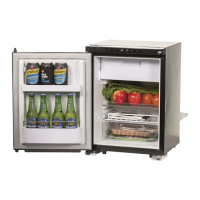
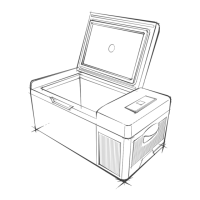
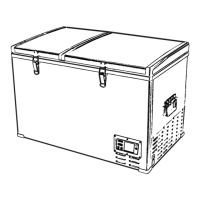
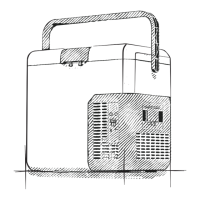
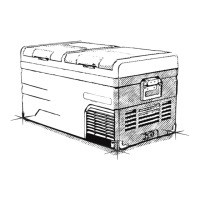
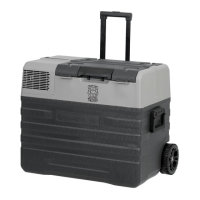
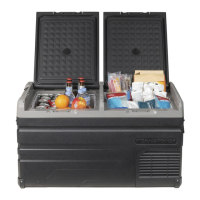
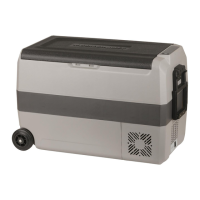
This document is a user manual for the Brass Monkey 25L Fridge/Freezer, model GH-2006.
Function Description
The Brass Monkey GH-2006 is a portable dual-zone fridge/freezer designed for cooling and freezing items. It features a high-efficiency DC compressor and conversion module, allowing for both refrigeration and freezing capabilities. The device supports dual-mode operation (Max & Economy) to optimize performance and energy consumption. It includes a digital temperature display with adjustable controls, enabling users to set the desired temperature within a range of -20°C to +20°C. The fridge/freezer also offers a USB port for charging external devices, and it can be controlled via a Bluetooth-enabled APP.
Important Technical Specifications
- Model: GH-2006
- Capacity: 25L
- Input Voltage: 12/24VDC
- Average Power Consumption: 45W
- Power Consumption: 0.25kw.h/24hr
- Rated Current: 3.8A/1.9A
- Temperature Range: -20°C to +20°C (with ambient temperature at 25°C)
- Refrigerant: R134a
- Insulation: 100% CFC & HFC free PU Foam insulation
- USB Charging Port Output: 5V, 2.1A
- Warranty: 3 Year Warranty
Usage Features
The GH-2006 fridge/freezer offers several user-friendly features:
- DC Power Connection: The device can be powered directly by 12/24VDC sources, making it suitable for car or portable battery use.
- AC Power Option: It can also be powered by AC using an AC to DC power adapter (sold separately).
- Dual Mode Operation: Users can switch between MAX (fast cooling) and ECO (energy-saving) modes by touching the setting button in the unlocked state.
- Digital Temperature Control: The temperature can be adjusted using the '+' and '-' buttons, with a range from -20°C to +20°C. The display shows the set temperature and then the real-time temperature inside the box.
- 3-Stage Low Voltage Battery Protection: This feature protects the vehicle's battery from draining. Users can select between H (high), M (medium), and L (low) protection levels by long-pressing the SET button for 3 seconds. The factory default is H protection. H is recommended for car power, while M or L is for portable or backup batteries. If a voltage protection code F1 appears, the battery gear should be adjusted.
- USB Charging Port: A 5V, 2.1A USB port is available for charging digital devices like mobile phones and tablets.
- APP Control via Bluetooth: The "BRASS MONKEY FRIDGE" application can be downloaded from the iTunes App Store (for Apple devices) or Google Play Store (for Android devices) by scanning a QR code or searching. Once paired via Bluetooth (by pressing the set button on the fridge's control panel), the app allows remote control of the fridge's functions.
- Lock/Unlock Screen: The operation panel automatically locks after 10 seconds of inactivity, displaying a lock icon. To unlock, long-press the unlock button for 2 seconds.
- Operating Angle: The fridge can operate indefinitely at up to 5 degrees and for up to 30 minutes between 6 and 45 degrees.
Maintenance Features
Proper maintenance ensures the longevity and optimal performance of the fridge/freezer:
- Cleaning:
- Do not wash the product with water or soak it.
- Always disconnect from power before cleaning to prevent electrical shock.
- Clean the device with a soft, wet cloth.
- Storage (for long periods of non-use):
- Turn off the product and disconnect it from power.
- Remove all contents (food, drinks, etc.) from inside.
- Store it away from wet or humid places.
- Ventilation: Ensure the product is well-ventilated with a minimum of 200mm clearance at the back and 100mm around the sides. Keep it away from heat sources and avoid direct sunlight exposure.
- Stability: Keep the product stable during operation.
- Water Drainage: If there is water inside the tank, do not turn the product upside down to empty. Dry the water instead of soaking it.
- Safety Precautions:
- Do not put metal into the air inlet, outlet vent, or any gaps.
- Do not connect to power sources other than 12V/24VDC or the 240VAC to 12VDC adapter (sold separately).
- Do not soak the product in water or wash it with water.
- Do not attempt to repair the product; consult the place of purchase for issues.
- Turn off the product before cleaning to avoid electric shocks.
Troubleshooting
The manual provides guidance for common issues:
- Product not working:
- Check if the 240VAC to 12VDC adapter (if used) or the DC cable is working.
- Verify the power supply, plug, and socket connections.
- Check the fuse.
- Ensure the power switch on the control panel is on.
- Note that the compressor may have a 3-minute delay protection after turning on.
- Food frozen: The temperature setting might be too low.
- Water flowing sound: This is normal and indicates refrigerant flow.
- Water drops around case/door gap: This is due to condensation when moisture in the air meets the lower temperature case. Wipe away with a towel.
- Error Codes:
- F1: Low voltage protection. Adjust battery protection from H to M or M to L.
- F2: Fan overload protection. Turn off, restart after 30 minutes. If persistent, contact purchase point.
- F3: Compressor frequent start protection. Turn off, restart after 30 minutes. If persistent, contact purchase point.
- F4: Compressor overloaded or working at low speed. Turn off, restart after 30 minutes. If persistent, contact purchase point.
- F5: High temperature compressor module protection. Move to a ventilated area, turn off for 30 minutes, then restart. If persistent, contact purchase point.
- F6: No parameter detected by controller. Restart product. If persistent, contact purchase point.
- F7 / F8: Temperature sensor error protection. Check sensor terminal.
The warranty period is 3 years from the date of purchase, excluding intentional damage, damage by fire/flood, damage from incorrect usage or not following the manual, and damage from disassembling the product.

 Need help?
 General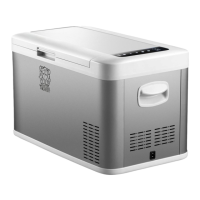

 To Next Page