21
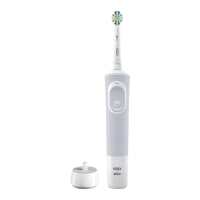
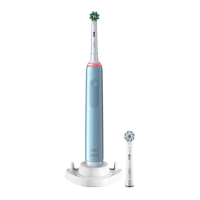
Note: No Indicator bristles in Ultrathin brush
heads (EB60) and 3D White brush heads
(EB18p). We recommend to exchange the
brush head approximately every 3 months.
We do not recommend using the Oral-B
«FlossAction» or Oral-B «3D White» brush
head with braces. You may use the Oral-B
«Ortho» brush head, specifically designed
to clean around braces and wires.
Connecting your
toothbrush to your
Smartphone
The Oral-B
TM
App is available for mobile
devices running iOS or Android operating
systems. It can be downloaded for free from
App Store
(SM)
or Google Play™.
The Oral-B™ App gives you the opportunity
to chart your brushing progress and custo-
mize your toothbrush settings (for many
more benefits see the Oral-B™ App instruc-
tions).
• Start the Oral-B™ App. It will guide you
through the entire Bluetooth pairing pro-
cedure.
Note: Oral-B™ App functionality is limited
if Bluetooth wireless technology is deacti-
vated on your smartphone (for directions
please refer to your smartphone’s user
manual).
• Any app instructions will be displayed on
your smartphone.
• If Bluetooth wireless technology is acti-
vated on your handle, the Bluetooth sym-
bol on the radio transmission display (7)
illuminates. Once the handle is paired, the
Smart Ring (2) flashes briefly.
• Keep your smartphone in close proximity
(within 5m distance) when using it with the
handle. Make sure the smartphone is
safely positioned in a dry place.
• The smartphone holder stand (13)
(depending on model) can hold your
smartphone while using. Before use,
make sure your phone fits the stand and
keeps stable.
Note: Your smartphone must support
Bluetooth 4.0 (or higher)/Bluetooth Smart
in order to pair your handle.
Compatible smartphones are listed in
App Store
(SM)
or Google Play™.
Caution: Follow your smartphone’s user
manual to ensure your phone/charger is
designed for use in a bathroom environment.
Cleaning
recommen dations
After brushing, rinse your brush head under
running water with the handle switched on.
Switch off and remove the brush head. Clean
handle and brush head separately; wipe
them dry before reassembling. Unplug the
basic charger/charging stand before clean-
ing. Smartphone holder stand (13) is dish-
washer-safe.
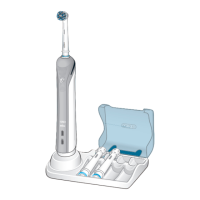
To be cleaned with a damp cloth only: basic
charger (9), travel case (14) (picture
5
).
Accessories
(depending on model)
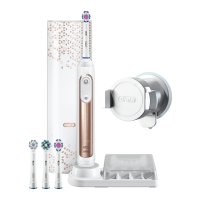
Travel Case
Store the cleaned and dried toothbrush/brush
heads in the travel case (14) (picture D). Store
the travel case in clean and dry place.
Subject to change without notice.
Environmental Notice
Product contains batteries and/or
recyclable electric waste. For
environment protection do not
dispose in household waste, but
for recycling take to electric waste collection
points provided in your country
Battery removal at the end of the
product’s useful life
Do not disassemble the product except
when disposing of the battery. Run down
battery before removing. When taking out
the battery for disposal, use protective cloth-
ing (gloves, safety glasses, etc.) to omit skin
contact whilst leaking batteries.
91657528_D700_JP.indd 2191657528_D700_JP.indd 21 01.02.18 11:1101.02.18 11:11
CSS APPROVED Effective Date 27Feb2018 GMT - Printed 29Mar2018 Page 21 of 28


 To Next Page
 Loading...