9
7. Stand Instructions
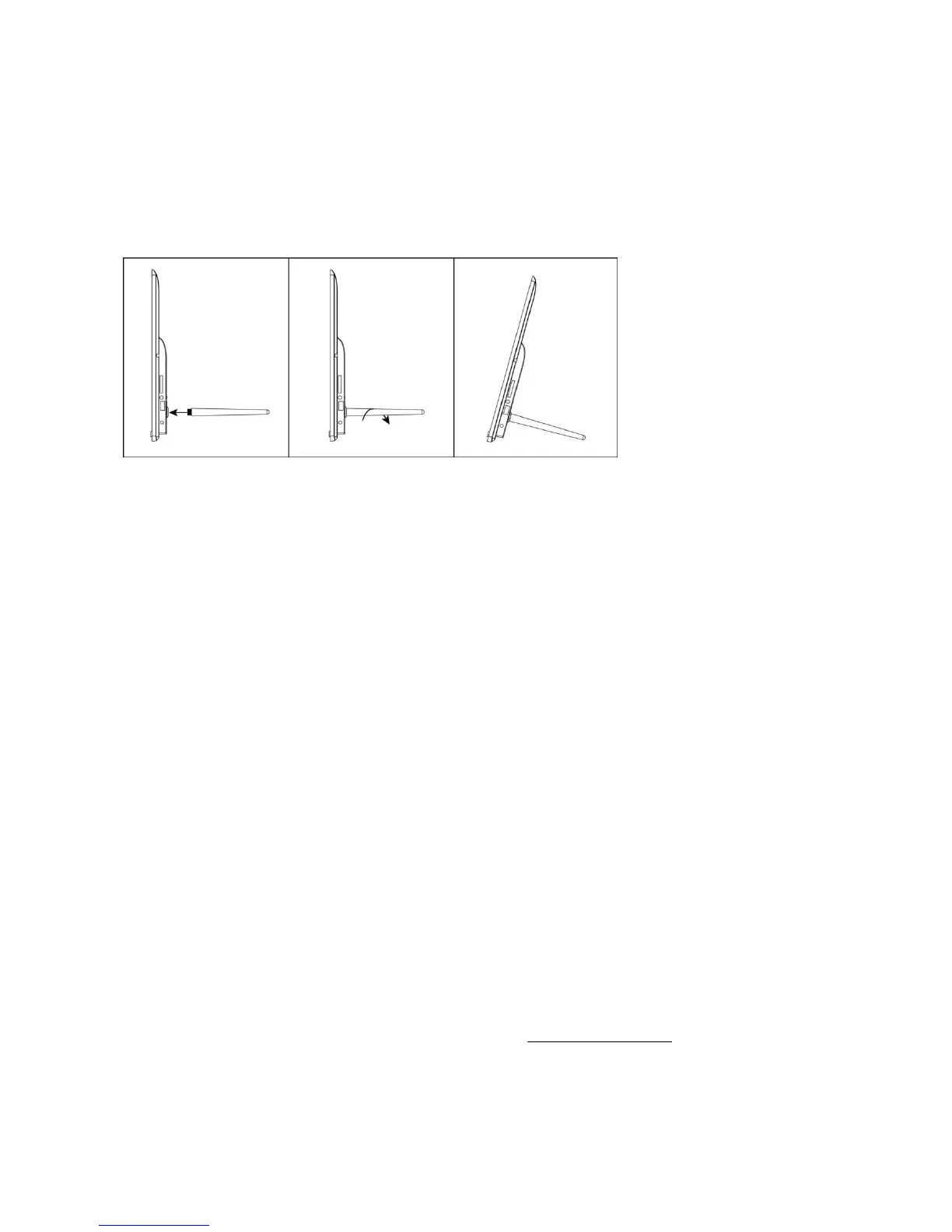
Insert the bracket into the slot of the digital photo frame and rotate the bracket clockwise.
Please make sure the stand is locked in before you put it on the table steadily. Please
referto the illustration below.
8. Technical Specifications
Adapter : Input AC 100-240 V 50/60 HZ, Output DC: 5 V/2 A
Picture Formats: JPEG
Memory Cards: Micro SD
USB: Micro USB
Screen Parameter:
Screen size: 10.1 Zoll (25,7 cm) LCD
Resolution: 1280 x 800 Bildpunkte
Aspect ratio: 16:10
Brightness: 200 cd/m²
Viewing angle : ca. 180° (horizontal)
Working temperature: 0 °C bis 40 °C, humidity: 10 bis 85 %
9. Privacy
For more information regarding privacy, please visit privacy.frameo.net




 To Next Page