EasyManua.ls Logo

Braun IRT6525 - User Manual

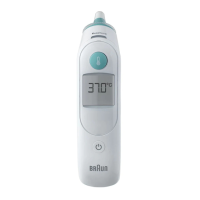
Braun IRT6525
8 pages
Print Icon
To Next Page IconTo Next Page
Loading...
IRT6525AU
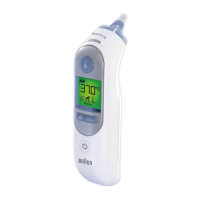
ThermoScan
®
7+
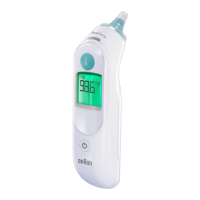
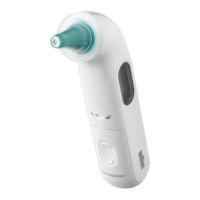
Earthermometer

Other manuals for Braun IRT6525

Questions and Answers

  • K
    Kelli VazquezAug 6, 2025
    What to do if my Braun IRT6525 shows an error with position error icon?
    • J
      Julian StevensonAug 6, 2025
      If your Braun Thermometer displays an error with a position error animated icon, simply press the Start button to begin a new measurement.
  • R
    Renee NortonAug 10, 2025
    Why does my Braun Thermometer show a temperature that is too high or too low?
    • G
      Glen WellsAug 10, 2025
      If your Braun Thermometer displays a temperature outside the typical human range (34 – 42.2 °C or 93.2 – 108 °F), ensure the probe tip and lens are clean and that a new, clean lens filter is attached. Also, make sure the thermometer is properly inserted before taking a new temperature.
  • M
    Mark BrownAug 14, 2025
    How to fix a system error on my Braun IRT6525 Thermometer?
    • S
      singherinAug 14, 2025
      If your Braun Thermometer displays a system error where the self-check display flashes continuously and won't turn off automatically, wait one minute for it to turn off. If the issue continues, remove the batteries and reinsert them to reset the thermometer.
  • S
    Shari YangAug 18, 2025
    What to do if my Braun Thermometer says the battery is too low?
    • A
      Aaron JonesAug 18, 2025
      If your Braun Thermometer indicates that the battery is too low to take an accurate temperature measurement, replace the batteries with new ones.
  • S
    Shannon JordanAug 23, 2025
    What to do if my Braun IRT6525 Thermometer has a system error or is dead?
    • K
      Keith StricklandAug 23, 2025
      If your Braun Thermometer displays a system error or appears completely dead, try inserting new batteries. If the error persists, call customer service.
  • W
    Wendy SmithAug 27, 2025
    Why does my Braun IRT6525 say the ambient temperature is out of range?
    • A
      Ashley McintoshAug 27, 2025
      If your Braun Thermometer shows that the ambient temperature is not within the allowed operating range (10 – 40 °C or 50 – 104 °F), allow the thermometer to remain for 30 minutes in a room where the temperature is between 10 and 40 °C or 50 and 104 °F.
  • S
    shannoncopelandAug 31, 2025
    What to do if my Braun IRT6525 Thermometer is not accurate?
    • A
      Anthony SanchezAug 31, 2025
      If your Braun Thermometer is not providing accurate measurements, replace the lens filter and reposition the thermometer.

Summary

Product Description

Intended Use and Contraindications

Warnings and Precautions

AgeSmart Colour-Coded Display

Operating Instructions

Step-by-step guide for using the Braun ThermoScan® thermometer.

Temperature-Taking Hints

Night Mode Operation

Display Illumination and Last Reading Recall

Setting Default Age Group

How to Change Temperature Scale (°C;°F)

Instructions for switching between Celsius and Fahrenheit temperature scales.

Care and Cleaning

Troubleshooting Common Errors

Solutions for common error messages encountered with the thermometer.

Product Specifications

Regulatory and Safety Information

Details on CE mark, RoHS compliance, and EMC precautions.

Calibration

Battery Replacement

Instructions for replacing the batteries in the thermometer.

Braun IRT6525 Specifications

General IconGeneral
Measurement TechnologyInfrared
DisplayLCD
MemoryLast reading
Age Precision TechnologyYes
Hygienic Disposable Lens FiltersYes
Fever GuidanceYes
Accuracy±0.2°C (±0.4°F)
Auto-OffYes
WaterproofNo
Fever AlertYes
Battery2x AA batteries
Age Range0+ months
Measurement Range34 - 42.2°C (93.2 - 108°F)

Related product manuals