ENGLISH | 3
VOLUME AND PLAYBACK CONTROL
Increase volume by short pressing the “+” button or decrease volume by short pressing the “–” button. An audio
cue will indicate when you’ve reached max volume.
Skip to the next trap by long pressing the “+” button or play the previous track by long pressing the “–” button.
USING BRAVEN BLUETOOTH
®
SMART
Download the BRAVEN READY
™
Outdoor Speaker App from Google Play or the App Store to power on, pair for audio
streaming and customize your listening experience.
POWER & BLUETOOTH PAIRING
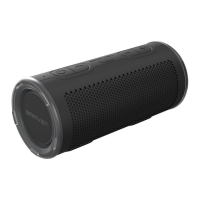
1. Press the Power button for 2-3 seconds to turn your BRAVEN READY PRIME
™
on or off.
2. Toggle Bluetooth
®
on in your device settings. For further instruction on how to do
so, please refer to the user manual included with your mobile device.
3. Your speaker will automatically enter pairing mode when powered on. Pair a second device by
pressing and holding the Bluetooth
®
button for 2-3 seconds, until you hear the audio cue. Go
to your device’s Bluetooth
®
settings and select “BRAVEN READY PRIME” from the list.
Your BRAVEN will remember the last 8 devices it has paired with.
NOTE: If your BRAVEN is left on with an inactive Bluetooth
®
connection for 30 minutes, it will automatically power
off. Power your BRAVEN on again by pressing and holding the power button for 2-3 seconds.



 To Next Page