ENGLISH | 4
ABOUT ALEXA
RESETTING VALE
INSTRUCTIONS FOR HOW TO USE
SPOTIFY CONNECT
WARRANTY
Alexa is Amazon’s cloud-based voice service that is smarter. Alexa provides capabilities that enable customers
to interact with devices in a more intuitive way using just your voice. Just ask Alexa to answer questions, play
music, read the news, get weather and traffic reports, add things to your to-do list, control your smart home, and
more. The more you use Alexa, the more it adapts to your speech patterns, vocabulary, and preferences with new
features continually being added.
Amazon, Alexa and all related logos are trademarks of Amazon.com, Inc. or its affiliates.
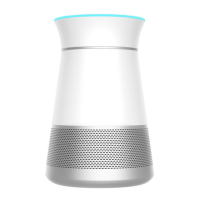
Press and hold “O”. When voice prompts say; “Connecting to your network...”, unplug Vale to reset.
Listen out loud with Spotify Connect
1. Connect your Braven Vale to your wifi network
2. Open up the Spotify app on your phone, tablet, or laptop using the same wifi network.
3. Play a song and select Devices Available.
4. Select your Braven Vale and start listening.
Braven offers a 12-month warranty, effective from the date of purchase.
For detailed information, please visit braven.com/warranty


 To Next Page