Need help?
Do you have a question about the Braven 650 and is the answer not in the manual?
Expresses gratitude to the customer and introduces the BRAVEN SIX Series wireless speakers.
Guide on establishing Bluetooth or wired connections to the speaker.
Instructions for charging the speaker and using it to charge external devices.
Details and labels all buttons, ports, and indicator lights on the BRAVEN speaker.
Explains the meaning of the LED colors indicating battery charge level.
Step-by-step guide to powering on and pairing the BRAVEN with devices via Bluetooth.
Instructions on using the BRAVEN's USB port to charge mobile devices.
How to use the BRAVEN for hands-free calls when synced via Bluetooth.
How to use BRAVEN buttons to pause, skip tracks, and control playback.
Instructions for connecting multiple BRAVEN speakers for synchronized audio.
Solutions for problems like no sound, signal loss, and pairing failures.
Provides size, weight, power adapter, play time, and Bluetooth range.
Crucial advice on avoiding fire, electric shock, and proper handling of the product and battery.
FCC and Industry Canada compliance statements for the device's operation.
Instructions on how to attach and use different plug adapters with the power unit.
 General
| Speaker type | 2-way |
|---|---|
| Number of drivers | 2 |
| Number of speakers | - |
| Audio output channels | 2.0 channels |
| Recommended usage | Mobile phone/Smartphone |
| Impedance | - Ω |
| Frequency range | - Hz |
| RMS rated power | 6 W |
| Product type | Stereo portable speaker |
| On/off switch | Yes |
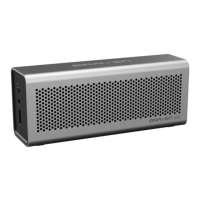
| Product color | Silver |
| Volume control | Digital |
| Housing material | Aluminum |
| Bluetooth profiles | A2DP |
| Connectivity technology | Wireless |
| Battery capacity | 2000 mAh |
| Battery life (max) | 20 h |
| Cables included | USB |
 Weight and Dimensions
| Depth | 64 mm |
|---|---|
| Width | 159 mm |
| Height | 45 mm |
| Weight | 360 g |

 To Next Page