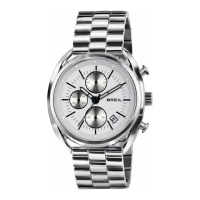
SETTING THE TIME
Pull out the crown 훿 to position (2), the second hand momentarily returns to "0". (if
this does not happen, press button 훽 to perform the operation manually)
Tu rn the crown anticlockwise to adjust the hour and minute hands forward to the
correct time, and clockwise to move them backwards.
Tu r ning the crown rapidly also increases the speed of the adjustment. To stop the fast
resetting motion, turn the crown slowly. By turning the crown slowly, the adjustment
is carried out in steps of 20 seconds.
Restart the watch by pushing the crown back to position (0).
B
•
•
•
•
3
SETTING THE ALARMC
The watch must be in the normal time mode.
The normal time and alarm time are indicated by the same minute and second hands.
•
Switching to alarm time indication
Moving the alarm switch (ALM) (1) to ON and pulling the crown out one stop, the hour
hand and minute hand move rapidly in a clockwise direction and stop at the alarm set
time. A confirmation "bip" is heard.


 To Next Page