6
Operation
Manual Mode
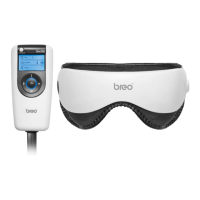
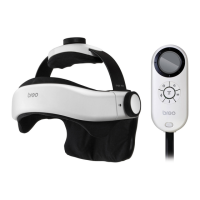
Tip: When you feel the air pressure is too much and/or uncomfortable, press the
Pressure Reduction Valve on the controller to release air.
Preset default is air pressure + high-temperature hot compress +
vibration + relaxing music, 15 minutes duration.
Manually operate related function buttons to switch among music,
time, vibration, hot compress, and air pressure modes.
(*Sounds of Nature featured: running water, birds chirping, waves,
crickets, water dripping)
Power on - Press and hold Button
Time: Press Button to select massage duration (5 min / 10 min / 15 min)
Music: Press Button to select music type (Relaxing / Nature)
Press and hold Button to STOP the music
Vibration: Press Button to initiate 4 vibration modes (circulates automatically)
Heat: Press Button to select temperature (Low-High)
Air pressure: Press Button to initiate 4 air pressure modes (circulates automatically)
Mode: Press to select from 4 different modes:
Air pressure + Hot compress
Air pressure + Vibration
Hot compress + Vibration
Air pressure + Hot compress + Vibration
Power off - Press and hold Button again.


 To Next Page