EasyManua.ls Logo

Breville YouBrew - User Manual

Breville YouBrew
21 pages
Print Icon
To Next Page IconTo Next Page
Loading...
BDC600XL /A
the YouBrew
®
Instruction Book - Livret d’instructions
www.breville.com
Breville is a registered trademark of Breville Pty. Ltd. A.B.N. 98 000 092 928.
Copyright Breville Pty. Ltd. 2012.
Due to continued product improvement, the products illustrated/photographed
in this booklet may vary slightly from the actual product.
Model BDC600XL /A Issue - D12
USA
Mail: Breville USA
19400 S. Western Ave
Torrance CA
90501-1119
Phone: 1-866-273-8455
1-866-BREVILLE
Email:
askus@brevilleusa.com
Canada
Mail: Breville Canada
2555, Avenue de l’Aviation
Pointe-Claire (Montreal)
Quebec H9P 2Z2
Phone:
1-855-683-3535
Email:
askus@breville.ca
Breville Consumer Service Center
Question and Answer IconNeed help?

Do you have a question about the Breville YouBrew and is the answer not in the manual?

Summary

KNOW YOUR BREVILLE PRODUCT

BEFORE FIRST USE

INITIAL SET UP

Details the essential steps for setting up the coffee machine before its first use.

USING THE YOUBREW - CARAFE MODE

USING THE YOUBREW - SINGLE CUP MODE

PROGRAMMING THE CLOCK AND AUTO-START

PROGRAMMING THE CLOCK

Instructions on how to set the current time on the coffee machine.

PROGRAMMING AUTO-START

Instructions on setting a future brew time for automatic operation.

CHANGING THE READY SIGNAL VOLUME

HELPFUL TIPS FOR BREWING

WHOLE BEANS

Provides advice on selecting, storing, and grinding whole coffee beans.

PRE-GROUND COFFEE

Offers guidance on using pre-ground coffee for optimal results.

GENERAL TIPS

Offers general advice for improving coffee quality and brewing process.

ICED COFFEE

Instructions and tips for making iced coffee with the machine.

CARE AND CLEANING

CLEANING THE COFFEE BASKET AND GOLD TONE FILTER

Instructions for cleaning the coffee basket and gold tone filter after use.

CLEANING THE CARAFE

Guidance on how to properly clean the coffee carafe and its lid.

CLEANING THE BEAN HOPPER

Steps to clean the bean hopper for optimal grinder performance.

CLEANING THE GRINDING BURRS AND COFFEE GRINDS CHUTE

Procedure for cleaning the grinder burrs and coffee grounds chute.

CLEANING THE GRINDS CATCHER AND DRIP TRAY

CLEANING THE OUTER HOUSING

REMOVING CALCIUM BUILD-UP

TROUBLESHOOTING

Summary

KNOW YOUR BREVILLE PRODUCT

BEFORE FIRST USE

INITIAL SET UP

Details the essential steps for setting up the coffee machine before its first use.

USING THE YOUBREW - CARAFE MODE

USING THE YOUBREW - SINGLE CUP MODE

PROGRAMMING THE CLOCK AND AUTO-START

PROGRAMMING THE CLOCK

Instructions on how to set the current time on the coffee machine.

PROGRAMMING AUTO-START

Instructions on setting a future brew time for automatic operation.

CHANGING THE READY SIGNAL VOLUME

HELPFUL TIPS FOR BREWING

WHOLE BEANS

Provides advice on selecting, storing, and grinding whole coffee beans.

PRE-GROUND COFFEE

Offers guidance on using pre-ground coffee for optimal results.

GENERAL TIPS

Offers general advice for improving coffee quality and brewing process.

ICED COFFEE

Instructions and tips for making iced coffee with the machine.

CARE AND CLEANING

CLEANING THE COFFEE BASKET AND GOLD TONE FILTER

Instructions for cleaning the coffee basket and gold tone filter after use.

CLEANING THE CARAFE

Guidance on how to properly clean the coffee carafe and its lid.

CLEANING THE BEAN HOPPER

Steps to clean the bean hopper for optimal grinder performance.

CLEANING THE GRINDING BURRS AND COFFEE GRINDS CHUTE

Procedure for cleaning the grinder burrs and coffee grounds chute.

CLEANING THE GRINDS CATCHER AND DRIP TRAY

CLEANING THE OUTER HOUSING

REMOVING CALCIUM BUILD-UP

TROUBLESHOOTING

Overview

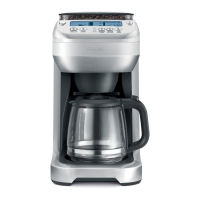
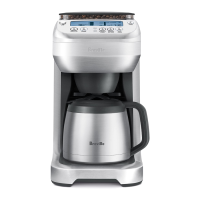
The Breville YouBrew® (BDC600XL/A) is an advanced coffee machine designed to grind whole beans and brew coffee directly into a single cup or a carafe, offering a range of customization options for strength, flavor, and size. All parts of the YouBrew® that come into contact with coffee and water are BPA Free.

Function Description:

The YouBrew® integrates a burr grinder that grinds whole beans just prior to brewing, ensuring maximum freshness, flavor, and aroma. It supports both whole beans and pre-ground coffee, with a dedicated 'PRE-GROUND' setting that disables the grinder. The machine can brew a single cup (9 size options from 7.5oz to 21oz) or a carafe (2 to 12 cups, with each cup approximately 5 fl.oz). Users can select from 7 strength settings (MILD to INTENSE) and 5 flavor settings (LITE to BOLD), which adjust the steeping time for a customized taste. The 'INTENSE' strength setting limits carafe brewing to a maximum of 9 cups to ensure an optimal coffee-to-water ratio. The machine features a Brew Pause Drip Stop, allowing a cup to be poured mid-brew by temporarily ceasing coffee flow when the carafe is removed. An Auto-Start feature allows users to program a specific time for the machine to automatically begin preheating and grinding.

Important Technical Specifications:

  • Bean Hopper: 0.5lb capacity with a Bean Hopper Locking System for easy removal and storage.
  • Water Tank: 12-Cup (60oz) capacity with a flip-top lid and a 'MAX' level float.
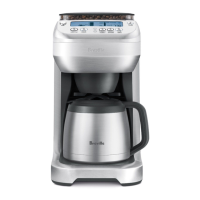
  • Carafe: 12-Cup Double-Wall, Stainless Steel Thermal Carafe with a secure lid.
  • Filter: Removable Gold Tone Filter included; also compatible with 8-12 cup, flat base paper filters (~3½"/8.25cm base).
  • Control Panel: Contoured with an angled design and backlit LCD screen for easy viewing.
  • Power: Operates on a grounded 110-120V power outlet.
  • Dimensions (Drip Tray Cavity for Tall Cups/Travel Mugs): Maximum 7.5" height, 2¾" diameter.
  • Grinder: Integrated Burr Grinder.
  • Safety Features: Soft Opening, Swing-Out Door with safety interlock system prevents operation if the coffee basket is not correctly assembled or the door is not properly closed. The safety interlock system also prevents operation if the bean hopper is incorrectly assembled.

Usage Features:

  • First Time Use: Before first use, all packaging materials and labels should be removed. The exterior housing, bean hopper, lid, coffee basket, gold tone filter, and carafe should be washed. The machine should be flushed by running two full 12-cup cycles with water only (no coffee) using the 'PRE-GROUND' setting.
  • Bean Hopper Installation: Position the hopper, turn the locking knob clockwise until it clicks. Fill with fresh beans (up to 0.5lb maximum).
  • Coffee Basket Installation: Pre-heat the coffee basket under hot tap water and dry thoroughly. Line with either the gold tone filter (handle towards hinge) or a paper filter (never both). Close the coffee basket lid. Open the swing-out door using the OPEN button, attach the coffee basket to the door hooks, and close the door until it clicks shut.
  • Water Tank Filling: Open the flip-top lid and pour cold, filtered water into the tank using a jug or the carafe. The LCD screen will display the water level. Do not exceed the 12-cup maximum.
  • Carafe Mode: Press the CARAFE button to select the desired carafe size (2-12 cups). Pre-warm the carafe by filling it with hot water for 30 seconds, then discard. Secure the carafe lid (align ALIGN arrows, then turn clockwise to LOCK). Place the carafe under the drip stop outlet.
  • Single Cup Mode: Press the SINGLE CUP button to select the desired brew size (9 options). For taller cups/travel mugs, remove the drip tray. Pre-warm the cup/mug with hot water for 30 seconds, then discard. Place the cup/mug under the drip stop outlet.
  • Brew Strength/PRE-GROUND Setting: Press the STRENGTH | FLAVOR button. Use the up/down buttons to cycle through 7 strength settings (MILD to INTENSE) or select 'PRE-GROUND'. Press STRENGTH | FLAVOR again to confirm. For pre-ground coffee, add 1 level tablespoon per 5oz/150ml cup (max 16 tablespoons) to the filter.
  • Flavor Setting (Single Cup Only): After selecting strength, press STRENGTH | FLAVOR again until the flavor setting flashes. Use the up/down buttons to cycle through 5 flavor settings (LITE to BOLD). Press STRENGTH | FLAVOR to confirm.
  • Starting Brew Cycle: Press the START | CANCEL button. The LCD screen will display 'PRE-HEATING' then 'BREWING' or 'STEEPING' (for single cup).
  • Brew Pause: The drip stop temporarily ceases coffee flow when the carafe is removed. Do not remove for more than 20 seconds to prevent overflow.
  • Programming Clock: Press PROGRAM until 'TIME NOW' displays. Press and hold PROGRAM until 'AM' flashes. Use up/down buttons to set AM/PM, hour, and minute. Press PROGRAM to finish.
  • Programming Auto-Start: Ensure the clock is set. Press PROGRAM until 'START AT' displays. Press and hold PROGRAM until 'AM' or 'PM' flashes. Use up/down buttons to set AM/PM, hour, and minute. Press PROGRAM to finish. Within 5 seconds, press START | CANCEL to activate. 'PROGRAM ON' will display.
  • Changing 'Ready' Signal Volume: Press and hold STRENGTH | FLAVOR until a sound icon flashes. Use up/down buttons to select HIGH, LOW, or MUTE.

Maintenance Features:

  • General Cleaning: Always turn off and unplug the machine before cleaning. Do not use abrasive cleansers, pads, or cloths that can scratch surfaces. Do not clean any parts in the dishwasher.
  • Coffee Basket & Gold Tone Filter: After each use, remove and discard grounds/filter. Rinse thoroughly, paying attention to the chute area and fine holes of the gold tone filter. For deeper cleaning, wash in warm, soapy water with a soft bristled brush. The steam baffle flap on the side of the coffee basket can be pulled down for cleaning and clicked back into the upright position.
  • Carafe: Empty after each use. Rinse carafe and lid under running water. For deeper cleaning, wash in warm, soapy water with a soft bristled brush. Do not let brewed coffee stand overnight to prevent staining.
  • Bean Hopper: Remove lid and unlock by turning counter-clockwise. Wash hopper and lid in warm, soapy water.
  • Grinding Burrs & Coffee Grinds Chute: The LCD screen will display 'CLEAN COFFEE CHUTE' when cleaning is needed (recommended every 2-3 weeks).
    1. Turn machine on.
    2. Unlock and remove bean hopper.
    3. Open swing-out door (coffee grinds chute rotates to open position).
    4. Using the provided cleaning brush, remove build-up around grinding burrs and coffee grinds chute. Ensure grinds catcher is in place.
    5. Wipe the coffee grinds chute disc (stainless steel part) clean. Dry thoroughly.
    6. Replace upper burr by aligning notches and turning counter-clockwise until it clicks.
    7. Replace bean hopper and lock into position.
    8. Replace coffee basket and close door.
  • Grinds Catcher & Drip Tray: Remove and wash in warm, soapy water. Rinse and dry thoroughly.
  • Outer Housing & LCD Screen: Clean with a soft, damp cloth. Apply cleanser to the cloth, not directly to the LCD surface. Polish with a soft, dry cloth.
  • Removing Calcium Build-Up (De-Scaling): Recommended monthly in soft water areas, more frequently in hard water areas. The LCD screen will display 'DE-SCALE' if excessive build-up occurs.
    1. Remove 'DE-SCALE' icon by pressing SINGLE CUP and CARAFE buttons together.
    2. Empty water tank.
    3. Pour white vinegar into the water tank until '4 CUPS' displays. Add cold, filtered water until '12 CUPS' displays (4 cups vinegar, 8 cups water).
    4. Select '12 CUPS' and 'PRE-GROUND' settings (no coffee).
    5. Ensure carafe is empty and lid is locked. Place carafe under drip stop outlet.
    6. Press START | CANCEL. Discard water from carafe. Repeat for best results.
    7. Rinse machine by running two full tanks of water through the de-scaling process.
    • Alternatively, use a domestic de-scaling agent designed for drip coffee machines, following its instructions for water proportions but the above procedure.

Breville YouBrew Specifications

General IconGeneral
BrandBreville
ModelYouBrew
CategoryCoffee Maker
LanguageEnglish

Related product manuals