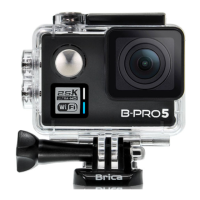
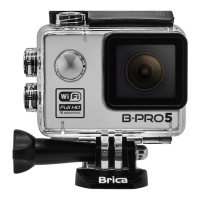
Need help?
Do you have a question about the Brica B-PRO5 and is the answer not in the manual?
Instructions for inserting the memory card into its slot.
Steps for correctly inserting and removing the device battery.
Procedure for connecting the charger and charging the unit.
How to power the camera on and off using the power button.
Method for switching between different camera operating modes.
Guidance on starting/stopping video recording and taking photos.
How to navigate and view recorded videos and photos.
Instructions for testing and using the waterproof casing.
Using the dedicated app to remotely control the camera.
How to navigate to and within the camera's settings.
Selecting desired video recording resolutions.
Enabling or disabling audio recording during video capture.
Activating and configuring the time-lapse recording feature.
Setting up continuous recording with automatic overwrites.
Adjusting video speed for slow-motion playback.
Selecting desired photo image sizes.
Configuring the self-timer for delayed photo capture.
Enabling automatic photo capture at set intervals.
Configuring the number of shots for burst photography.
Modifying image exposure levels for optimal brightness.
Setting color balance based on the light source.
Turning the camera's wireless connectivity on or off.
Rotating video/photo orientation by 180 degrees.
Enabling automatic recording when connected to power.
Setting the refresh rate for the light source.
Managing the camera's indicator lights.
Configuring the LCD screen's automatic turn-off time.
Setting the camera to automatically power off.
Displaying time and date stamps on photos/videos.
Changing the camera's display language.
Manually adjusting the camera's date and time.
Formatting the memory card for optimal use.
Restoring the camera to its default factory settings.
Displaying the current camera firmware version.
 General
| Frame Rate | 30fps |
|---|---|
| Lens Angle | 170° |
| Wi-Fi | Yes |
| Loop Recording | Yes |
| Battery Life | Up to 90 minutes |
| Storage | MicroSD card up to 32GB |
| Connectivity | USB |

 To Next Page