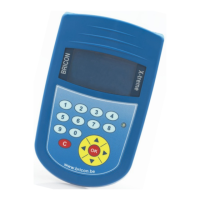
Connect antenna 01
<C> Stop
<OK> Continue
Connect the antenna which needs to be
numbered.
Press <OK>.
Ver. : 1.02
Press <OK>
The display shows the version number.
Antenna 01 is
numbered
<C> Stop
<OK> Continue
The antenna is numbered. All antennas need
to be programmed this way, all antennas
need to be connected separately to be
programmed.
Press <OK> to number the next antenna.
Press <C> to stop.
3.2. Setting up the Electronic Clocking Device.
The antennas are set up in line with a RS485 cable. On each antenna 4 m
of cable is already attached. If this is not sufficient extra cable can be
placed between the antennas.The Electronic Clock (EC) is also connected
to the antennas.The maximum length of a set up is about 100 m. Between
the first and the second antenna an adapter cable is placed. An end plug is
placed on the last open end
of the set up.



 To Next Page