30
System Backup Function
It is possible to back up the calibration and OSD settings data by using the “backup.cmd” cmd file, this is especially
useful e.g. for applying a custom OSD configuration across a fleet of vehicles.
Please note: It is possible to backup and install the vehicle calibration data as well as the OSD configuration
details however Brigade does not recommend copying calibration data from one vehicle to another. Any
variations in the vehicle and camera location will have a significant effect on the surround view image.
Performing a System Backup
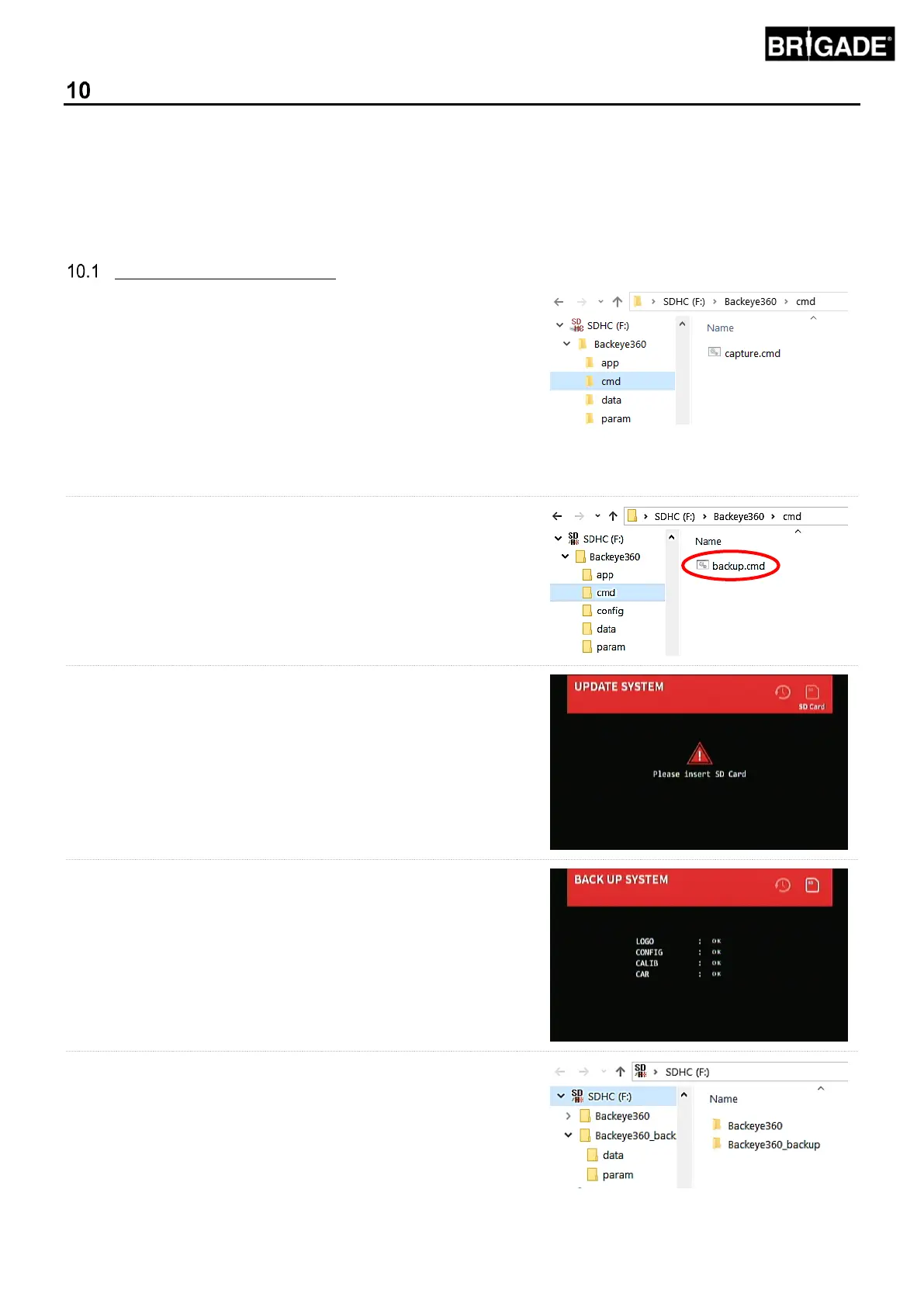
Copy the “Backeye360” folder from the desired configuration to
the SD Card. Refer to section 2.4 for more information on the
different Display Configurations. The configuration used in this
instance is not important since only the “cmd” file is used. It is
possible to delete the unused folders or create the folder structure
directly on the SD Card however it is best practice to always take
the original folders and files from the BN360-200-USB to avoid
any issues.
Note: Ensure the “Backeye360” folder is at the root of the SD
Card.
Rename the “capture.cmd” file to “backup.cmd”.
Insert the Calibration Tool into the ECU and switch the system
on. The following screen will show:
Insert the SD Card, the backup process will begin automatically.
The SD Card can be removed when the backup process has
completed and the following screen is displayed.
Insert the SD Card into the PC that is being used. The SD Card
will now contain a “Backeye360_backup” folder that contains the
calibration data (“param” folder) and the OSD configuration data
(“data” folder).
In the “Backey360” folder that was copied to the SD Card in the
first step of this section delete the “app”, “data” and “param”
folders.



 To Next Page