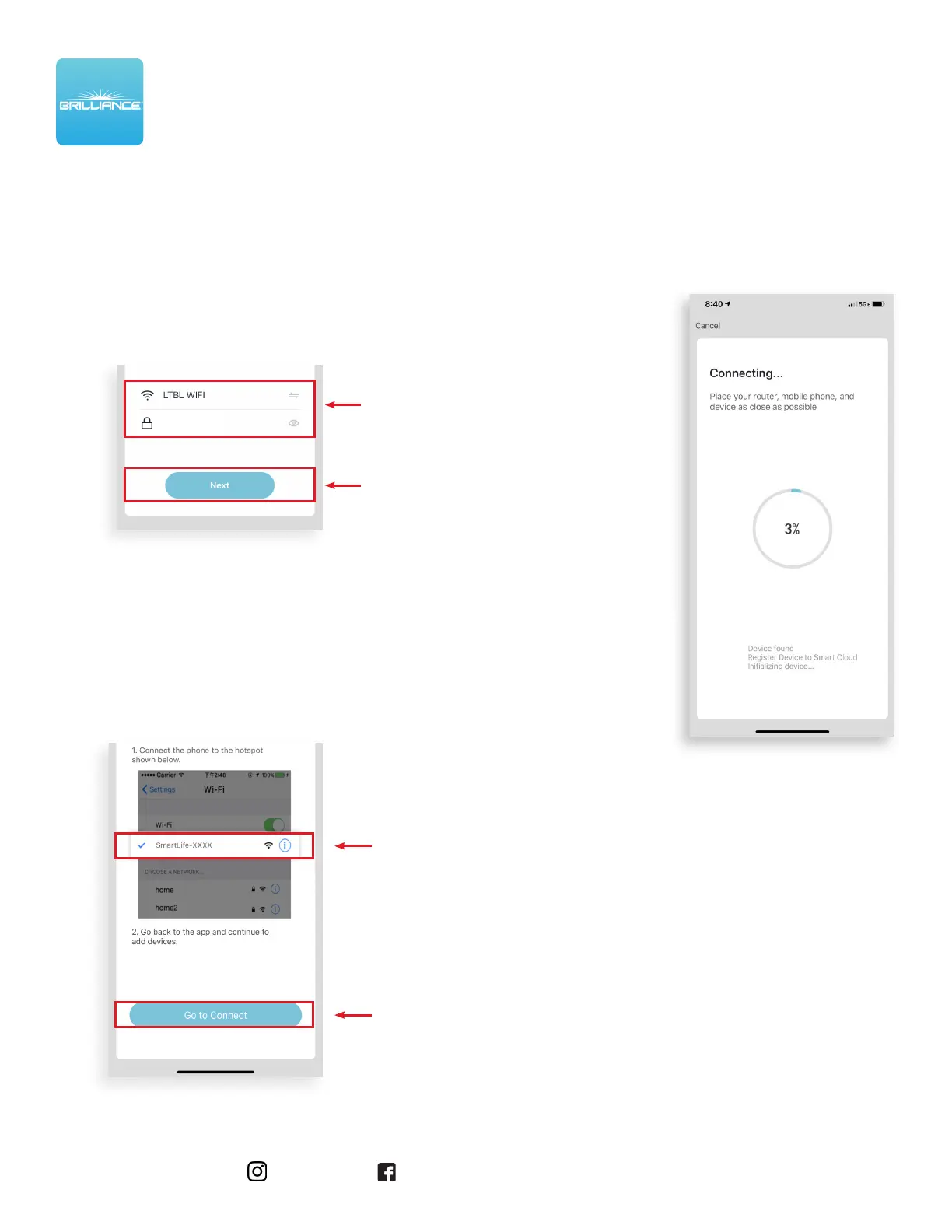
6. The next screen will take you to the
handheld device’s general settings.
In the list of Wi-Fi networks, scroll and tap
the network with SmartLife in the name.
Then, tap Go to Connect.
7. Once the Smart Life
network is connected,
re-open the Brilliance
Smart app.
The Smart Socket will
begin to load. It could
take up to 40 seconds
to populate.
After the Smart
Socket has connected,
AP Mode Set Up is
complete and you can
further program the
device.
Brilliance | brillianceled.com | 800.867.2108
Follow us on social media: brilliance.led Brilliance LED, LLC
5. Enter your 2.4 GHz Wi-Fi network name and
password, and then tap Confirm.
AP Mode Set Up - Continued
WI-FI SMART SOCKET 2
SET UP INSTRUCTIONS
••••••


 To Next Page