17
Playback - Photo Visitor Log
Note
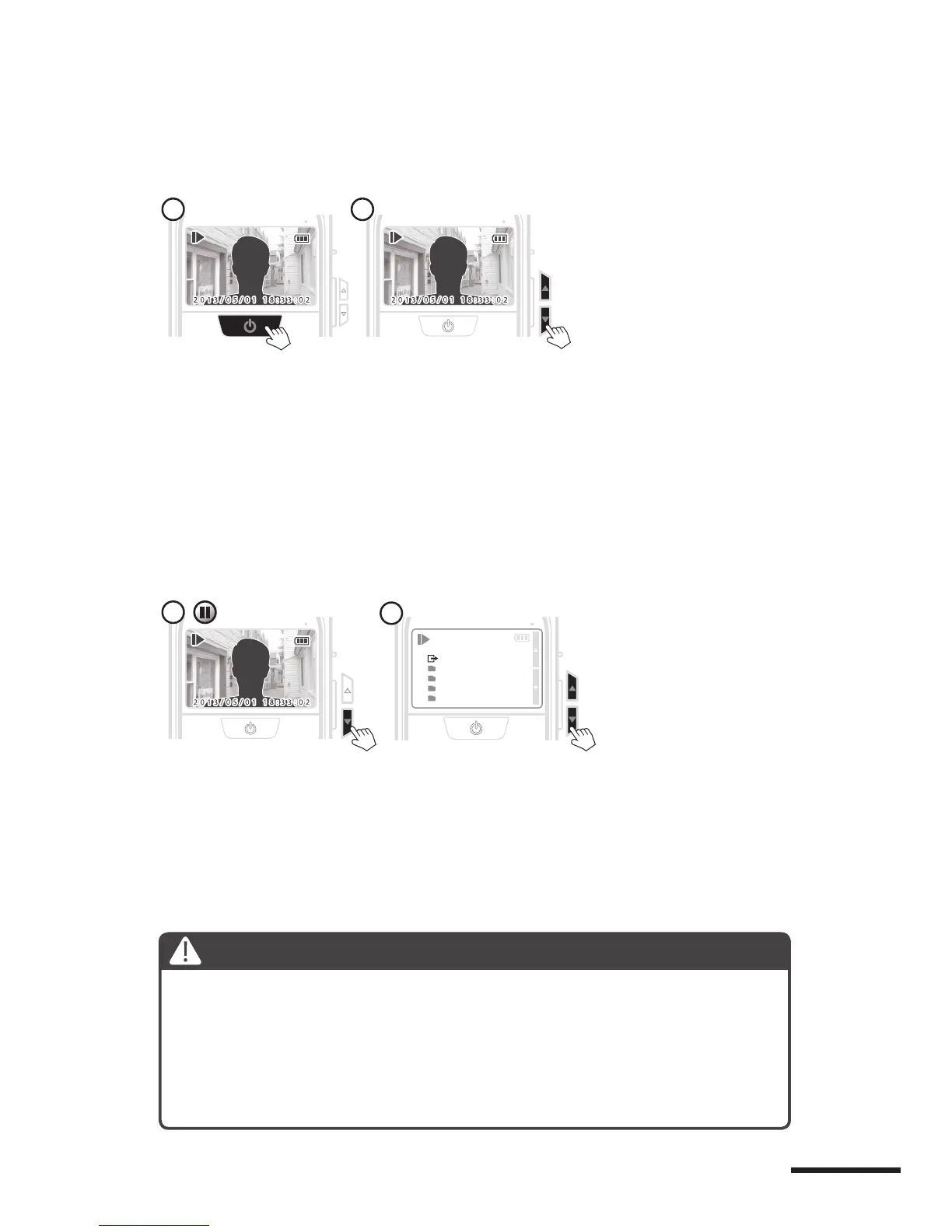
At “Pause” status, hold the Down button to enter “Daily
log folder”.
Choose the day you’re intend to review, press Power but-
ton to select. PHV MAC will auto playback the folder you
choose.
1.
2.
1.
2.
3.
Playback - Photo Visitor Log
At pause mode, after 10 seconds without any activity, it
will go back to preview screen.
Playback will only play the format to which you are currently set.
Playback only support preview function, you can edit or
delete your image by computer.
At “Auto playback” mode, press the Power button to
pause.
Press the Up button to see the previous image, and press
the Down button to see the next image. When you have
seen all your day’s images, the screen will go to the daily
log folder screen.
Single page playback
1.
2.
1 2
Go to the Daily log folder
1


 To Next Page