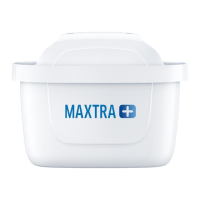
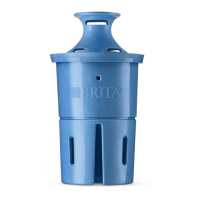
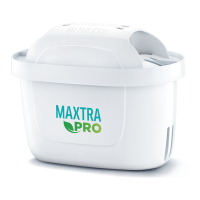
To ensure optimal performance, please change the
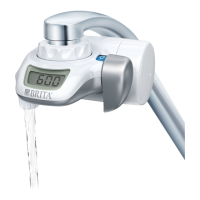
lter cartridge on a regular basis. The display on the
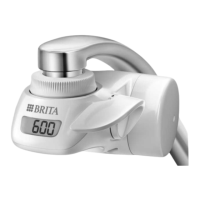
top of the BRITA On Tap counts from 600L down to 0L.
When it has reached 0L it is time to change the
cartridge.
Independent from the display countdown, the cartridge
should be changed after 3 to 4 months to guarantee
ongoing high lter performance.
by rotating the cap anticlockwise.
The housing may still contain water, which will now
leak out. The old lter cartridge can be discarded with
normal domestic waste.
into the housing and close the system by rotating the
cap clockwise until it locks.
every time the lter cartridge is changed. Just press
the small button found on the left side next to the
battery slot. The numbers on the display will light up
brie y to indicate that the display has been reset.
The battery indicator lights up when the
battery needs to be replaced. The remaining lter
capacity on the digital display is not reset when
changing the battery.
To replace the battery, open the battery cap on the left
side of the BRITA On Tap. To do so, insert a coin or
any similar object into the slot on the outside of the
cap and turn anticlockwise, as the arrow for opening
indicates. The battery can be found inside the cap.
Pull it out and dispose of it in accordance with the
applicable laws and regulations. Put a new battery in
the cap, with the positive terminal of the battery facing
downwards. Always use a type CR 2032 battery. Close
the cap by turning clockwise as the arrows for closing
indicate.
If a fault occurs, please read the following potential
causes and their remedies. If the problem persists,
contact your local BRITA customer service team.
Remedy: Determine which adapter you need (see
page 2). If the adapter does not t, please contact your
local BRITA customer service team.
Remedy: There is still water under pressure in the On
Tap housing when the tap is turned off. It is normal for
the ltered water ow to continue for a few seconds.
Remedy: A small amount of hot water running through
the water lter will not damage it. However, make sure
you always use cold water for the ltering process.
Remedy:
A) Make sure you have chosen the right adapter for
your kind of tap.
B) Ensure that you have attached the system to the
tap correctly (do not use any tools!).
Remedy: Ensure that the lter cartridge cap has been
tightened properly.
Remedy:
A) Ensure that the battery has been installed correctly.
B) The battery is exhausted. See section “Changing
the CR 2032 battery”.
For maintenance, remove the whole system from the
tap in the reverse order of installation. Cleaning is
recommended when the cartridge is replaced.
1. Rinse the system body with un ltered tap water. Do
not use detergent, thinner or alcohol to clean the
surface of the system body.
2. Use a clean toothbrush to clean the un ltered water
oulet, and rinse off any contamination under running
tap water and wipe well with a clean cloth.
3. Unscrew the ltered water spout and clean with a
mild detergent.
繁體中文
ΕΛΛΗΝΙΚΆ
5
1037413-00-TOR_OnTap_GA.indb 5 19.03.19 16:37


 To Next Page