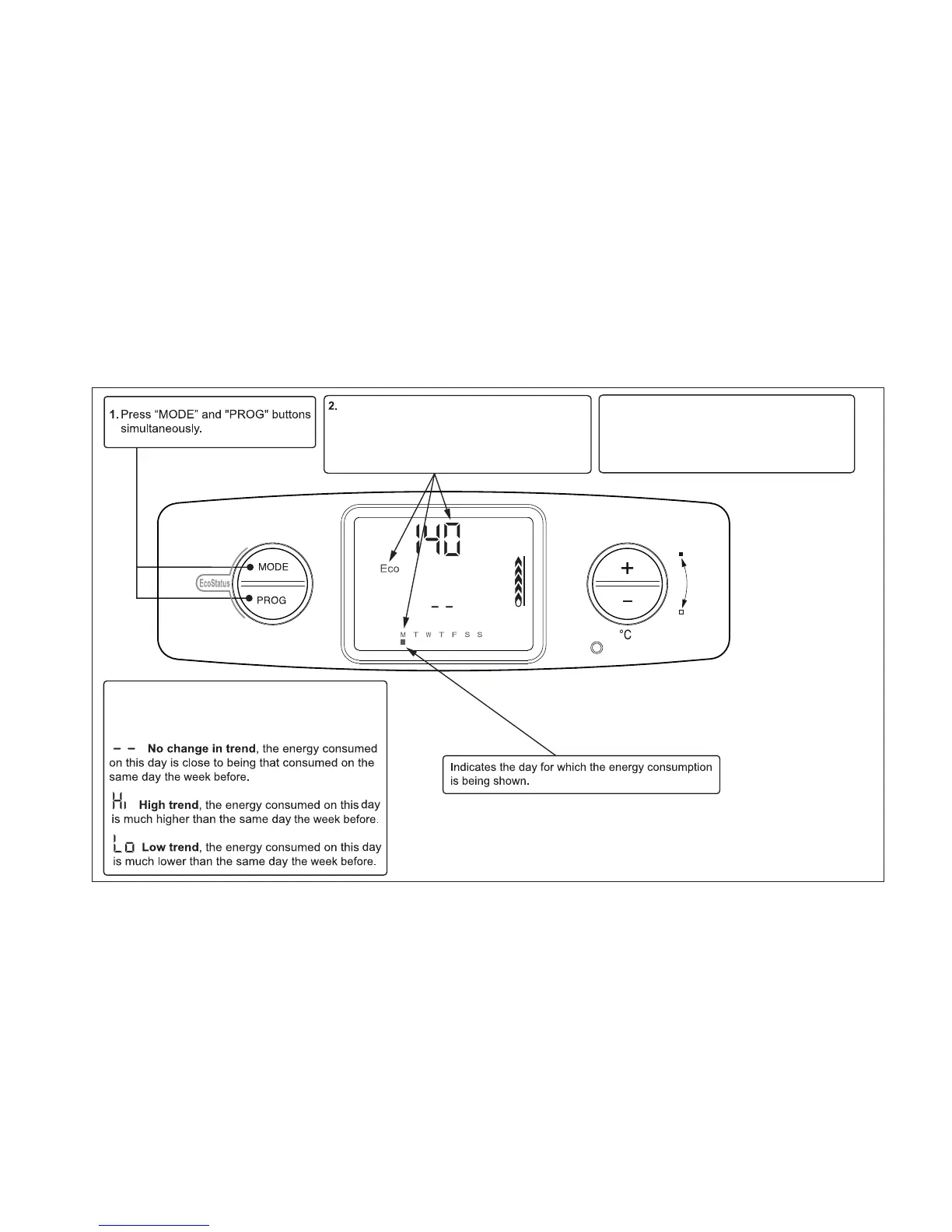
The display will then show the EcoStatus screen
for Monday. This is confirmed by the “Eco”
symbol being displayed and the day indicator ■.
The energy consumed for that day is displayed
in kW/hrs (this is for indication only).
CONSUMPTION TREND
The screen will display a symbol which indicates the
comparison of consumption with the day of the
previous week.
3. Press “PROG” to scroll to the current day and
observe your “Trend”. The days following will
indicate the previous weeks “Trend”.
Scroll through to Sunday, then press “PROG”
to exit, the operation screen will be displayed.


 To Next Page