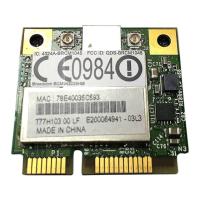
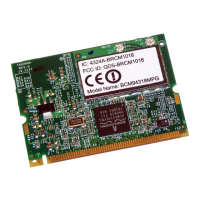
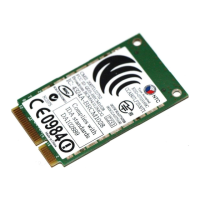
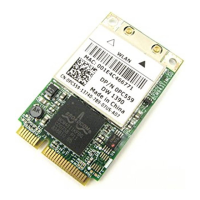
EasyManua.ls Logo

Broadcom BCM94306MP - User Manual

Broadcom BCM94306MP
61 pages
Print Icon
To Next Page IconTo Next Page
Loading...
Contents: Broadcom BCM94306MP Internal 802.11b Mini PCI Card User's Guide
Broadcom BCM94306MP Internal 802.11g Mini PCI Card User's Guide
Introduction
Completing the Setup
Using the Broadcom BCM94306MP Wireless Utility
Specifications
Regulatory Information
Troubleshooting
Glossary
Information in this document is subject to change without notice.
© Copyright 2002 Broadcom Corporation. All rights reserved.
This document is protected by copyright and distributed under licenses restricting its use, copying, distribution, and decompilation. No
part of this document may be reproduced in any form by any means without prior written authorization of Broadcom Corporation.
Documentation is provided "as is" without warranty of any kind, either express or implied, including any kind of implied or express
warranty of non-infringement or the implied warranties of merchantability or fitness for a particular purpose.
Broadcom Corporation reserves the right to make changes without further notice to any products or data herein to improve reliability,
function, or design. Information furnished by Broadcom Corporation is believed to be accurate and reliable. However, Broadcom
Corporation does not assume any liability arising out of the application or use of this information, nor the application or use of any
product or circuit described herein, neither does it convey any license under its patent rights nor the rights of others.
Broadcom, the pulse logo, and Connecting Everything are trademarks of Broadcom Corporation and/or its subsidiaries in the United
States and certain other countries. Microsoft, Windows XP, and Windows 2000 are registered trademarks of Microsoft Corporation. All
other trademarks are the property of their respective owners.
Broadcom Corporation disclaims any proprietary interest in trademarks and trade names other than its own.
Restrictions and Disclaimers
The information contained in this document, including all instructions, cautions, and regulatory approvals and certifications, is provided by the supplier and has
not been independently verified or tested by Broadcom. Broadcom cannot be responsible for damage caused as a result of either following or failing to follow
these instructions. All statements or claims regarding the properties, capabilities, speeds or qualifications of the part referenced in this document are made by
the supplier and not by Broadcom. Broadcom specifically disclaims knowledge of the accuracy, completeness or substantiation for any such statements. All
questions or comments relating to such statements or claims should be directed to the supplier.
Preliminary Release: November 2002
94306MP-UM100-D1
file:///P|/pc/My%20Documents/Working/User%20Guides/94306MP/Index.htm [11/22/2002 2:16:03 PM]
Question and Answer IconNeed help?

Do you have a question about the Broadcom BCM94306MP and is the answer not in the manual?

Broadcom BCM94306MP Specifications

General IconGeneral
BrandBroadcom
ModelBCM94306MP
CategoryPCI Card
LanguageEnglish

Summary

Broadcom BCM94306 MP Introduction

Before You Begin

Information required before starting wireless network setup.

Key Wireless Concepts

Important information and concepts about wireless networking.

BCM94306 MP Network Overview

Understanding the Broadcom BCM94306MP wireless networking solution.

Completing the Setup

Configure Network Profile (Windows 2000)

Steps for setting up wireless network profiles in Windows 2000.

Configure Network Profile (Windows XP)

Steps for setting up wireless network profiles in Windows XP.

Using the Wireless Utility

Open Wireless Utility

Instructions on how to launch and access the Broadcom wireless utility.

Add Preferred Network

Procedure for adding new wireless networks to the preferred list.

View Link Status

How to monitor the current wireless connection status and signal strength.

Modify Network Properties

Methods for viewing and changing wireless network profile settings.

Set Up Ad Hoc Network for Internet

Configuring a peer-to-peer network for sharing Internet or communication.

Add Ad Hoc Network

Steps to add a new peer-to-peer wireless network connection.

Disable or Enable Radio

Instructions to turn the wireless radio functionality on or off.

Run Wireless Diagnostics

Executing diagnostic tests to check the wireless device's functionality.

Troubleshooting

Cannot Connect to Network

Solutions for common issues preventing wireless network connectivity.

Connectivity and Performance Issues

Addressing problems like slow data transfer and communication failures.

Get Technical Support

Information on how to obtain assistance from Broadcom support.

Regulatory Information

User Information and Interoperability

General user advice and wireless product compatibility details.

Health and Safety Guidelines

Information regarding the wireless card's impact on health and safety.

International Radio Regulations

Compliance requirements for Canada, EU, France, Italy, and other regions.

FCC Rules and Interference

FCC compliance, interference statements, and usage guidelines.

Radio Approval Status

How to check radio type approval status for specific countries.

Related product manuals