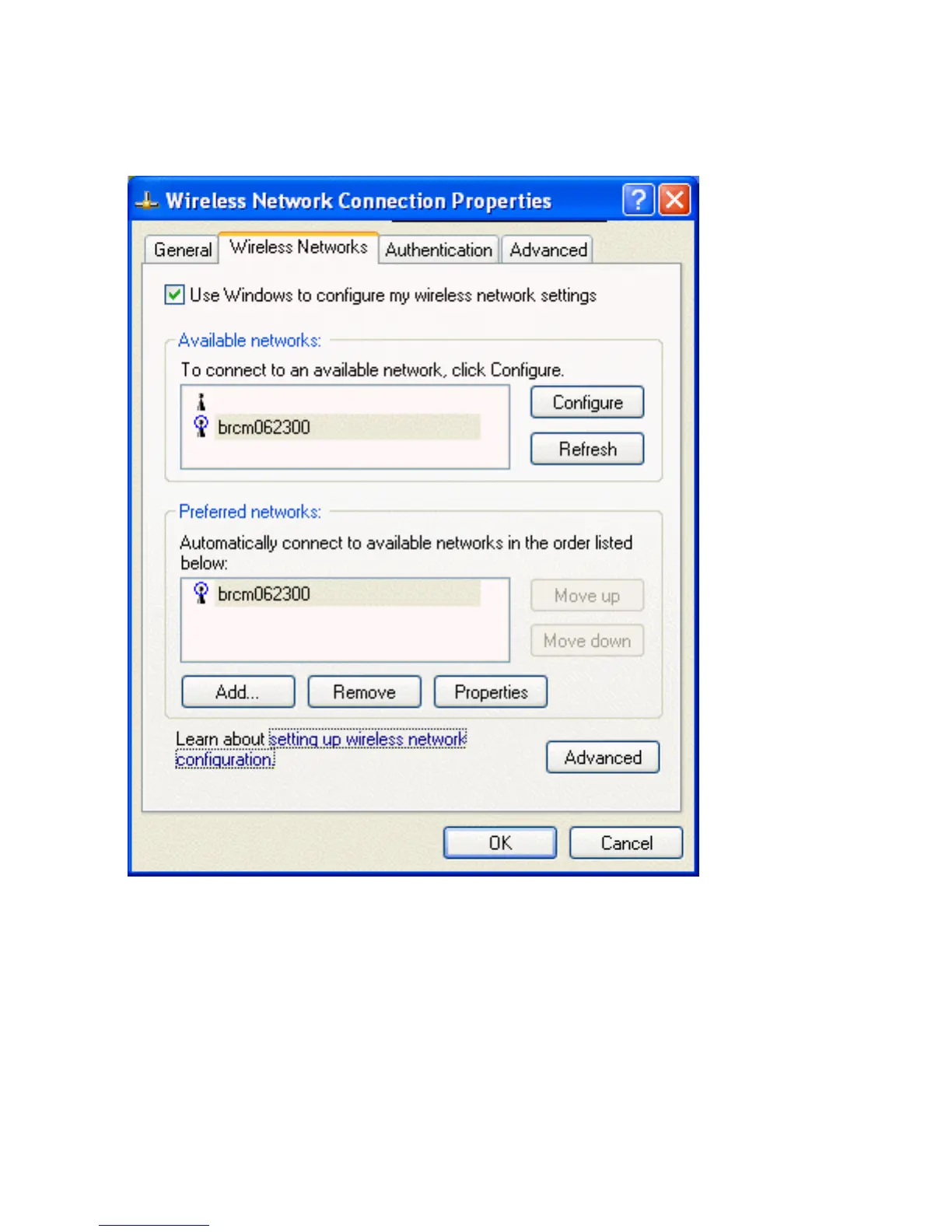
Viewing or Modifying the Wireless Network Properties
1. Click Start, then click Control Panel.
2. Click Wireless Network Connection, then click Change settings of this connection.
3. Click the Wireless Networks tab.
4. Verify that the Use Windows to configure my wireless network settings box is selected. If it is not, select it.
5. Under Preferred networks click the network name and then click Properties.
file:///P|/User%20Manuals/HP%20XP%20WLAN%20Card/utility.htm (4 of 14) [1/30/03 10:11:19 PM]



 To Next Page