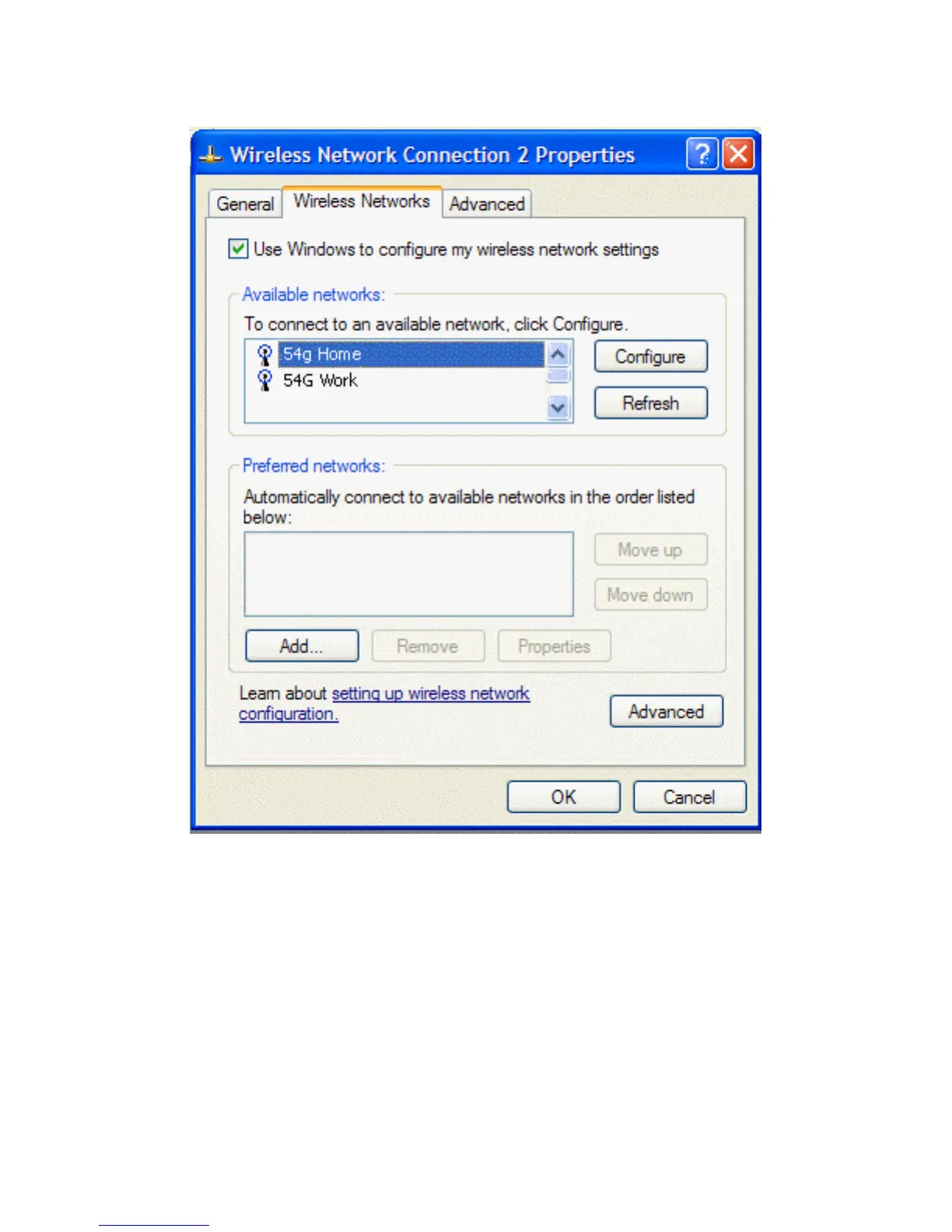
doing the following.
a. Click Start, and then click Control Panel.
2. Double-click Network Connections.
3. Right-click Wireless Network Connection, and then click Properties.
2. Click the Wireless Networks tab.
3. Under Available networks, click the network name, and then click Configure.
file:///P|/User%20Manuals/HP%20XP%20WLAN%20Card/setup.htm (4 of 15) [1/30/03 10:11:18 PM]



 To Next Page