Using the Broadcom Wireless Utility: Broadcom AirForce™ 54g™ and Intensi-fi™ Wireless Network Adapter User Guide
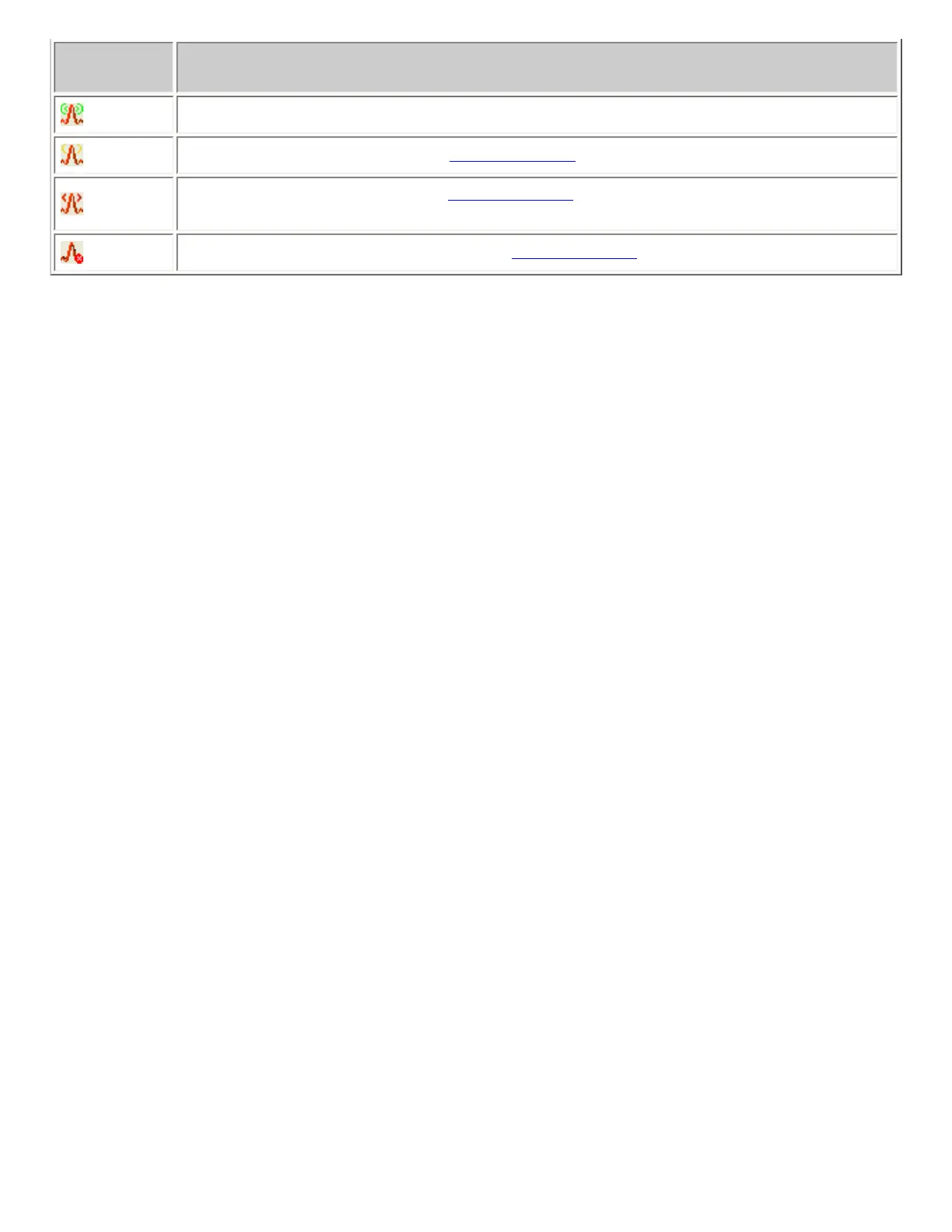
Icon
Appearance
Indicated Received Signal Strength
The signal strength is very good or excellent.
The signal strength is weak. See
Troubleshooting for suggested action.
No signal is being received. See
Troubleshooting for probable causes and suggested
action.
The radio is disabled or switched off. See
Troubleshooting for suggested action.
Statistics
On the Statistics tab under Current, the following current statistics are shown:
● Network name (SSID)
● Connection time
● Packets sent
● Packets received
● Sent packets lost
● Received packets lost
● Total packets lost (%)
Under Accumulated, the following accumulated statistics are shown:
● Packets sent
● Packets received
● Sent packets lost
● Received packets lost
file:///P|/User%20Manuals/WLANCard-UM302_LaLa/HTML/utility.htm (7 of 12)4/25/2006 1:57:41 PM


 To Next Page