AP1 & RP SERIES
Page 2
CLEANING & MAINTENANCE
For performance, appearance, and health reasons, clean lter,
fan and grease-laden surfaces. Use only a clean cloth and mild
detergent solution on stainless and painted surfaces. Clean all-
metal lters in the dishwasher.
The motor is permanently lubricated and never needs oiling. If
the motor bearings make excessive or unusual noise, replace
the motor with the exact service motor. The impeller should also
be replaced.
Use 120 V, 50 W, shielded halogen bulbs - MR16 or PAR16 with
GU10 base. Purchase bulbs separately.
The grease lters, bottom panel, and blower wheel should be
cleaned frequently. Use a warm detergent solution. The grease
lters and blower wheel are dishwasher safe.
Note: Some minerals, when in contact with dishwasher
soap additives, may cause lters to discolor. This discol-
oration is not covered by the warranty.
PREPARE HOOD LOCATION
SOFFIT
18" - 24" ABOVE
COOKING SURFACE
CABINET
3¼" X 10" DUCT
(For horizontal discharge)
WALL CAP
ROOF CAP
3¼" X 10"
(For vertical
discharge)
HOUSE WIRING
(Top or Back of hood)
HOODHOOD
1 Determine whether hood will discharge vertically or hori-
zontally. For vertical or horizontal discharge, run ductwork
between the hood location and a roof cap or wall cap. For
best results, use a minimum number of transitions and
elbows.
OPERATION
Always turn the hood ON before cooking in order to establish an
air ow in the kitchen. After turning off the range, let the hood run
for a few minutes to clear the air.
HEAT SENTRY™
The hood is equipped with a Heat Sentry™ thermostat. This safety
device will turn on or speed up the blower if it senses excess heat
above the cooking surface.
If the blower is not on, or if it is running at low speed, the Heat
Senttry™ will override the normal blower control and trun the
blower on the high speed. When the temperature level drops to
normal levels, the blower will return to its original setting.
RP SERIES HOOD
Operate the hood as follows:
BLOWER SWITCH
This 3-position switch turns blower ON and OFF and controls
blower speed.
Set switch to (1) position to turn blower ON to low speed.
Set switch to (2) position to turn blower ON to high speed.
Set switch to (0) position to turn blower OFF.
LIGHT SWITCH
This 3-position switch turns lights ON and OFF and controls
their intensity.
Set switch to (1) position to turn lights ON to low intensity.
Set switch to (2) position to turn lights ON to high intensity.
Set switch to (0) position to turn lights OFF.
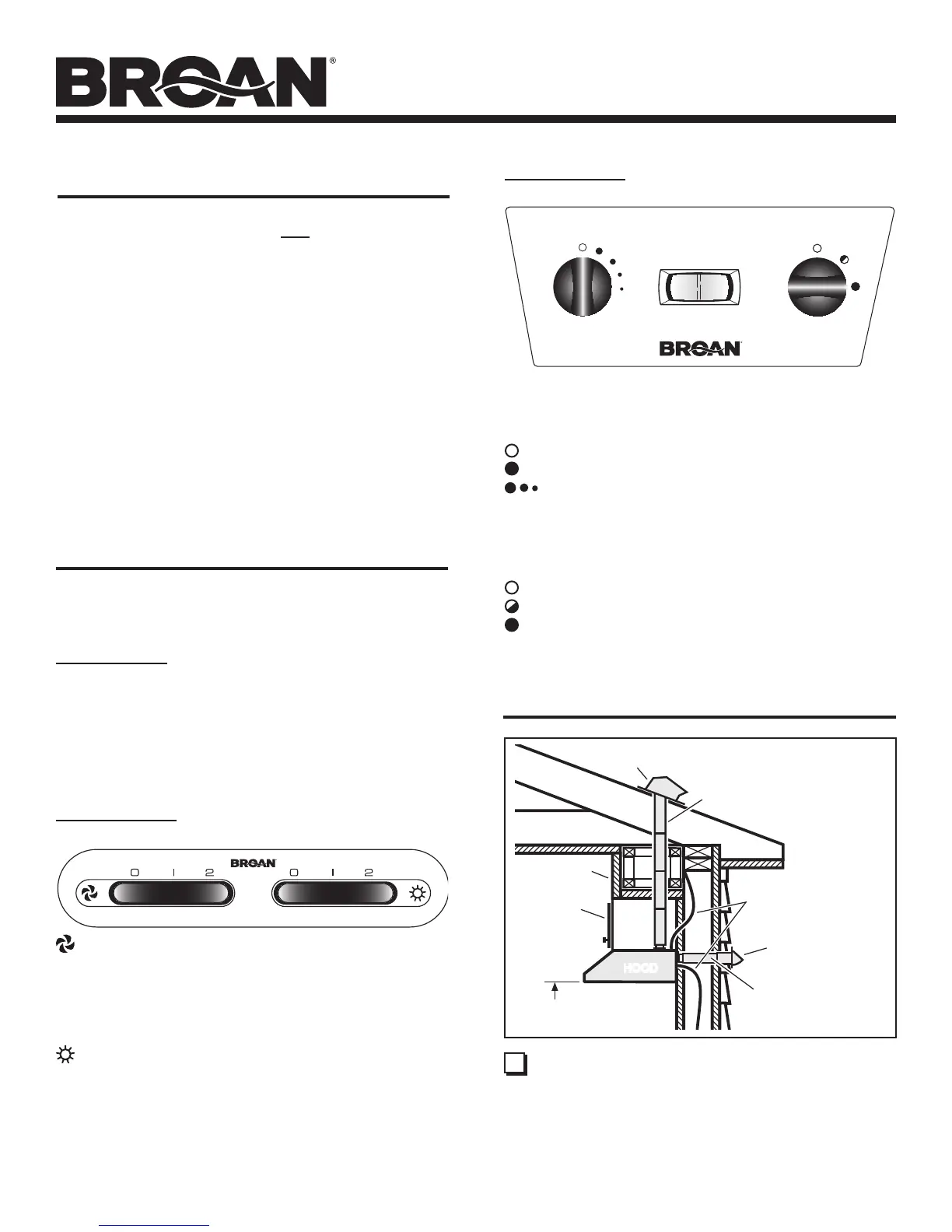
AP SERIES HOOD
Operate the hood as follows:
FAN
The 2-position switch (in center) turns blower ON and OFF.
The 5-position switch (at left) controls blower speed.
Blower is OFF (secondary blower OFF).
Blower is ON at highest speed.
As dots get smaller - blower speed decreases.
LIGHT
This 3-position switch (at right) turns lights ON and OFF and
controls their intensity.
Lights are OFF.
Lights are ON to low intensity.
Lights are ON to highest intensity.




 To Next Page