EasyManua.ls Logo

Broan B150H75NS - User Manual

Broan B150H75NS
24 pages
Print Icon
To Next Page IconTo Next Page
Loading...
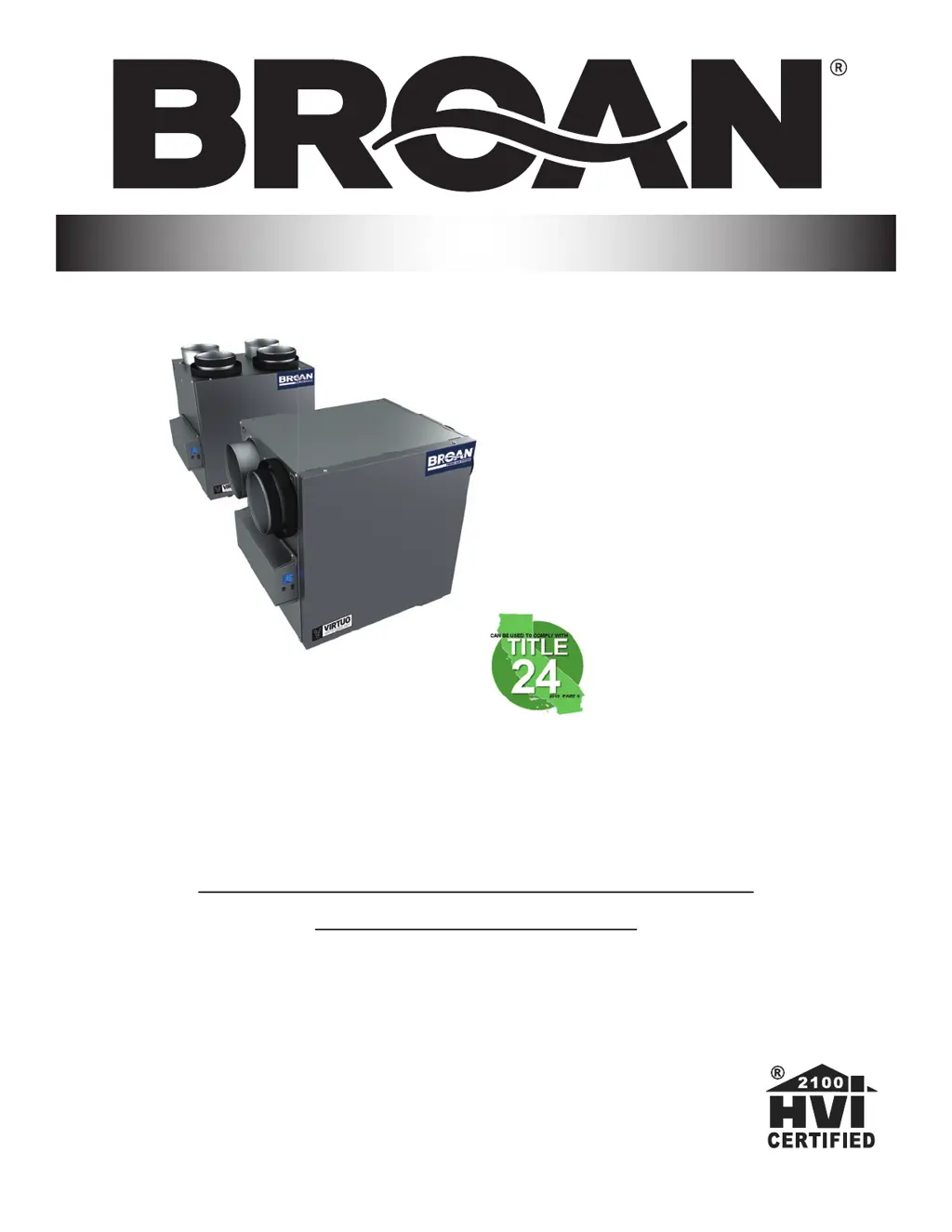
B110H65RT B110H65RS
B130H65RT B130H65RS
B130E65RT B130E65RS
B150H75NT* B150H75NS*
B160H75RT B160H75RS
B160H65RT B160H65RS
B160E65RT B160E65RS
B150E75NT* B150E75NS*
B160E75RT B160E75RS
USER AND INSTALLER MANUAL
INSTALLER: READ THESE INSTRUCTIONS
SAVE THEM FOR USER
RESIDENTIAL USE ONLY
23832 REV. 10
VB0288
*Recirculation mode is not offered on these
models.

Questions and Answers

  • L
    Lynn Reed DVMSep 14, 2025
    What to do if my Broan B150H75NS displays error E33?
    • N
      Nancy SantanaSep 14, 2025
      If your Broan Fan shows error code E33, try the following steps: 1. Unplug and then plug the unit back in. 2. If the problem persists, remove the core and clear the ventilation wheel of any dirt or obstructions. 3. If the error continues, disconnect J3 (red) and connect a spare blower system. If it works, replace the exhaust blower. 4. If none of these steps work, consider replacing the electronic assembly.
  • J
    Janice PaceAug 25, 2025
    What to do if my Broan B150H75NS Fan displays error E22?
    • M
      Misty MoralesAug 25, 2025
      To resolve the E22 error on your Broan Fan, start by visually inspecting the supply damper system. Clean the filters, distribution registers, and the outside supply hood. Also, check the ducting to make sure it's not squeezed or bent. If the problem continues, remove the ducting from the supply path and use the LCD screen to select MAX to see if the unit can reach the selected flow. If it can, review the ducting path. If needed, select the MIN and MAX flow setting values on the LCD screen, then reset the unit. The MAX flow value will then appear on the screen. If the MAX flow is higher than desired, set the MAX and MIN flows. If none of that helps, replace the supply blower and repeat the MIN/MAX flow settings. Finally, if nothing has worked, replace the electronic assembly.
  • R
    Robert RayAug 25, 2025
    What to do if my Broan B150H75NS Fan shows error E32?
    • K
      Kevin SpencerAug 26, 2025
      To fix the E32 error on your Broan Fan, start with a visual inspection of the exhaust damper system. Ensure you clean the filters, distribution registers, and the outside supply hood. Check the ducting to confirm it is not squeezed or bent. If the issue remains, remove the ducting from the supply path and select MAX on the LCD screen to check if the unit can reach the selected flow. If it can, review the ducting path. If needed, select the MIN and MAX flow setting values on the LCD screen and reset the unit. The MAX flow value will then display. If the MAX flow is above the desired level, set the MAX and MIN flows accordingly. If this doesn't resolve the issue, replace the exhaust blower and repeat setting the MIN/MAX flows. If all else fails, replace the electronic assembly.
  • M
    Melissa SawyerAug 26, 2025
    What to do if my Broan B150H75NS displays error W22?
    • R
      Randall SullivanAug 27, 2025
      To resolve the W22 error on your Broan Fan, start by visually inspecting the supply damper system. Clean the filters, distribution registers, and the outside supply hood. Also, check the ducting to make sure it's not squeezed or bent. If the problem continues, remove the ducting from the supply path and use the LCD screen to select MAX to see if the unit can reach the selected flow. If it can, review the ducting path. If needed, select the MIN and MAX flow setting values on the LCD screen, then reset the unit. The MAX flow value will then appear on the screen. If the MAX flow is higher than desired, set the MAX and MIN flows. If none of that helps, replace the supply blower and repeat the MIN/MAX flow settings. Finally, if nothing has worked, replace the electronic assembly.
  • B
    Benjamin AndersonSep 14, 2025
    What to do if my Broan B150H75NS displays error E01?
    • C
      carl09Sep 15, 2025
      If your Broan Fan is showing error code E01: 1. Unplug the unit, inspect the damper system, and remove any obstructions or dirt. Note that you may need to remove filters and the core to access the damper system. Then, plug the unit back in. 2. If the problem persists, open the electrical compartment and check if connector J5 (white) is properly inserted and inspect for any loose wires. 3. If the damper is still not moving, unplug J7 (red) from the electronic assembly and connect the white damper system connector into J7. If the damper moves but the error persists, the electronic assembly must be replaced. Otherwise, replace the damper system.
  • S
    Summer KirbySep 23, 2025
    What to do if my Broan B150H75NS displays error E42?
    • D
      Danielle SchultzSep 23, 2025
      If your Broan Fan displays error E42, replace the electronic assembly.
  • C
    Carlos ColemanSep 7, 2025
    What should I do if my Broan Fan displays error E33?
    • C
      Crystal CarpenterSep 7, 2025
      To address error E33 on your Broan Fan, begin by unplugging and plugging the unit back in. If the issue persists, remove the core and clear the ventilation wheel of any dirt or obstacles. If the problem continues, disconnect J3 (red) and connect a spare blower system. If it works, replace the exhaust blower. If these steps do not resolve the issue, replace the electronic assembly.
  • T
    Theresa JohnsonSep 8, 2025
    What does error E34 mean on my Broan Fan, and how can I fix it?
    • J
      Jennifer LindseySep 8, 2025
      To address error E34 on your Broan Fan, start by unplugging the unit and plugging it back in. This error can occur due to under or over voltage detected from severe in-house power supply fluctuation, which stops the motor for protection. If the problem persists after doing this, replace the electronic assembly.
  • C
    Christina PageSep 23, 2025
    How to configure the selection menu on my Broan B150H75NS Fan when it displays error W52?
    • C
      Christina RiosSep 23, 2025
      To configure the selection menu on your Broan Fan when error W52 is displayed: 1. Press the + or - buttons to access the selection menu. 2. Complete the configuration.
  • T
    torresrichardAug 31, 2025
    How to troubleshoot error E41 on a Broan B150H75NS Fan?
    • B
      benjaminbrownAug 31, 2025
      To resolve the E41 error on your Broan Fan, first verify that the thermistor is properly connected to connector J7B. If the error continues, disconnect connector J7B and check the resistance of the thermistor connector; it should be within 5 Kohms to 120 Kohms. If the resistance is outside of this range, replace the thermistor. If the problem persists after these steps, replace the electronic assembly.

Broan B150H75NS Specifications

General IconGeneral
TypeExhaust Fan
Airflow150 CFM
Sound Level1.5 Sones
Voltage120 V
Housing MaterialGalvanized Steel
Mounting TypeCeiling Mount
Blade MaterialPlastic
Motor TypeAC
Duct Size4 Inches
Wattage75 Watts

Related product manuals